safety.viz release 1.11.1 13 October 2026
What v1.11.1 changes, annotated
Release 1.11.1 is a patch to the demo app. Wherever R can be started, a note at the top of the card now says why R is wanted and what starting it costs, with Start R inside the sentence. Every note in the app is now blue for information or amber for something that cannot run, and the line on first open is removed. No chart and no metric is added, and nothing the app computes changes.
111 of 111 things this page says, held to the live site by a script captured 13 October 2026 from the released site public pilot study: 254 participants with 110 synthetic participants in its labs file
Where everything is
- The demo app, on the released site (jwildfire.github.io/safety.viz/demo).
- The design this was built from: annotated mockups of the note (the design page).
- The requirement: a standard note where R can be started (obot.roadmap #420).
- Task one: add the app’s standard note, use it for every note, and remove the line on first open (safety.viz #321).
- Task two: put the R note on the biomarker charts and the RBQM tab (safety.viz #322).
- Task three: prepare release 1.11.1 (safety.viz #323).
- Pull request one: the app’s notes are one standard note, blue or amber, and the first-open line is gone (safety.viz #324).
- Pull request two: the note where R can be started, with Start R inside its sentence (safety.viz #325).
- Pull request three: release preparation, the version, the bundle and the notes (safety.viz #326).
- The release candidate: safety.viz v1.11.1-RC1 (safety.viz #327).
- Task four: fix what the review of the release candidate found (safety.viz #328).
- The release: safety.viz v1.11.1, approved and published on 13 October 2026 (the release).
- Pull request four: the fixes from that review (safety.viz #330).
Still yours to rule on
Six things, set out at the foot of this page:
- the notes’ sentences, which are drafts;
- no seconds in the note while R starts;
- three cases that moved from red to amber;
- a note on the RBQM tab while R is ready and nothing has run;
- the hub’s line on one control that starts R;
- a link on the hub, from the objective to this requirement.
How to read this page
- Where the app changed its look, a switch above the picture swaps release 1.11.0 and release 1.11.1 in place. Release 1.11.0 is the released site as it stood before this release; release 1.11.1 is the released site.
- A numbered marker on a picture is explained by the same number under it. Tap a picture to open it at full size.
- Every sentence quoted from the app was read from the live page by the script beside this page, which stops when one differs from what is expected (what it read).
- A word drawn like Start R inside a quoted sentence is a button in the app.
- The app’s footer on the released site reads “safety.viz 1.11.1”.
A note at the top of the card says why R is wanted
A reader on a chart that can start R is now told so where they are looking, and can start R from that sentence. In release 1.11.0 the chart said “Statistics need R. Start R, at the top right.” and the reader had to find the control.
Requirement: a standard note where R can be started (obot.roadmap #420) Task: put the R note on the biomarker charts and the RBQM tab (safety.viz #322) Pull request: the note where R can be started (safety.viz #325) As drawn in the design’s first mockup
Blue, where R adds p-values
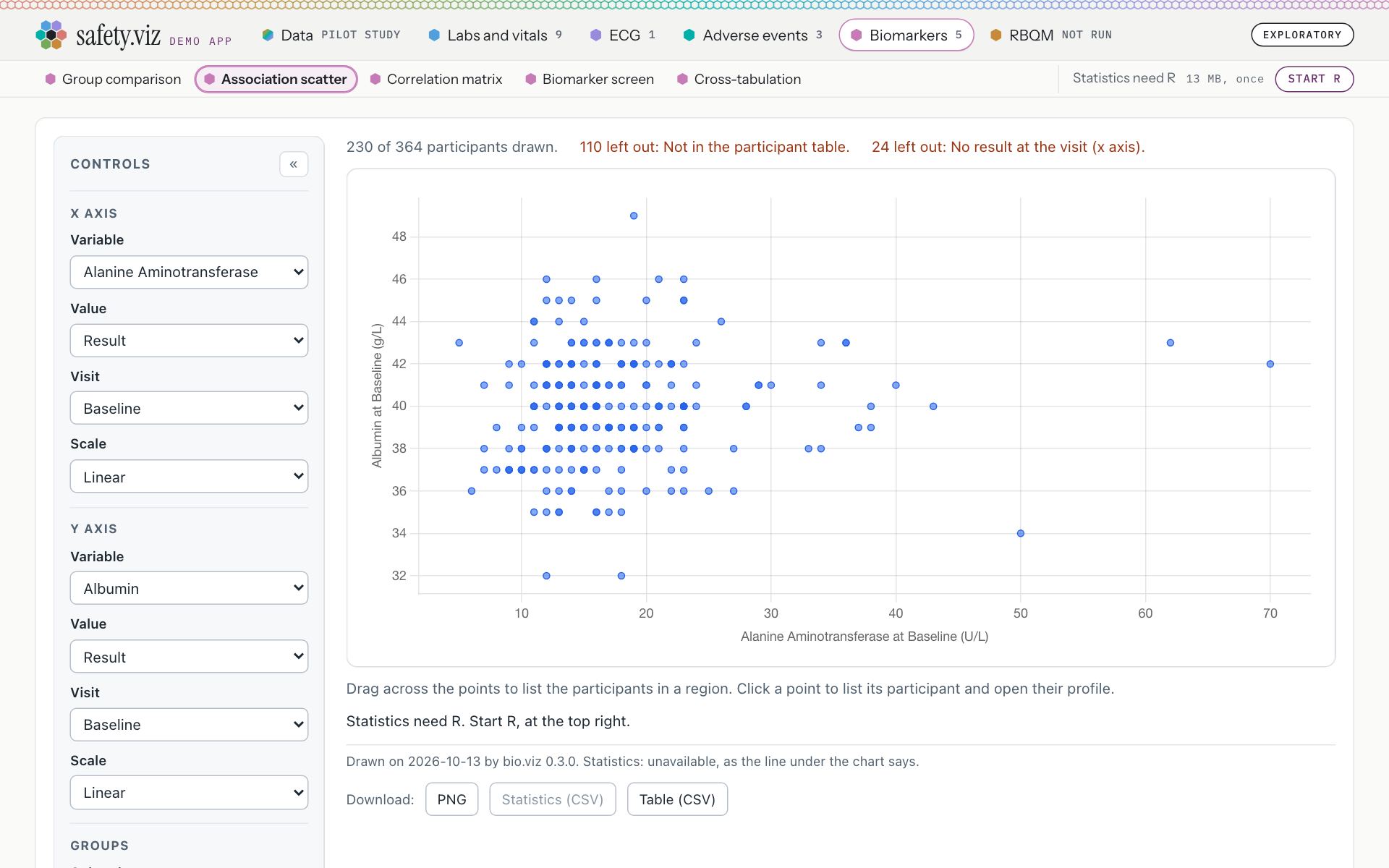
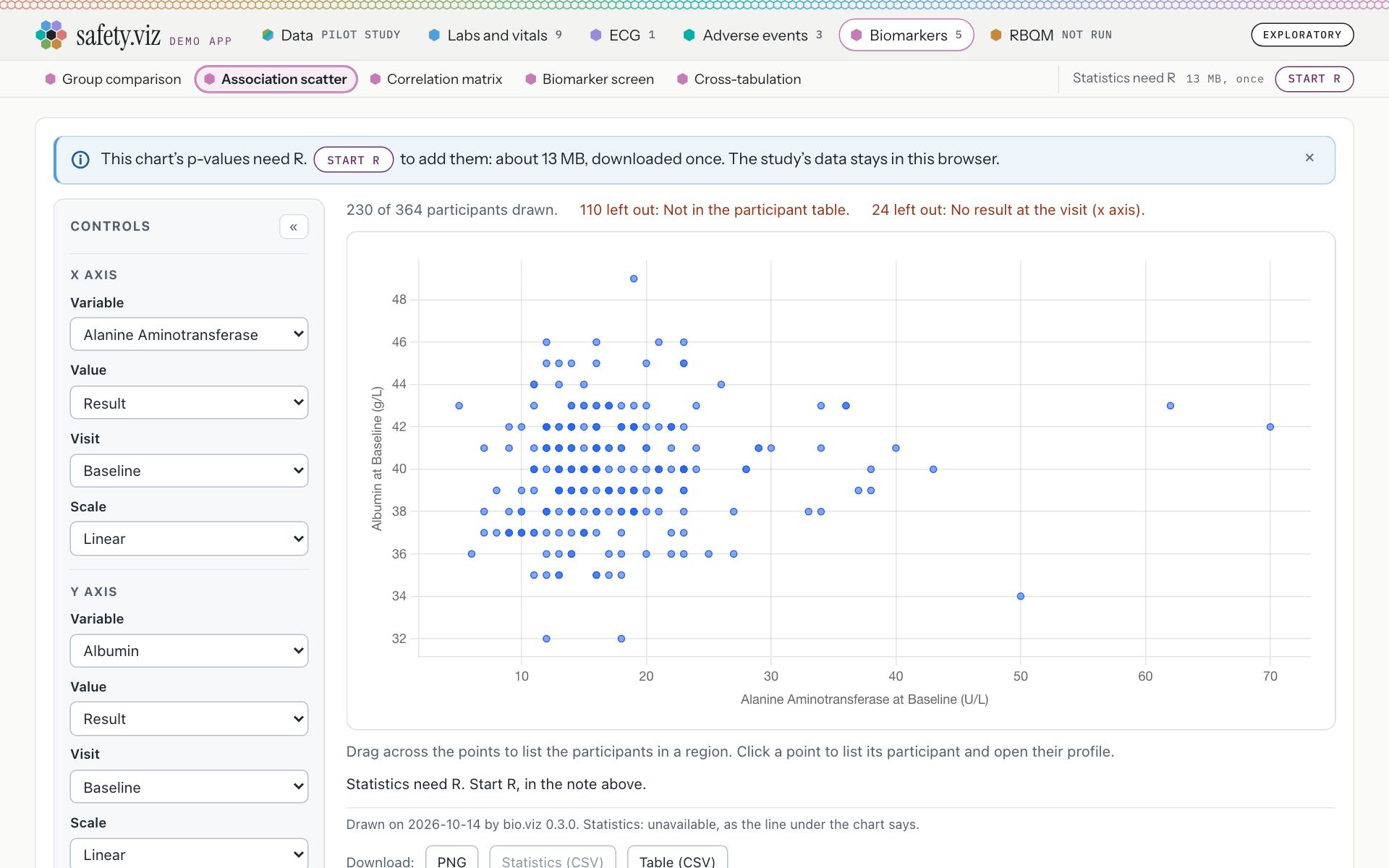
The Association scatter, before R is started.
- The control at the right end of the chart names is the only place R can be started: “Statistics need R · 13 MB, once · Start R”.
- The chart’s own line sends the reader to it: “Statistics need R. Start R, at the top right.”
- The note, at the top of the card, in blue with the information mark: “This chart’s p-values need R. Start R to add them: about 13 MB, downloaded once. The study’s data stays in this browser.”
- Start R is a button inside the sentence. It is the same press as the control’s.
- The cross closes the note for the visit (section 03).
- The control is unchanged: “Statistics need R · 13 MB, once · Start R”.
- The chart’s own line now points at the note: “Statistics need R. Start R, in the note above.”
Amber, where nothing is drawn without R
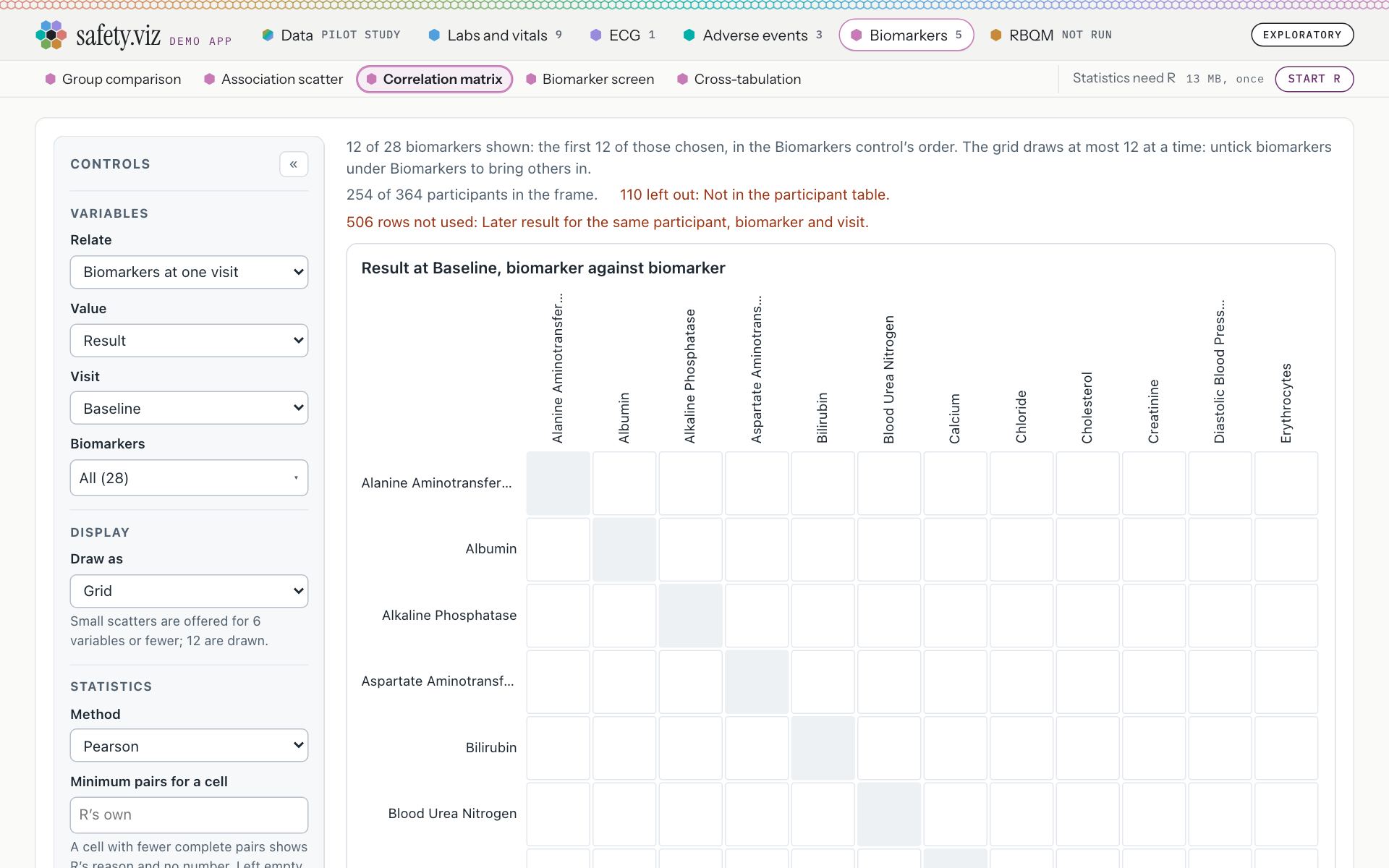
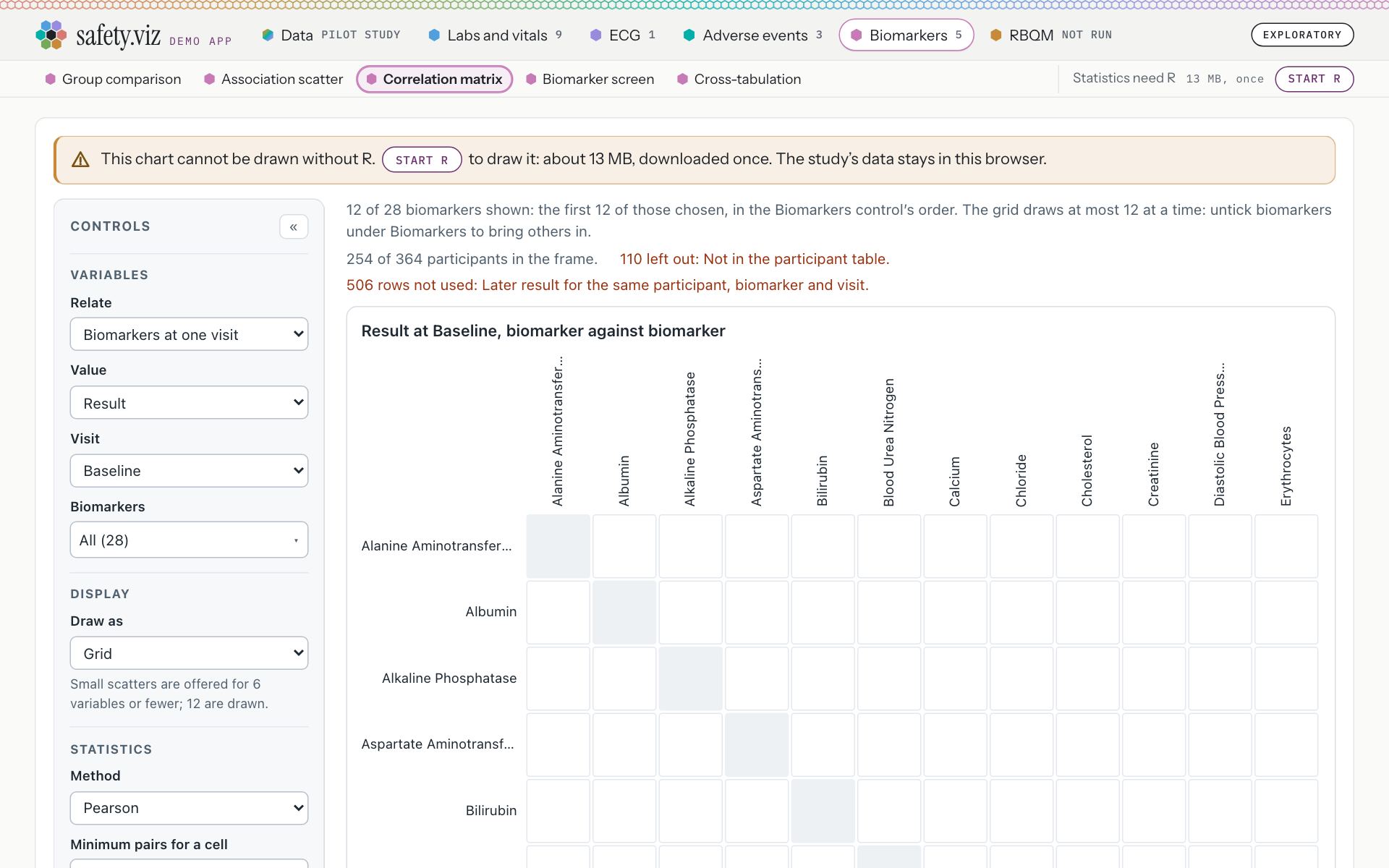
The Correlation matrix, before R is started.
- An empty grid. The one sentence that says why is under it, 1,316 pixels down the page, below the first screen: “Statistics need R. Start R, at the top right.”
- The note, in amber with the warning mark: “This chart cannot be drawn without R. Start R to draw it: about 13 MB, downloaded once. The study’s data stays in this browser.”
- Start R, inside the sentence.
- The control is unchanged. An amber note has no cross: it stays until R is started.
- Blue is on the charts that draw without R and gain p-values from it: Association scatter, Cross-tabulation and Group comparison.
- Amber is on the charts that draw no result without R: Correlation matrix and Biomarker screen. The RBQM tab has the same amber note (section 04).
- All five charts give the same cost: “about 13 MB, downloaded once. The study’s data stays in this browser.”
- The note’s button and the control are one press. With Start R pressed on the control, the note on the Correlation matrix turned to “R is starting. The chart is drawn when it is ready.” and lost its button, so R cannot be started a second time.
- R still starts only when asked: until one of the two is pressed the page asks nothing of R’s addresses (0 requests).
- The sentence inside the chart is one the app hands to the chart, so the chart library did not change: the chart’s footer still reads “Drawn on 2026-10-14 by bio.viz 0.3.0. Statistics: unavailable, as the line under the chart says.”
Each of the six views, before R is started
The five biomarker charts and the RBQM tab, as each opens on the released site. Tap a strip to open it at full size.
Group comparison
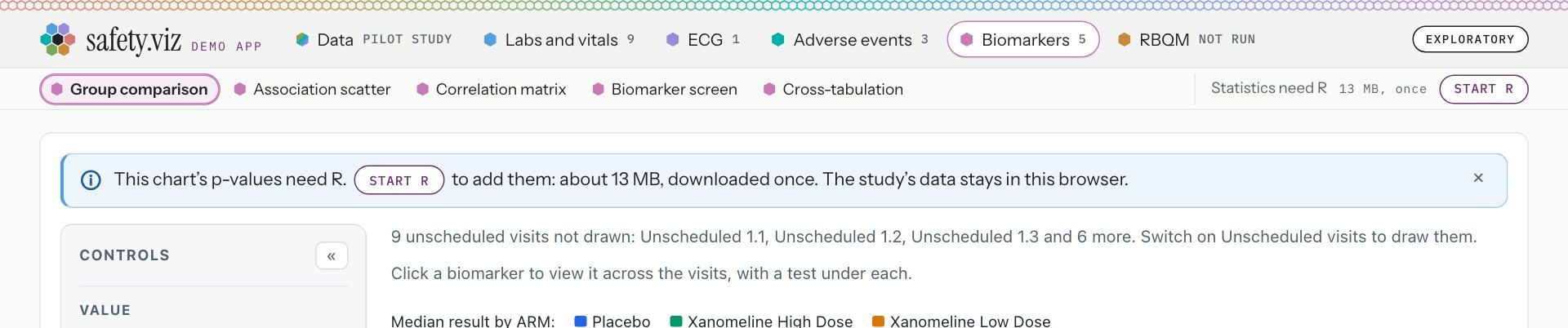
Blue. “This chart’s p-values need R. Start R to add them: about 13 MB, downloaded once. The study’s data stays in this browser.”
Association scatter
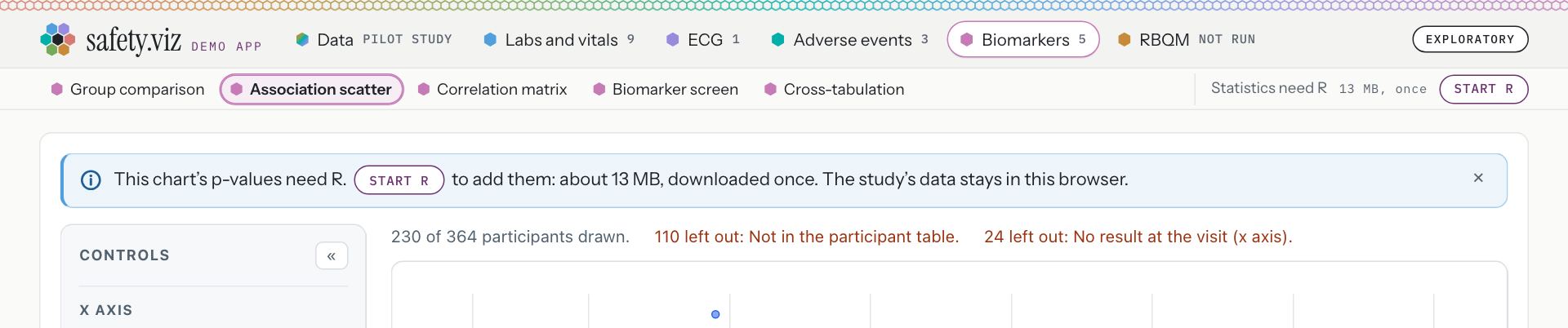
Blue. “This chart’s p-values need R. Start R to add them: about 13 MB, downloaded once. The study’s data stays in this browser.”
Cross-tabulation
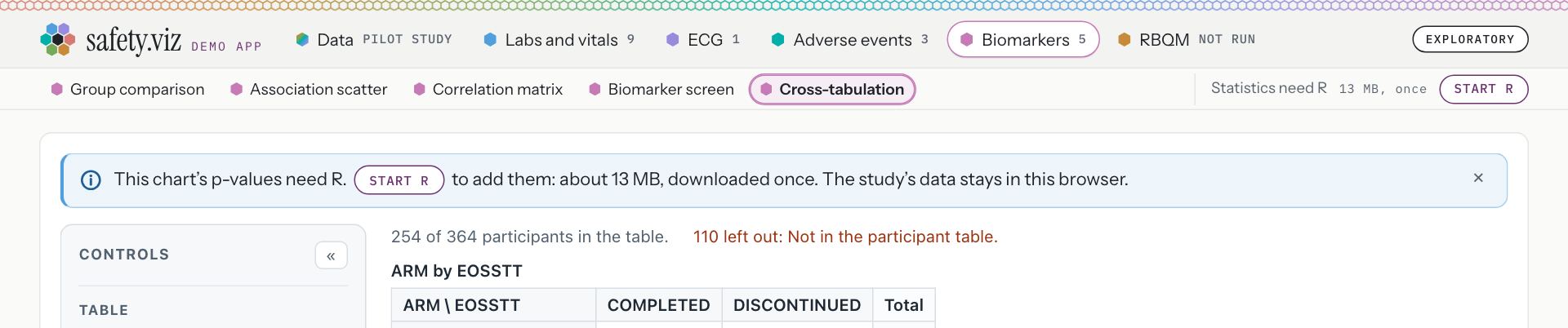
Blue. “This chart’s p-values need R. Start R to add them: about 13 MB, downloaded once. The study’s data stays in this browser.”
Correlation matrix
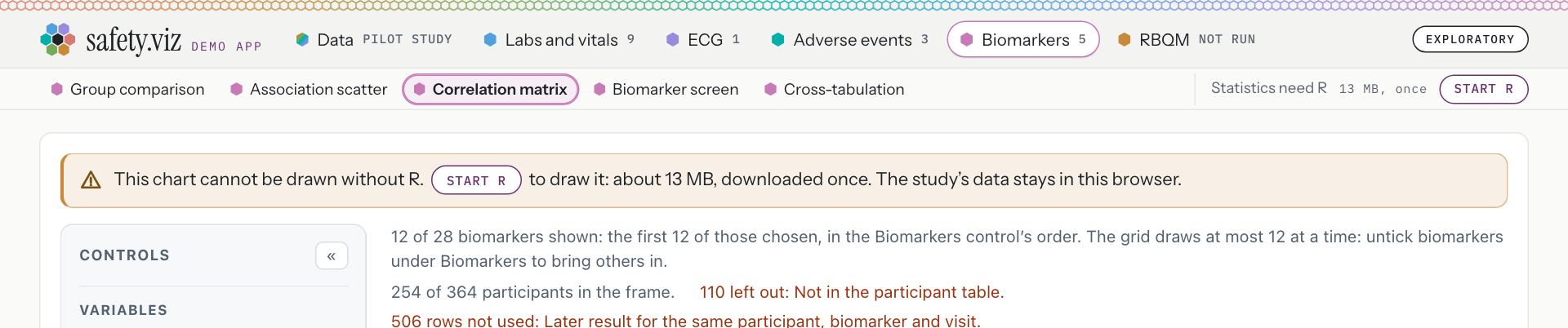
Amber. “This chart cannot be drawn without R. Start R to draw it: about 13 MB, downloaded once. The study’s data stays in this browser.”
Biomarker screen
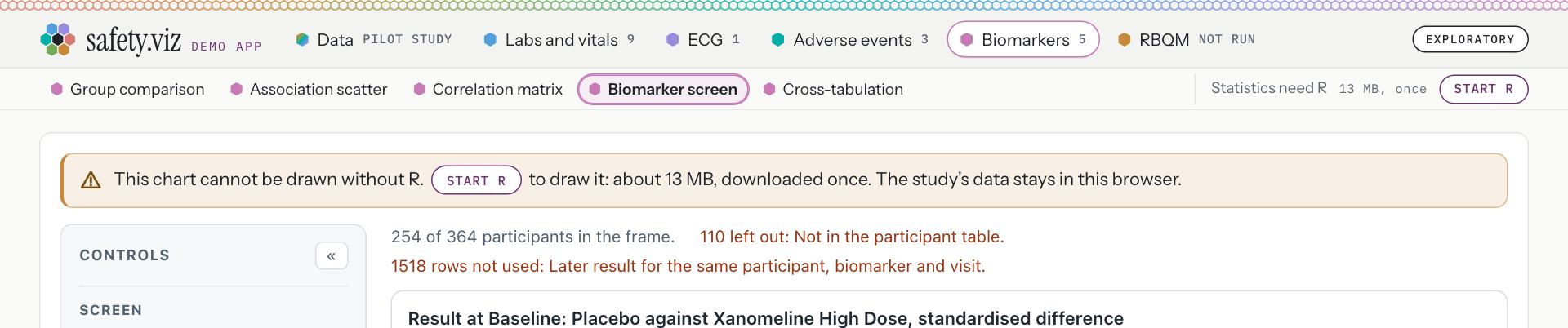
Amber. “This chart cannot be drawn without R. Start R to draw it: about 13 MB, downloaded once. The study’s data stays in this browser.”
RBQM, the overview
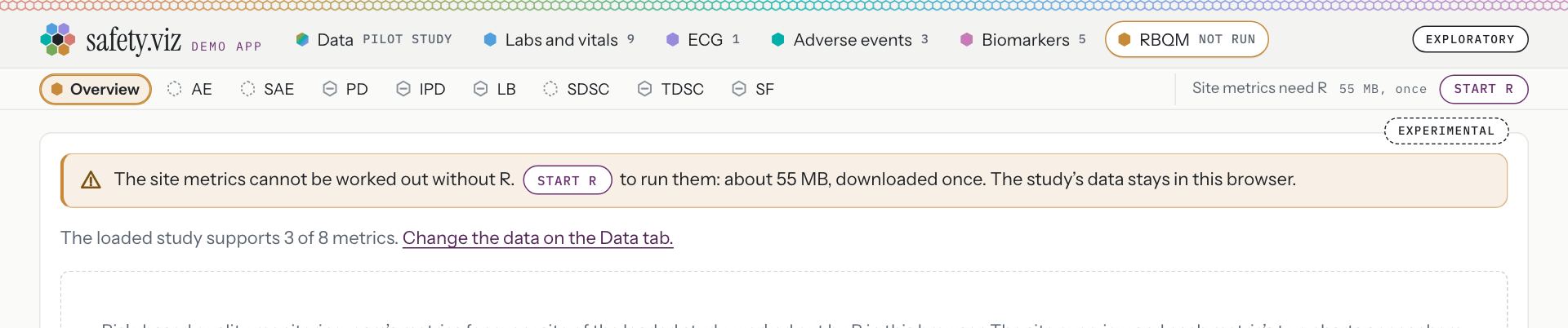
Amber. “The site metrics cannot be worked out without R. Start R to run them: about 55 MB, downloaded once. The study’s data stays in this browser.”
On a phone
At 390 pixels the note wraps inside the card and nothing scrolls sideways: the note is 340 pixels wide and the page 390.
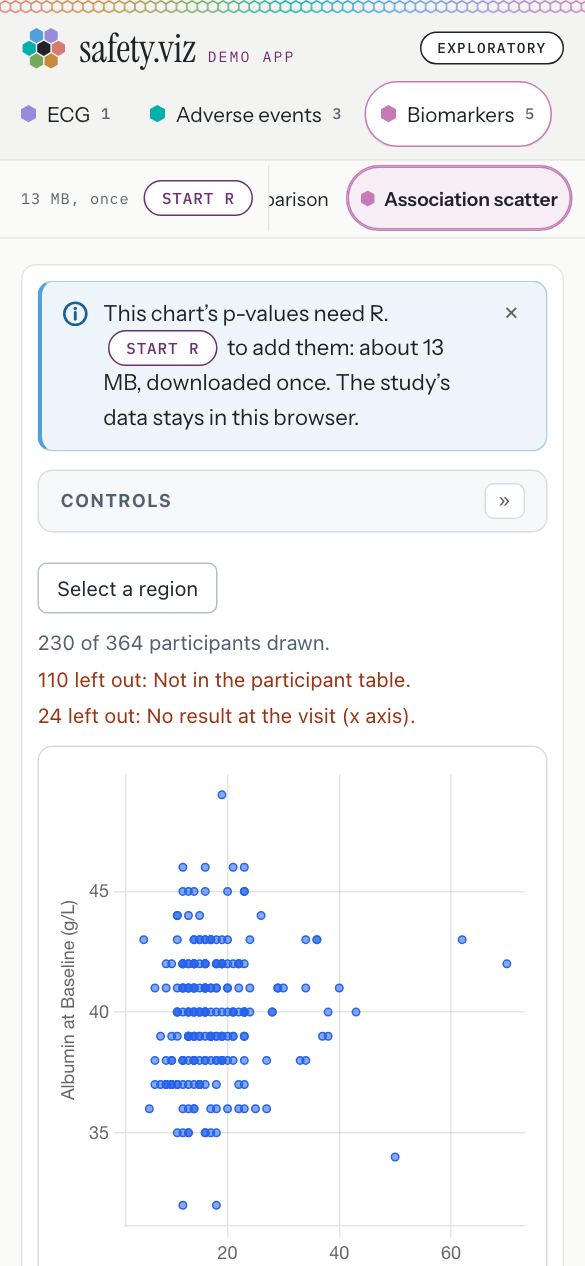
The blue note at 390 pixels.
- The same sentence, wrapped. The chart’s line under the chart reads “Statistics need R. Start R, in the note above.”
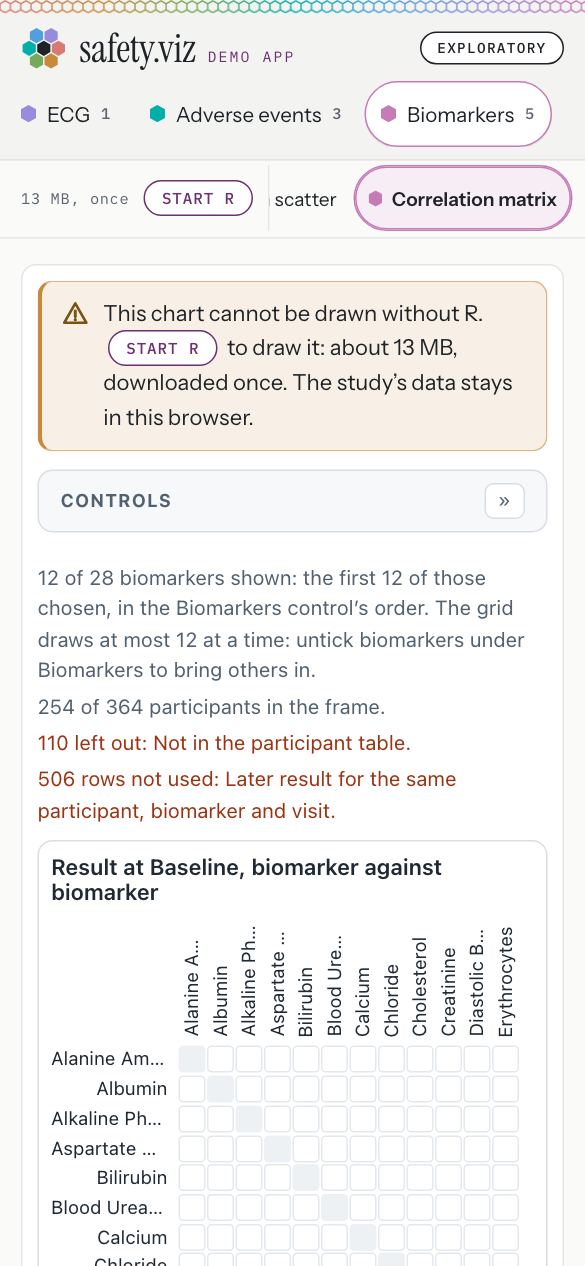
The amber note at 390 pixels.
- The same sentence, wrapped, with no cross.
Try it: under a minute
- Open the Association scatter.A blue note at the top of the card: “This chart’s p-values need R. Start R to add them: about 13 MB, downloaded once. The study’s data stays in this browser.”
- Open the Correlation matrix.An amber note over an empty grid: “This chart cannot be drawn without R. Start R to draw it: about 13 MB, downloaded once. The study’s data stays in this browser.”
- Look at the right end of the chart names.The control is where it was: “Statistics need R · 13 MB, once · Start R”.
The note follows R: starting, did not start, ready
While R starts the note says so, with a turning ring and no button. When R did not start it says what the chart is left without, with Try again inside the sentence. Once R is ready there is no note.
Requirement: a standard note where R can be started (obot.roadmap #420) Task: put the R note on the biomarker charts and the RBQM tab (safety.viz #322) Pull request: the note where R can be started (safety.viz #325) As drawn in the design’s second mockup
While R starts
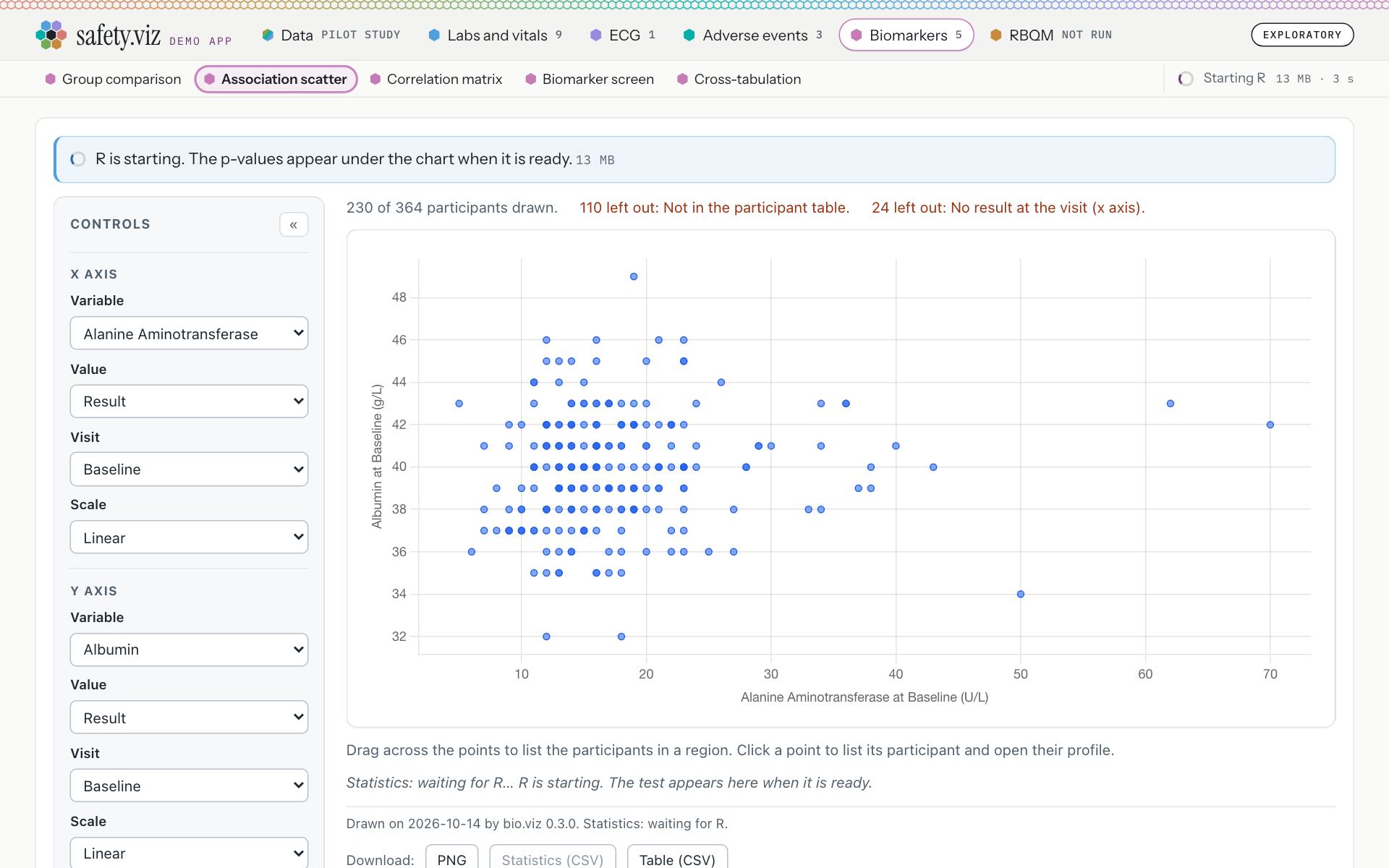
The Association scatter a few seconds after Start R was pressed in the note. R’s addresses were held back for this picture; on this connection R is ready about two seconds after the press.
- The note is blue, with a turning ring where the mark was and no button: “R is starting. The p-values appear under the chart when it is ready.”
- Its small print gives the download, “13 MB”, and counts no seconds.
- The control counts them: “Starting R · 13 MB · 3 s”.
- The chart’s own line: “Statistics: waiting for R… R is starting. The test appears here when it is ready.”
When R did not start
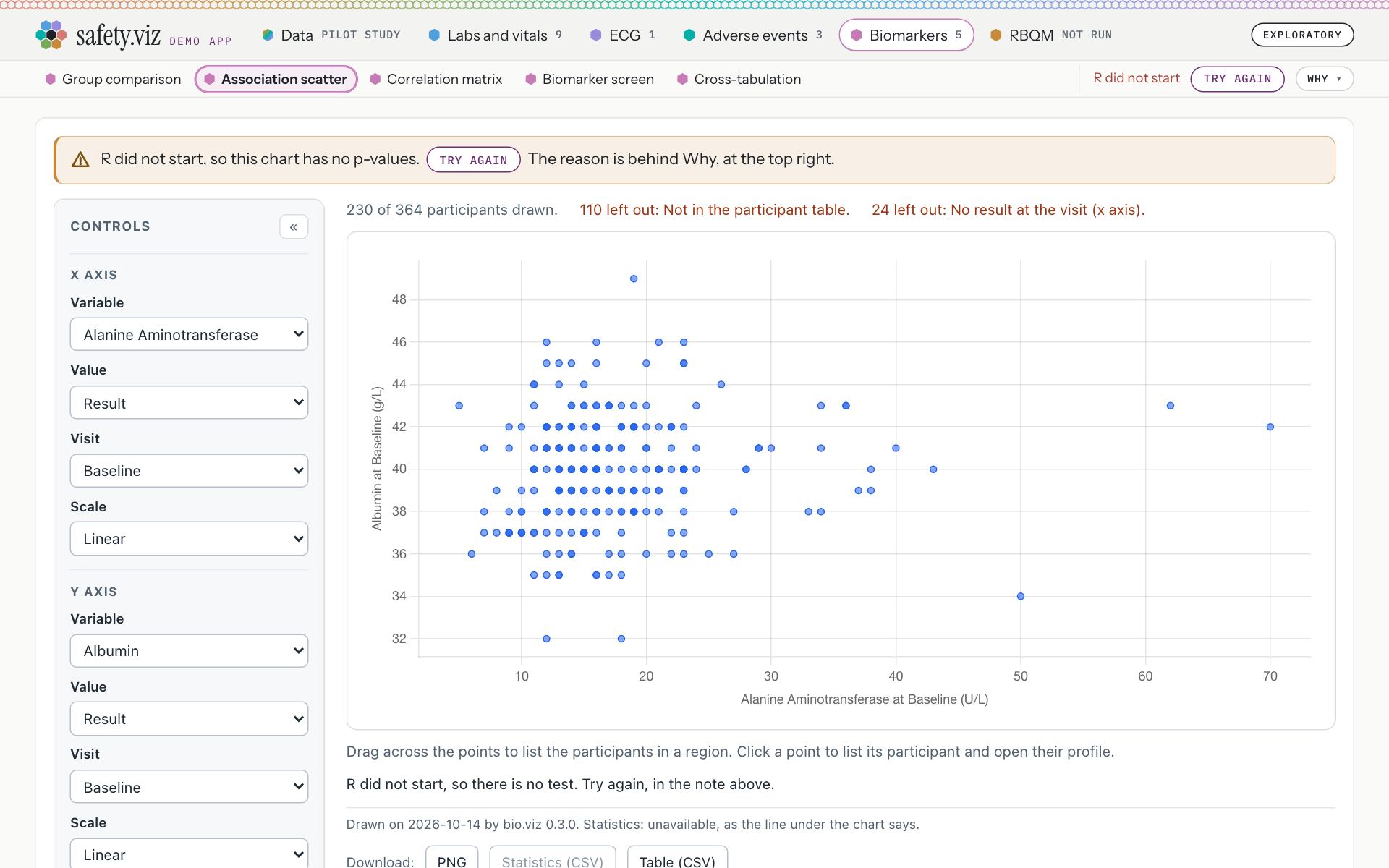
The same chart with R’s addresses refused.
- The note is amber, with the warning mark: “R did not start, so this chart has no p-values. Try again The reason is behind Why, at the top right.”
- Try again is a button inside the sentence. It makes one fresh attempt.
- The control says “R did not start” in red, with “Try again” and “Why”. Red is kept for this.
- The chart’s own line: “R did not start, so there is no test. Try again, in the note above.”
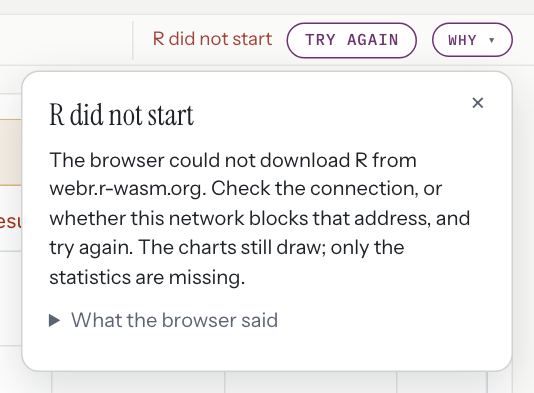
Behind Why: “The browser could not download R from webr.r-wasm.org. Check the connection, or whether this network blocks that address, and try again. The charts still draw; only the statistics are missing.”
Once R is ready
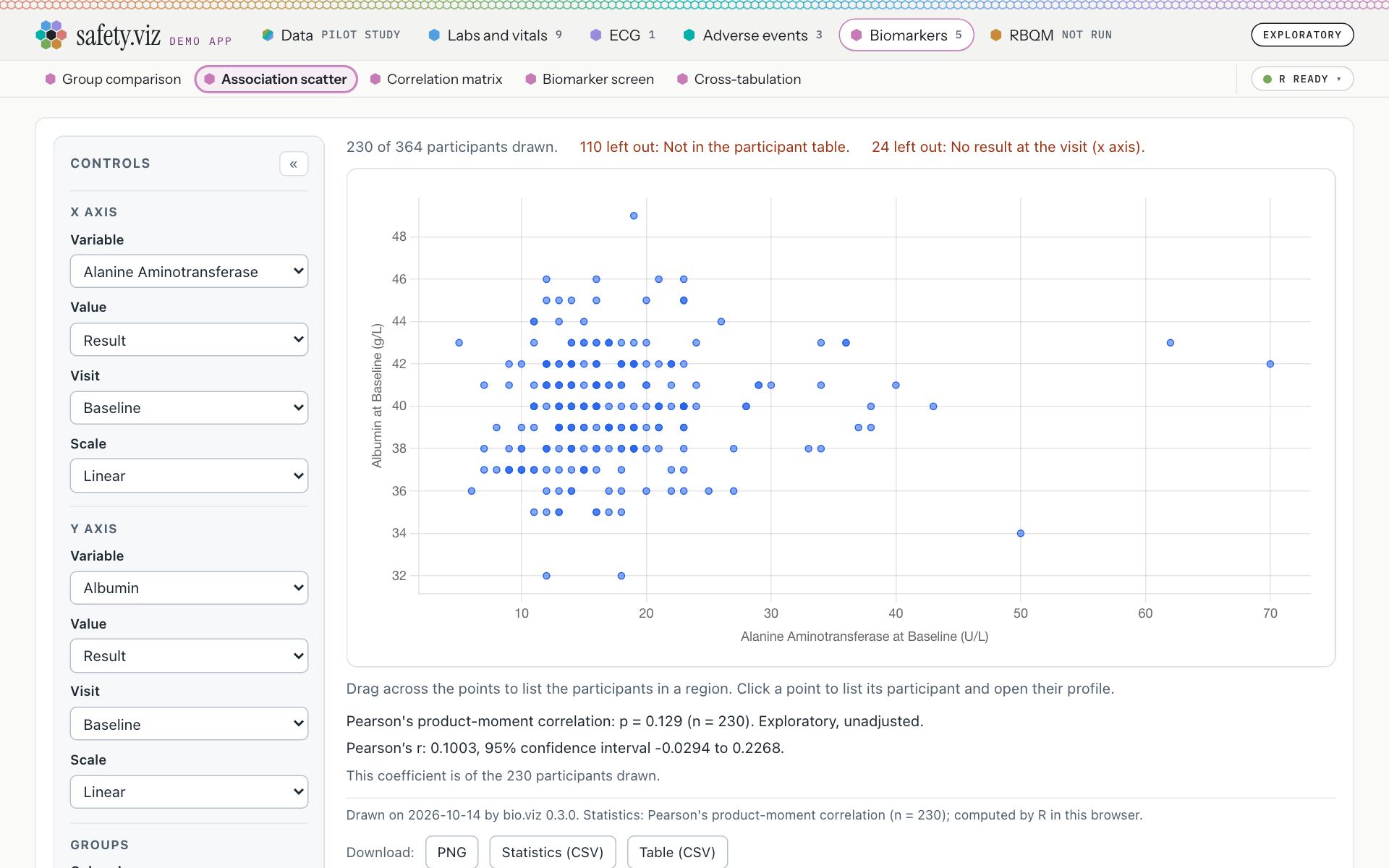
The Association scatter with real R, 3.6 seconds after Start R was pressed in the note. There is no note.
- The control is a chip: “R ready”.
- R’s test is under the chart: “Pearson's product-moment correlation: p = 0.129 (n = 230). Exploratory, unadjusted.”
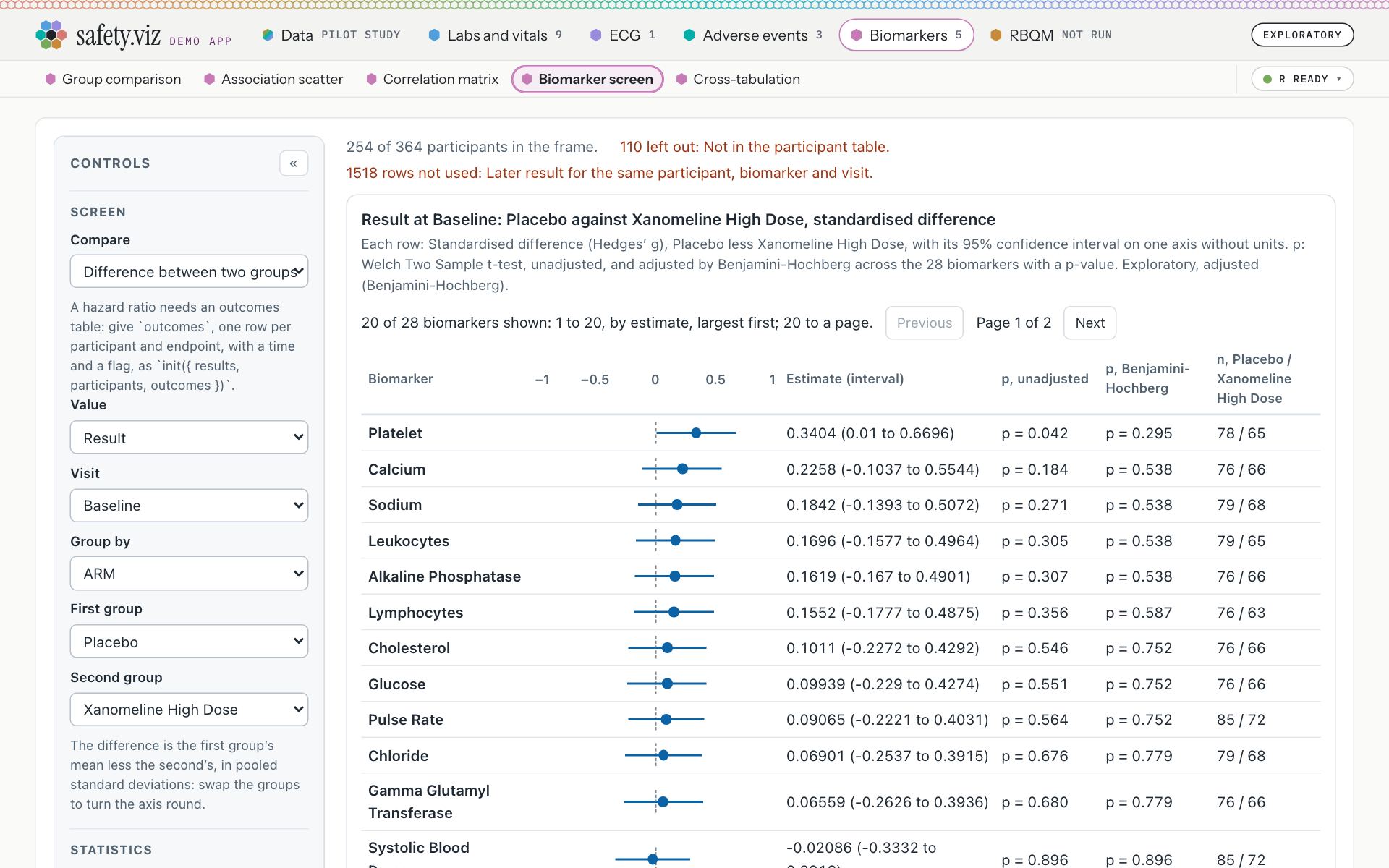
The Biomarker screen in the same visit: drawn, with no note. Its line reads “Welch Two Sample t-test, one row per biomarker: 28 of 28 computed. The adjusted p-values are adjusted by Benjamini-Hochberg across the 28 biomarkers that have a p-value.”
- With R ready, none of the five charts has a note. The Cross-tabulation read “Pearson's Chi-squared test: p < 0.001 (n = 254). Exploratory, unadjusted.”
- The Correlation matrix, which had drawn an empty grid, read “Pearson's product-moment correlation, pair by pair: 66 pairs of 12 variables, each on the participants who have both of its values.”
- A chart that cannot be drawn without R says so in each state. While R starts: “R is starting. The chart is drawn when it is ready.” When R did not start: “R did not start, so this chart cannot be drawn. Try again The reason is behind Why, at the top right.”
- Switching the browser offline once the page has loaded gives the same note as refusing R’s addresses: “R did not start, so this chart has no p-values. Try again The reason is behind Why, at the top right.”
The note in each state, at phone width
Stills of the note alone, taken at 390 pixels, where its sentence is large enough to read on this page. On a phone the control is first in the row of chart names, so the last sentence says “The reason is behind Why, above.” where the desktop says “The reason is behind Why, at the top right.”
Before R, where R adds p-values
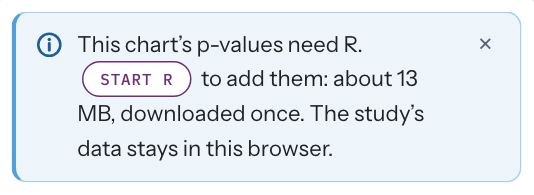
“This chart’s p-values need R. Start R to add them: about 13 MB, downloaded once. The study’s data stays in this browser.”
Before R, where nothing is drawn without it
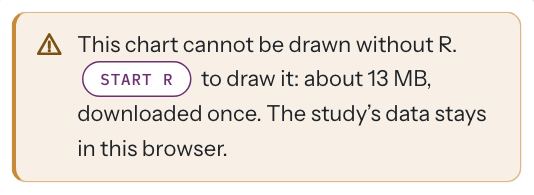
“This chart cannot be drawn without R. Start R to draw it: about 13 MB, downloaded once. The study’s data stays in this browser.”
While R starts
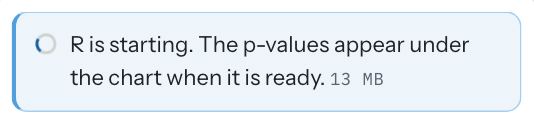
“R is starting. The p-values appear under the chart when it is ready.” Small print: “13 MB”.
R did not start
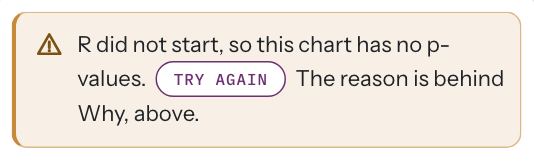
“R did not start, so this chart has no p-values. Try again The reason is behind Why, above.”
Every sentence the note says
As read from the app at 1,280 pixels. These are the drafts that are yours to correct (the first thing to rule on).
Association scatter, Cross-tabulation and Group comparison
- Before R is started
- “This chart’s p-values need R. Start R to add them: about 13 MB, downloaded once. The study’s data stays in this browser.”
- While R starts
- “R is starting. The p-values appear under the chart when it is ready.” Small print: “13 MB”.
- R did not start
- “R did not start, so this chart has no p-values. Try again The reason is behind Why, at the top right.”
- R is ready
- No note.
Correlation matrix and Biomarker screen
- Before R is started
- “This chart cannot be drawn without R. Start R to draw it: about 13 MB, downloaded once. The study’s data stays in this browser.”
- While R starts
- “R is starting. The chart is drawn when it is ready.” Small print: “13 MB”.
- R did not start
- “R did not start, so this chart cannot be drawn. Try again The reason is behind Why, at the top right.”
- R is ready
- No note.
The RBQM tab
- Before R is started
- “The site metrics cannot be worked out without R. Start R to run them: about 55 MB, downloaded once. The study’s data stays in this browser.”
- While R starts
- “R is starting. The metrics run by themselves when it is ready.” Small print: “Step 1 of 6”.
- While R runs the metrics
- “R is running the metrics. They appear here when it is done.” Small print: “Step 6 of 6”.
- R did not start
- “R did not start, so no metric was run. Try again The reason is behind Why, at the top right.”
- After the run
- No note.
- R is up and nothing has run on what is loaded
- “R is ready. Run the metrics on what is loaded now.”
- Nothing is loaded
- “Nothing the metrics can run on is loaded. Load a study on the Data tab: the metrics run on its subject-level and adverse events files. Or load gsm raw files there.”
- No loaded file is one the metrics read
- “None of the loaded files is a subject-level or adverse events file, or a gsm raw file, so there is nothing for R to run.”
- The app as one file, which cannot start R
- “The RBQM tab needs R, and this file loads nothing, so it cannot start R. The hosted demo app can start R in your browser.”
The line inside a biomarker chart
- Before R is started
- “Statistics need R. Start R, in the note above.”
- With the blue note closed
- “Statistics need R. Start R, at the top right.”
- While R starts
- “Statistics: waiting for R… R is starting. The test appears here when it is ready.”
- R did not start
- “R did not start, so there is no test. Try again, in the note above.”
Sentences this page does not picture
Two sentences of the RBQM tab’s note are met only when R goes wrong part way, which the capture cannot make happen on the live site. They are quoted from the code, not read from the site, and are held there by unit tests (requirement rows APP-RBQM-082 and APP-RBQM-083).
- R stopped answering
- “R stopped answering, so no metric was run. Try again The reason is behind Why, at the top right.” A reader meets it when R gives no answer for longer than the tab waits while R starts, loads gsm’s packages or runs; the tab then closes that R.
- R stopped
- “R stopped, so there are no results. Run again The reason is behind Why, at the top right.” A reader meets it when R stops during the run of the metrics; R is kept, and the button runs them again without starting R again.
- Every other sentence of the RBQM tab’s note is pictured and read live: with R up and nothing run, with nothing loaded, with no file the metrics read, and in the app as one file (section 04).
Try it: under a minute
- Open the Association scatter and press Start R in the note.For a moment the note is blue with a turning ring. Then it is gone, the control is a chip, “R ready”, and under the chart R’s test reads “Pearson's product-moment correlation: p = 0.129 (n = 230). Exploratory, unadjusted.”
- Open the Biomarker screen in the same visit.It is drawn, with no note: R is already running.
- To see R not start: open the Cross-tabulation in a new browser tab, switch the browser offline (developer tools, Network, Offline), then press Start R in the note.The note turns amber: “R did not start, so this chart has no p-values. Try again The reason is behind Why, at the top right.”
The blue note can be closed, and the chart points at the control again
A reader who does not want p-values can put the blue note away. It is closed for the visit on all three charts that have it, and the control at the top right still starts R.
Requirement: a standard note where R can be started (obot.roadmap #420) Task: put the R note on the biomarker charts and the RBQM tab (safety.viz #322) Pull request: the note where R can be started (safety.viz #325)
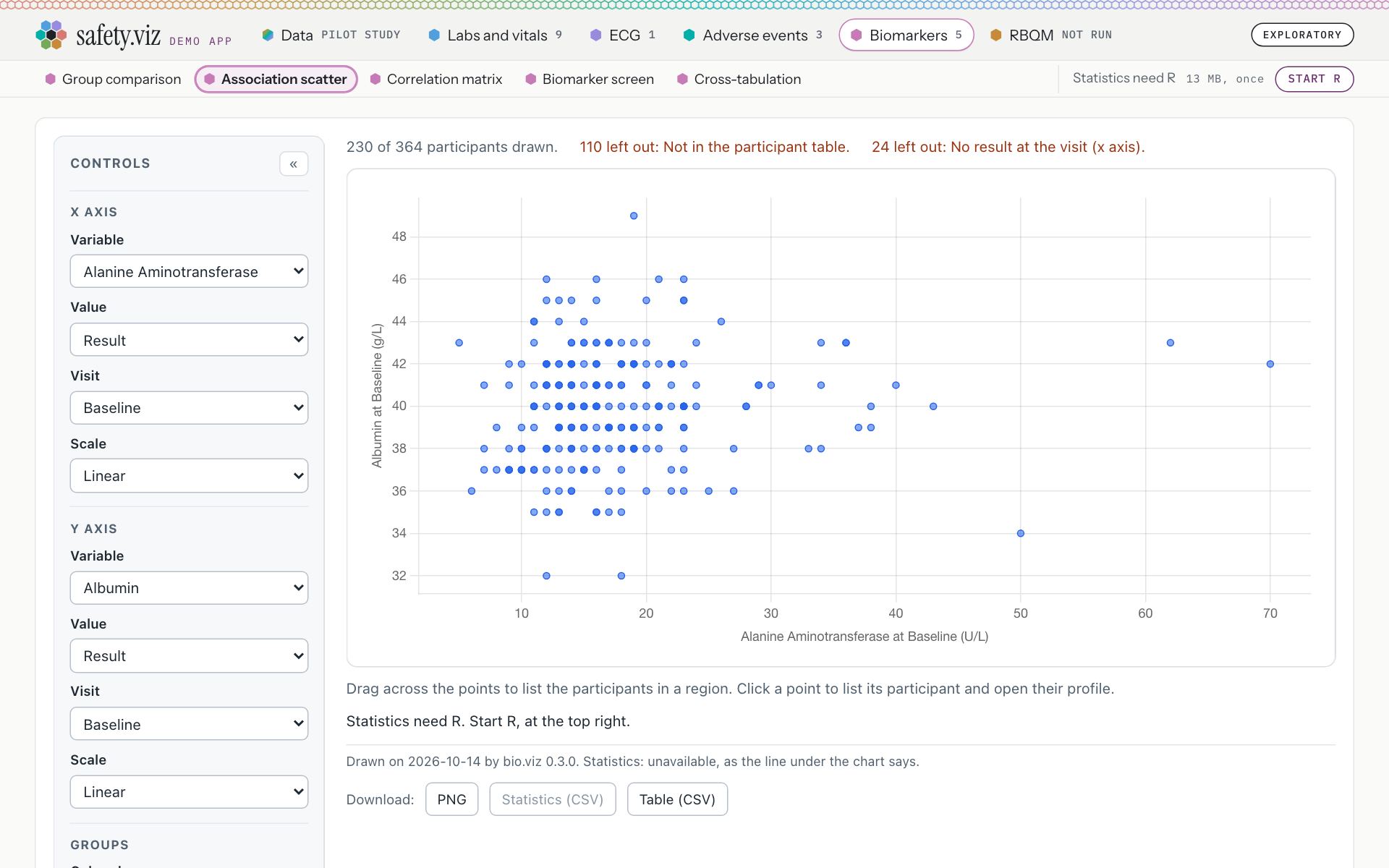
The Association scatter after the cross was clicked.
- The control is unchanged, and still starts R: “Statistics need R · 13 MB, once · Start R”.
- The chart’s own line points at the control again: “Statistics need R. Start R, at the top right.”
- Closed on one chart, it is closed on all three: neither the Cross-tabulation nor the Group comparison showed a note afterwards, and the Cross-tabulation’s line read “Statistics need R. Start R, at the top right.”
- It stays closed through a visit to another tab and back.
- The amber note has no cross, and closing the blue one leaves it standing on the Correlation matrix and Biomarker screen. Under their amber note those two charts keep pointing at it: “Statistics need R. Start R, in the note above.”
- A reload is a new visit: the note is back.
Closed stays closed while R starts
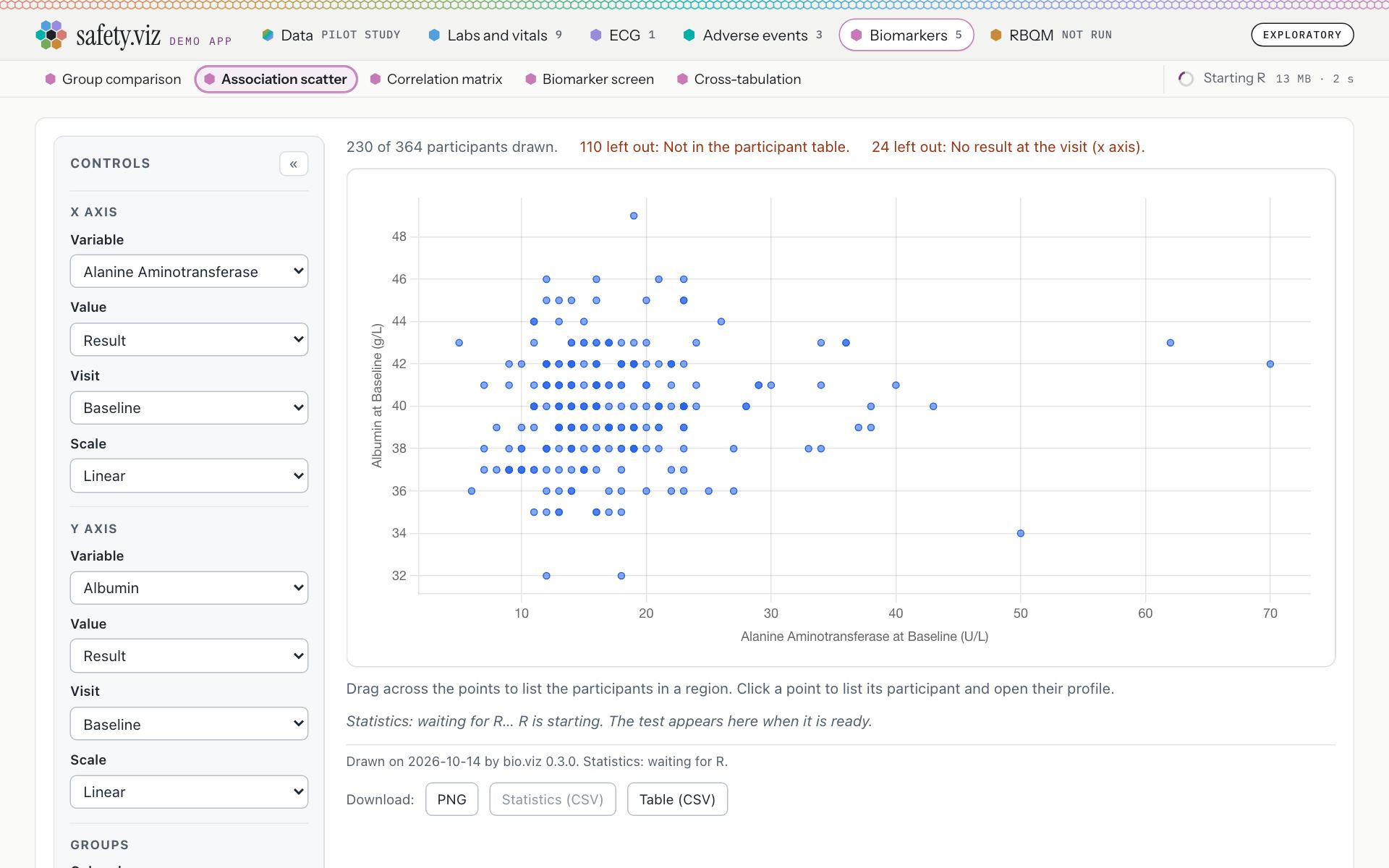
The Association scatter with the note closed, a few seconds after Start R was pressed on the control. R’s addresses were held back for the picture.
- The control says R is starting, and counts: “Starting R · 13 MB · 2 s”.
- So does the chart’s own line: “Statistics: waiting for R… R is starting. The test appears here when it is ready.” There is no note.
- None of the three blue charts showed a note while R started. The two that cannot be drawn without R still did: “R is starting. The chart is drawn when it is ready.”
- That R did not start is always said. With R’s addresses then refused, the note was on all five charts: “R did not start, so this chart has no p-values. Try again The reason is behind Why, at the top right.” on the three blue ones, the closed note back to say so, and “R did not start, so this chart cannot be drawn. Try again The reason is behind Why, at the top right.” on the other two.
Try it: under a minute
- Open the Cross-tabulation and click the cross at the right end of the note.The note is gone, and the line under the chart reads “Statistics need R. Start R, at the top right.”
- Open the Association scatter, then the Correlation matrix.No note on the first. The amber note is still on the second.
- Go back to the Cross-tabulation and press Start R, at the right end of the chart names.No note comes back while R starts. A few seconds later R’s test is under the chart: “Pearson's Chi-squared test: p < 0.001 (n = 254). Exploratory, unadjusted.”
- Reload the page.The blue note is back.
The RBQM tab opens on the same note
The tab’s first line is now the note, amber because no metric can be worked out without R. One press in the note runs everything, as one press of the control does.
Requirement: a standard note where R can be started (obot.roadmap #420) Task: put the R note on the biomarker charts and the RBQM tab (safety.viz #322) Pull request: the note where R can be started (safety.viz #325) As drawn in the design’s third mockup
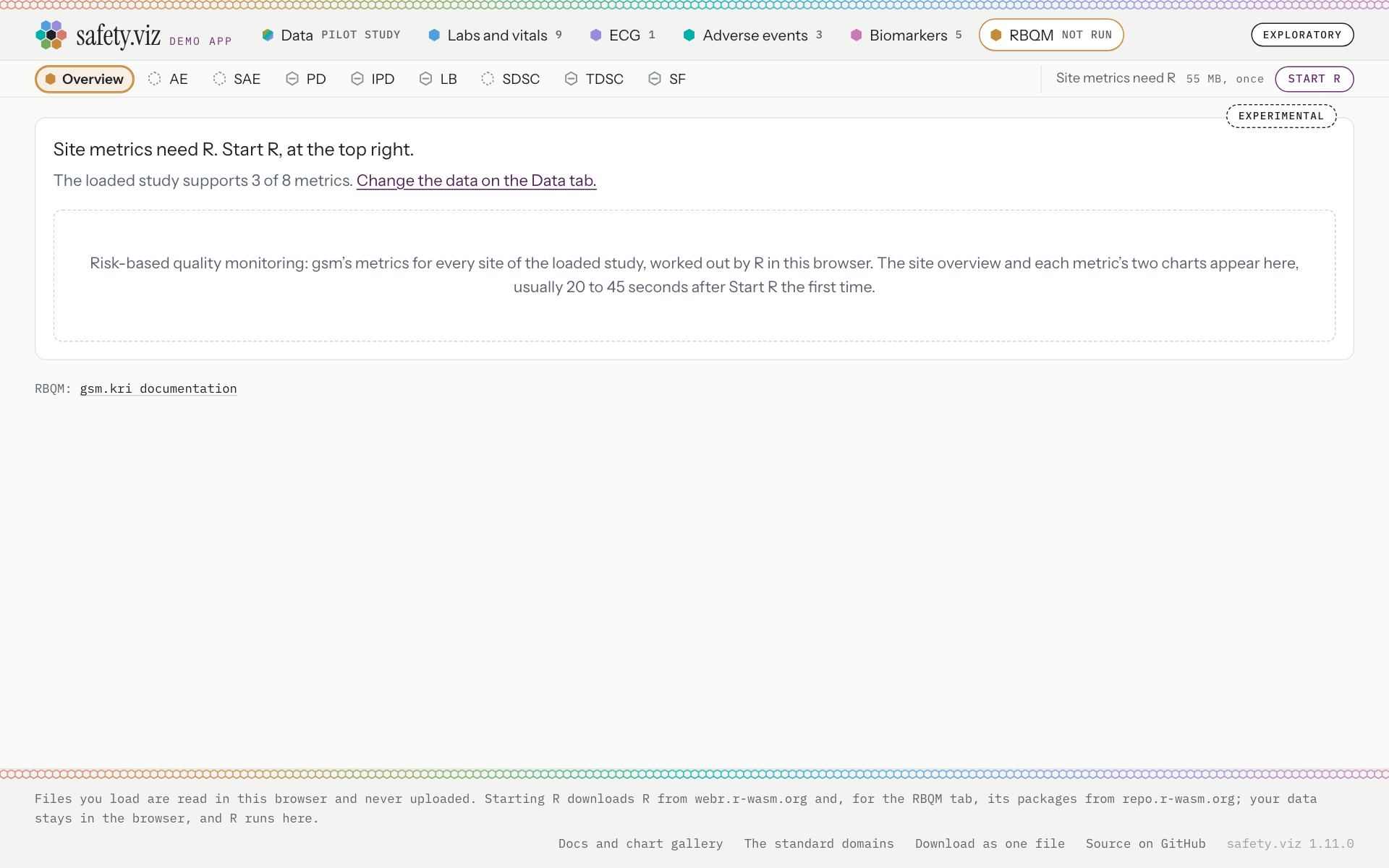
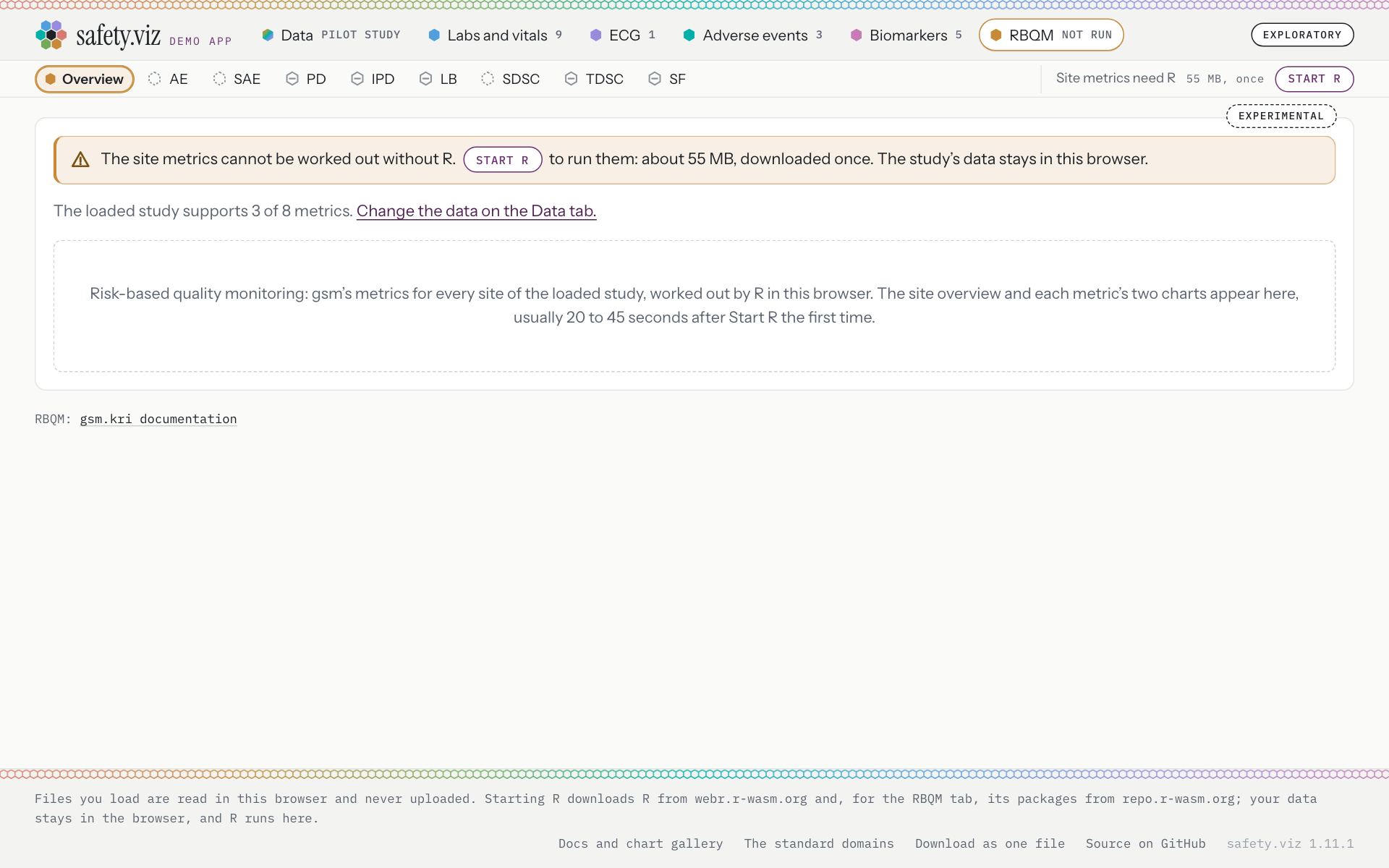
The RBQM tab on the pilot study, before R is started.
- One line of plain text: “Site metrics need R. Start R, at the top right.”
- The control: “Site metrics need R · 55 MB, once · Start R”.
- The note, in amber with the warning mark: “The site metrics cannot be worked out without R. Start R to run them: about 55 MB, downloaded once. The study’s data stays in this browser.”
- Start R, inside the sentence. One press starts R and runs every metric the loaded study supports.
- The control is unchanged: “Site metrics need R · 55 MB, once · Start R”.
- Under the note, the line that says what the loaded study supports is as release 1.11.0 drew it, small and soft grey: “The loaded study supports 3 of 8 metrics. Change the data on the Data tab.”
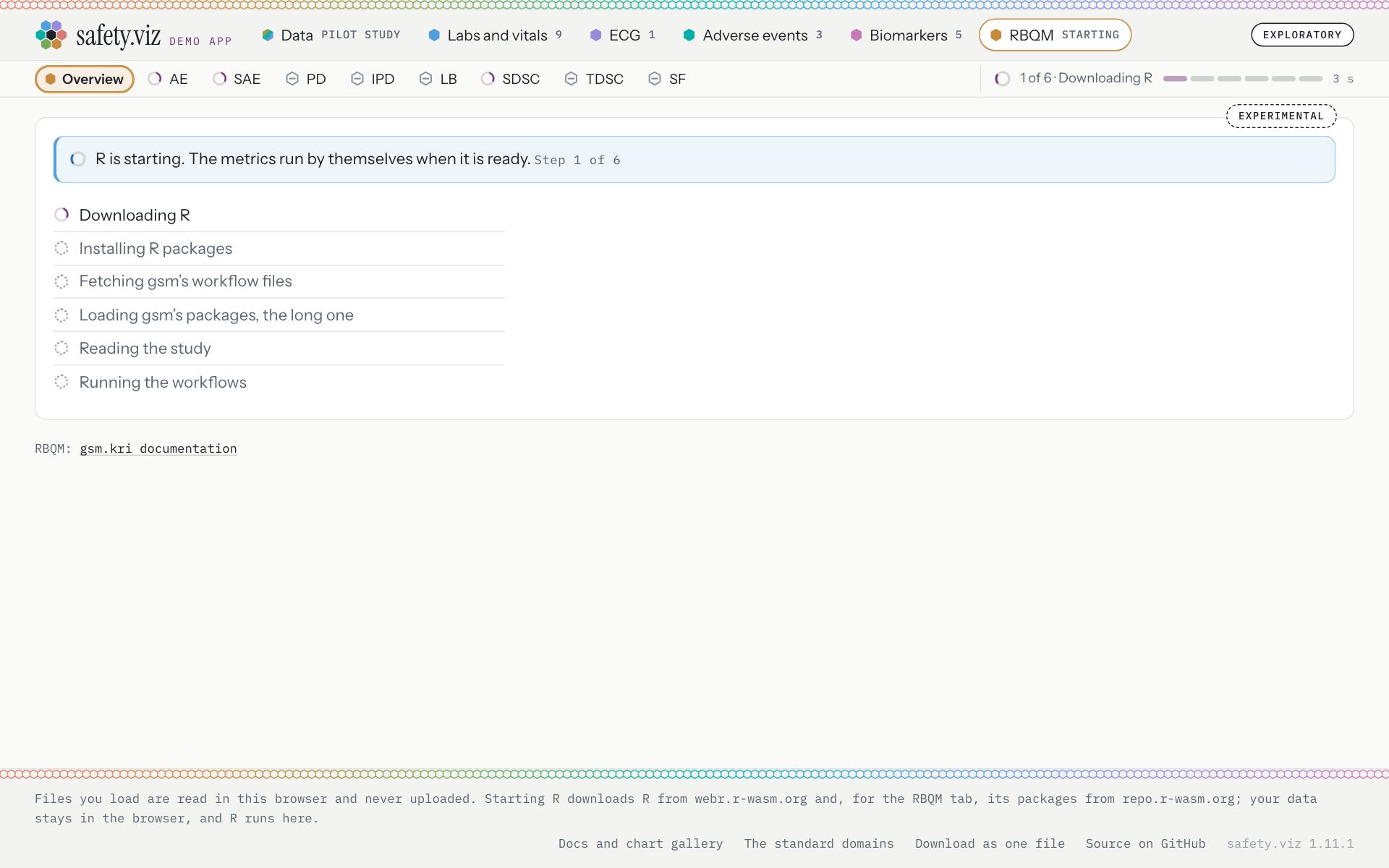
A few seconds after the press, with R’s addresses held back for the picture.
- The note is blue, with a turning ring and no button: “R is starting. The metrics run by themselves when it is ready.”
- Its small print names the step, “Step 1 of 6”, and counts no seconds.
- The control names the same step and counts: “1 of 6 · Downloading R”, “3 s”.
- The six steps, as before: Downloading R; Installing R packages; Fetching gsm’s workflow files; Loading gsm’s packages, the long one; Reading the study; Running the workflows.
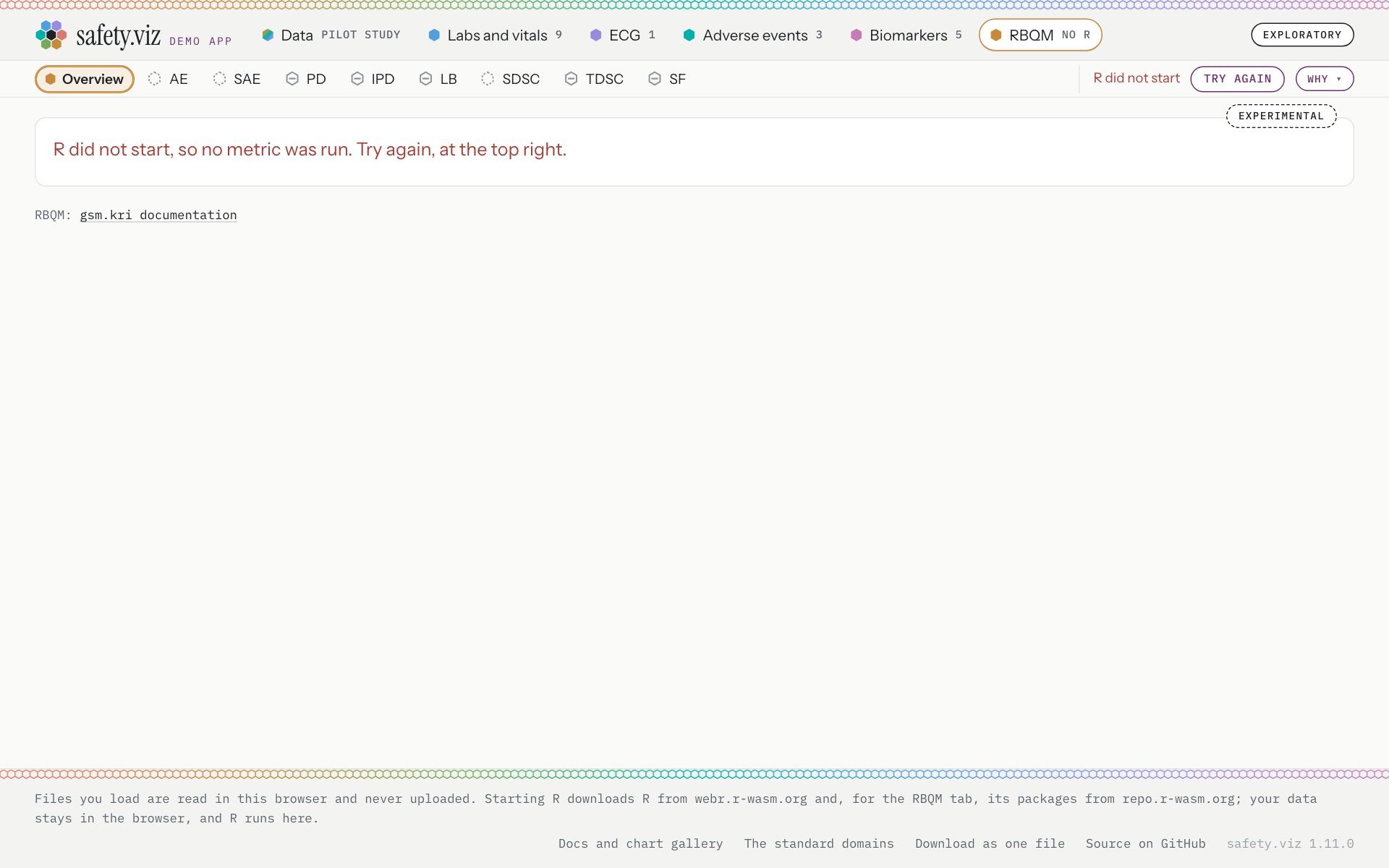
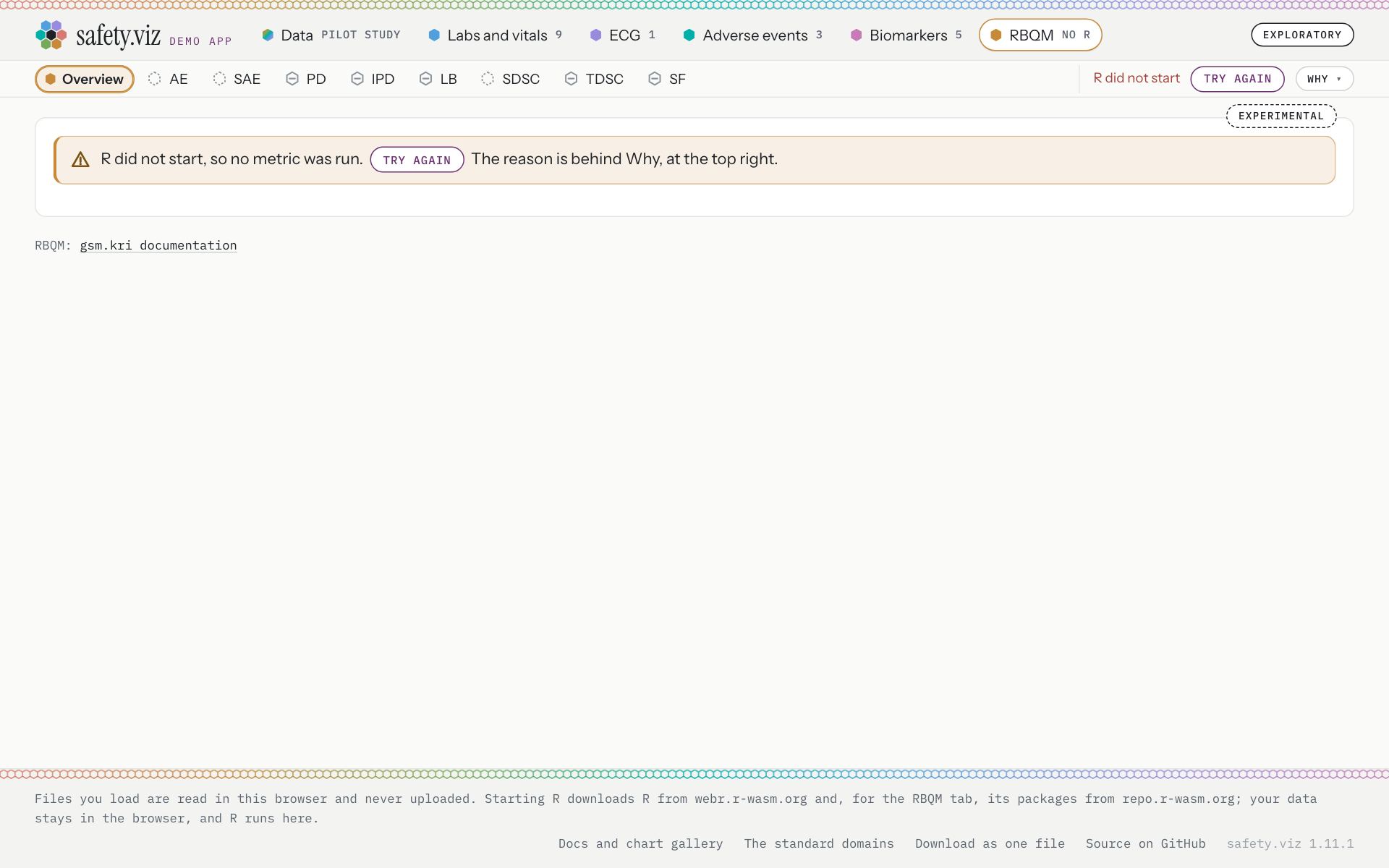
The RBQM tab with R’s addresses refused.
- The body says so in red text: “R did not start, so no metric was run. Try again, at the top right.”
- The control says the same in red, with the reason behind Why.
- The note is amber: “R did not start, so no metric was run. Try again The reason is behind Why, at the top right.”
- Try again, inside the sentence.
- The control still says “R did not start” in red, with the reason behind Why.
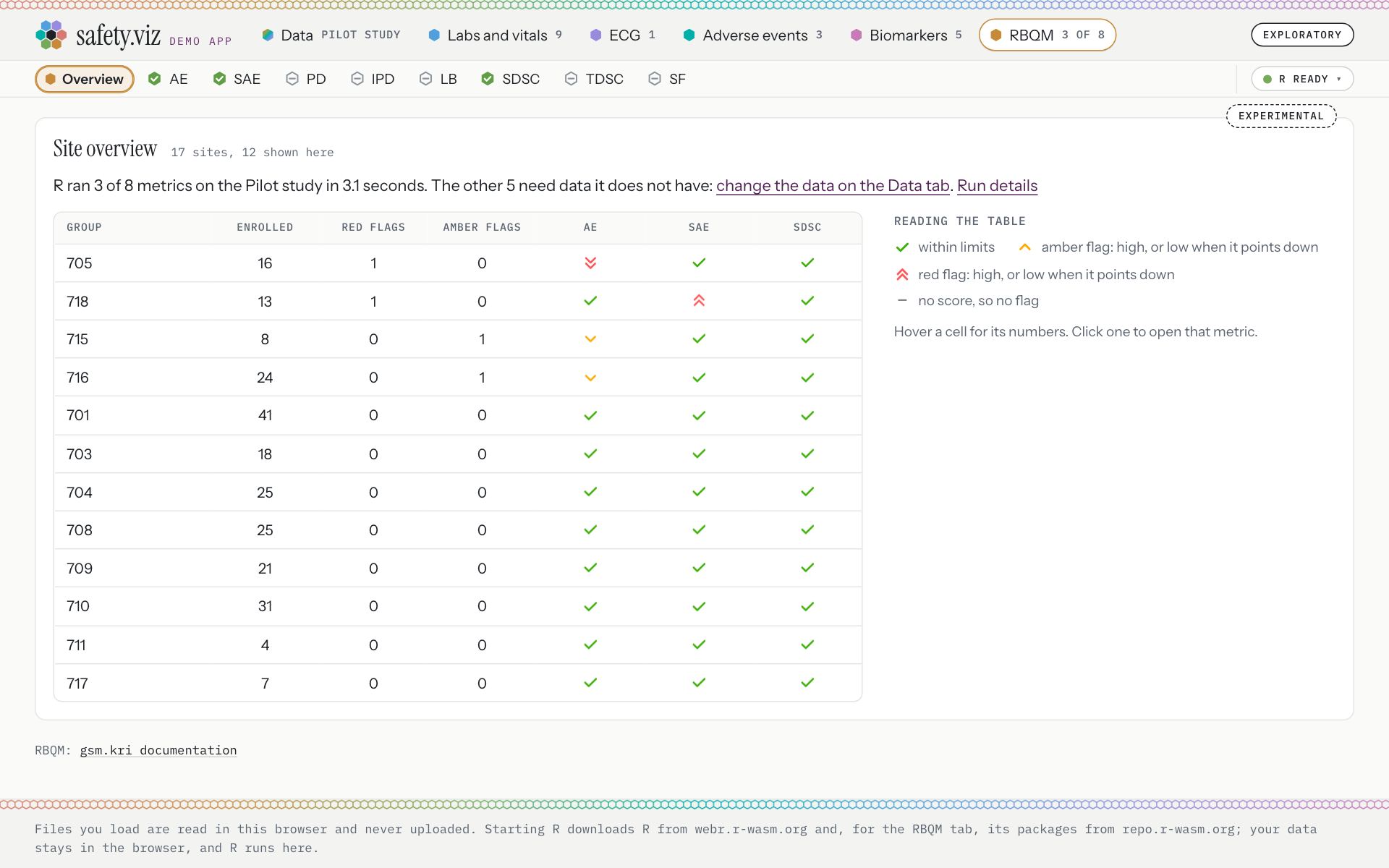
After a real run on the pilot study, 37 seconds after Start R was pressed in the note. There is no note.
- The control is a chip: “R ready”.
- The outcome line: “R ran 3 of 8 metrics on the Pilot study in 3.1 seconds. The other 5 need data it does not have: change the data on the Data tab.”
- On the way through a real run the note’s small print moved with the step: “Step 1 of 6”, “Step 2 of 6”, “Step 3 of 6”, “Step 4 of 6”, “Step 6 of 6”.
- Once R is up and running the metrics, the sentence changes: “R is running the metrics. They appear here when it is done.”
- A metric’s page opens on the same note (RBQM, Adverse Event Rate, below).
- A metric the loaded study cannot support says why in an amber note with no button, since starting R would not help: “Non-Important Protocol Deviation Rate needs Raw_PD.csv, which is not loaded. Change the data on the Data tab.” Release 1.11.0 said the same in a box with a purple edge.
RBQM, Adverse Event Rate
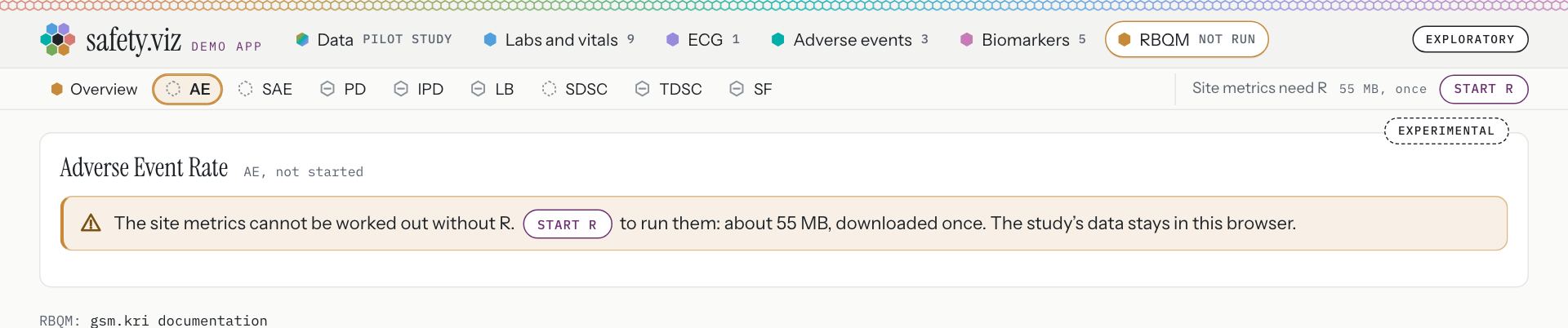
Amber. “The site metrics cannot be worked out without R. Start R to run them: about 55 MB, downloaded once. The study’s data stays in this browser.”
RBQM, Non-Important Protocol Deviation Rate
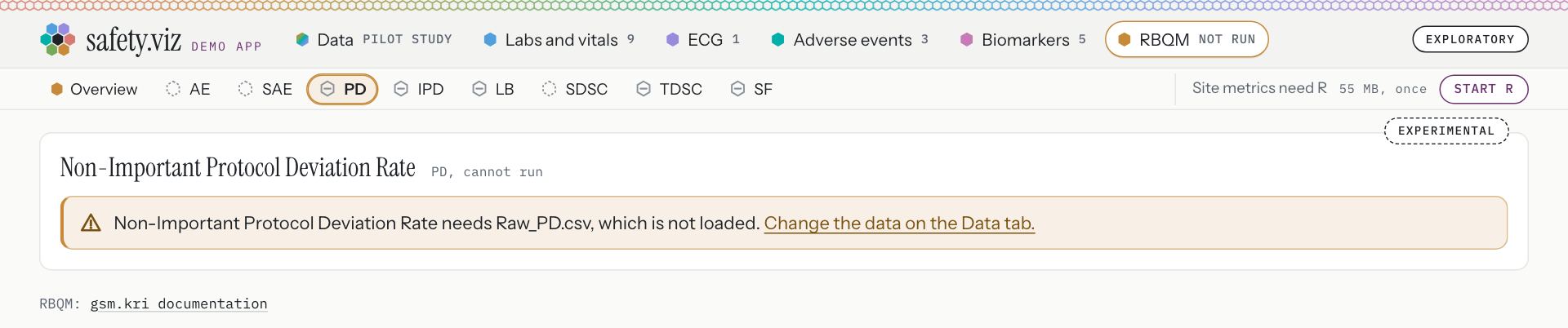
Amber. “Non-Important Protocol Deviation Rate needs Raw_PD.csv, which is not loaded. Change the data on the Data tab.”
With R up and nothing yet run
If the study is cleared while R starts, R comes up with nothing to run. When a study is chosen again, a blue note offers the run. This is the fourth thing to rule on (at the foot of this page).
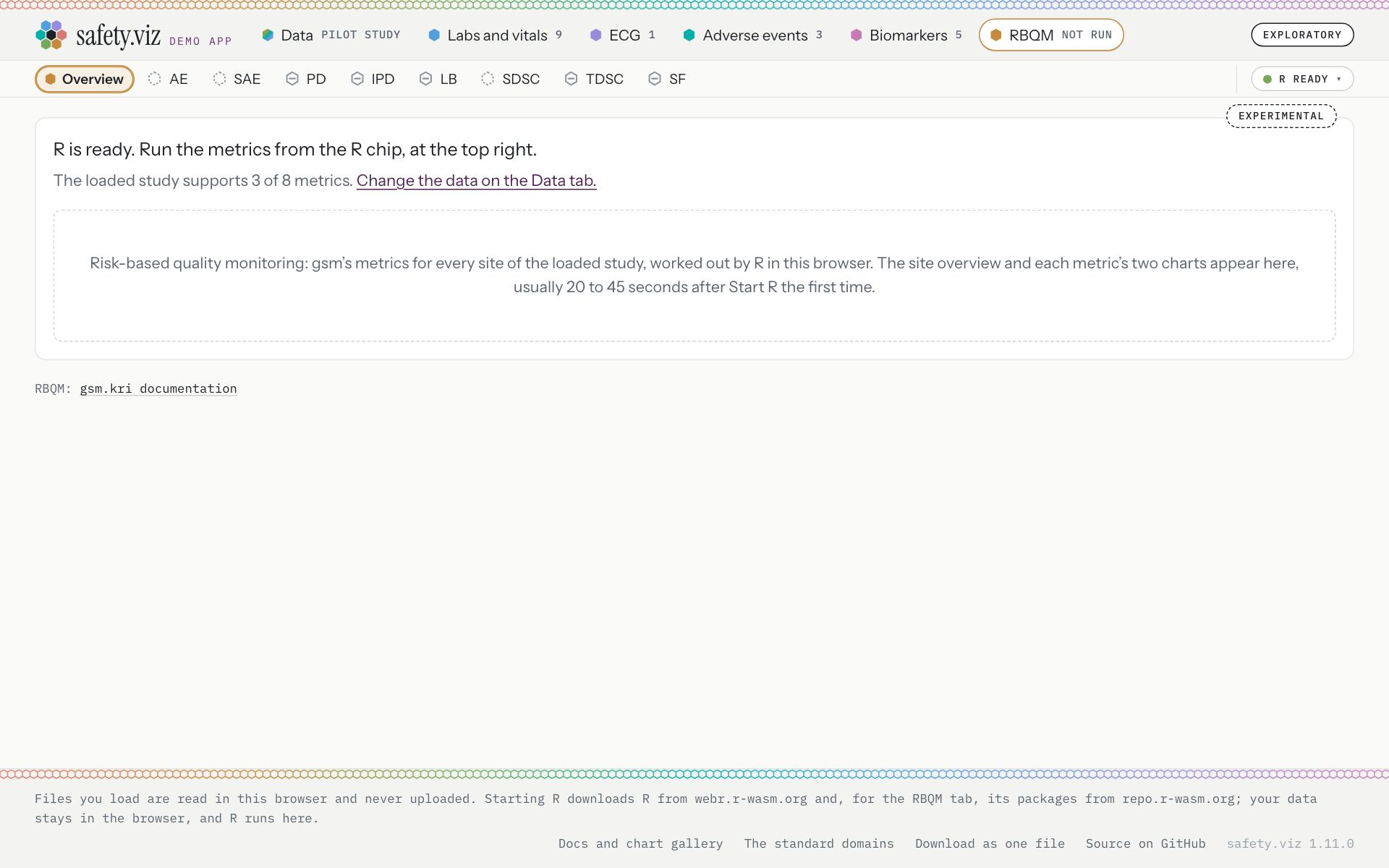
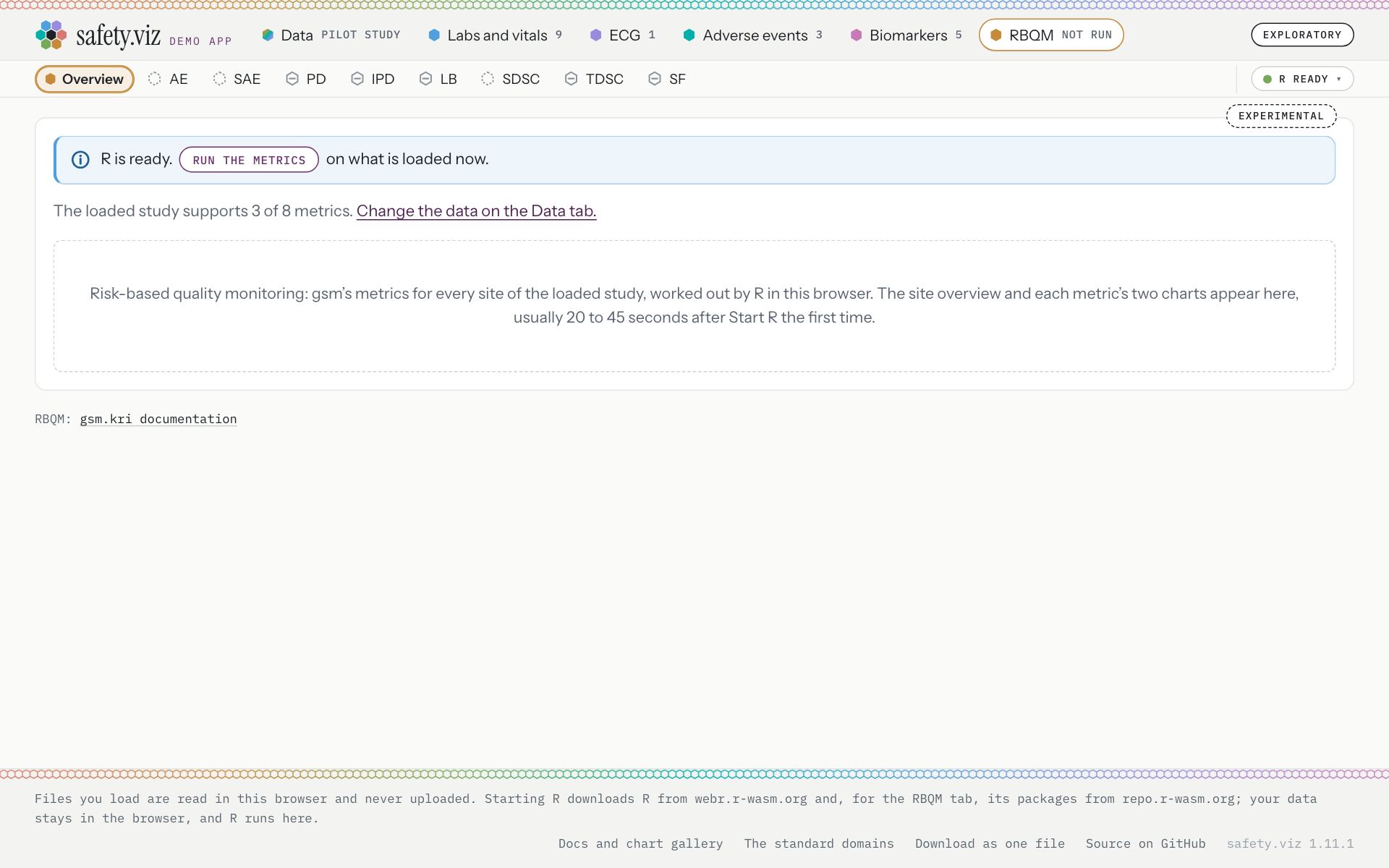
The RBQM tab with R running and the pilot study chosen again after it was cleared.
- One line of plain text, pointing at the chip: “R is ready. Run the metrics from the R chip, at the top right.”
- The chip, whose panel holds the button that runs the metrics.
- A blue note, with the information mark and no cross: “R is ready. Run the metrics on what is loaded now.”
- Run the metrics is a button inside the sentence. Pressed, it ran the three metrics the pilot study supports, and the note went.
- The chip is where it was.
With nothing the metrics can run on
Three amber notes with no button, because starting R would not help.
Nothing loaded
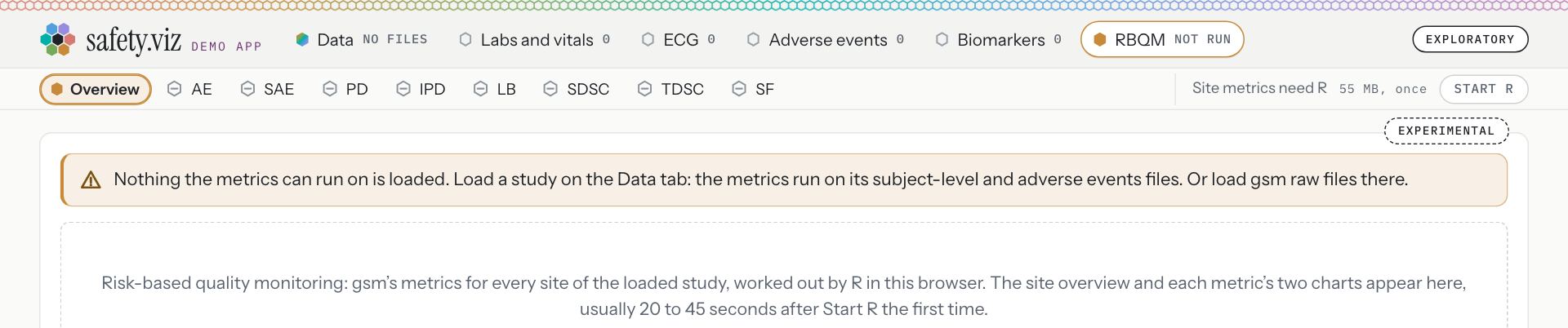
After Reset on the Data tab. “Nothing the metrics can run on is loaded. Load a study on the Data tab: the metrics run on its subject-level and adverse events files. Or load gsm raw files there.”
No file the metrics read
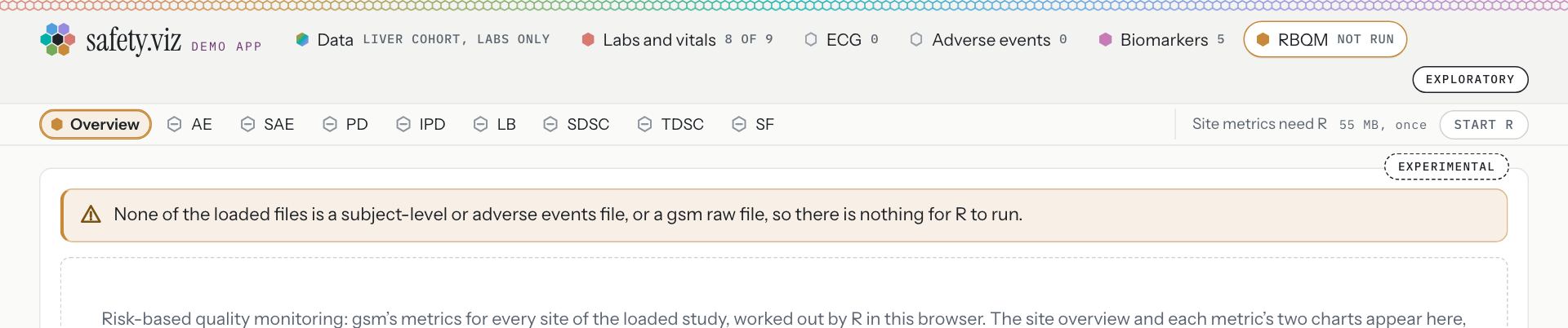
With the demo study “Liver cohort, labs only”, one labs file. “None of the loaded files is a subject-level or adverse events file, or a gsm raw file, so there is nothing for R to run.”
The app as one file
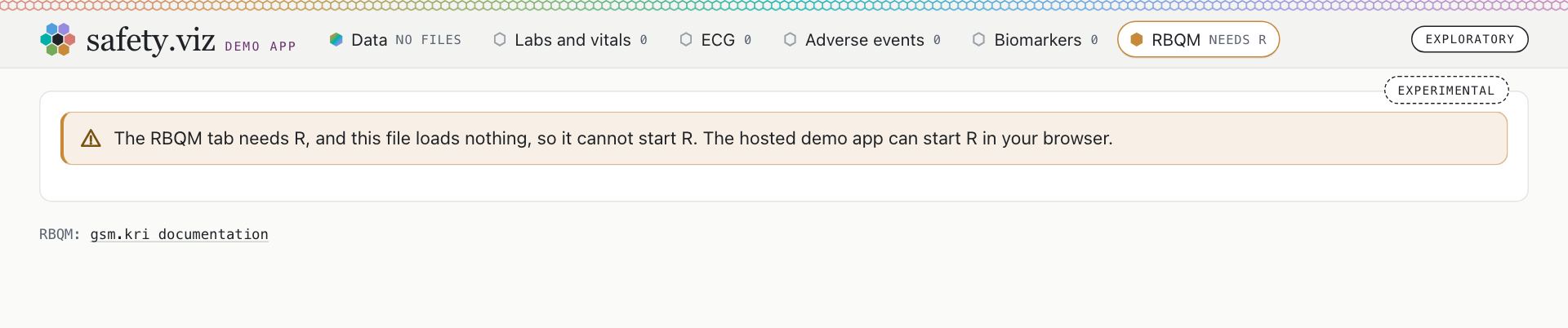
The file the app’s footer offers as a download, opened from the site. It loads nothing from anywhere (0 requests), so it has no control that starts R. “The RBQM tab needs R, and this file loads nothing, so it cannot start R. The hosted demo app can start R in your browser.”
On a phone
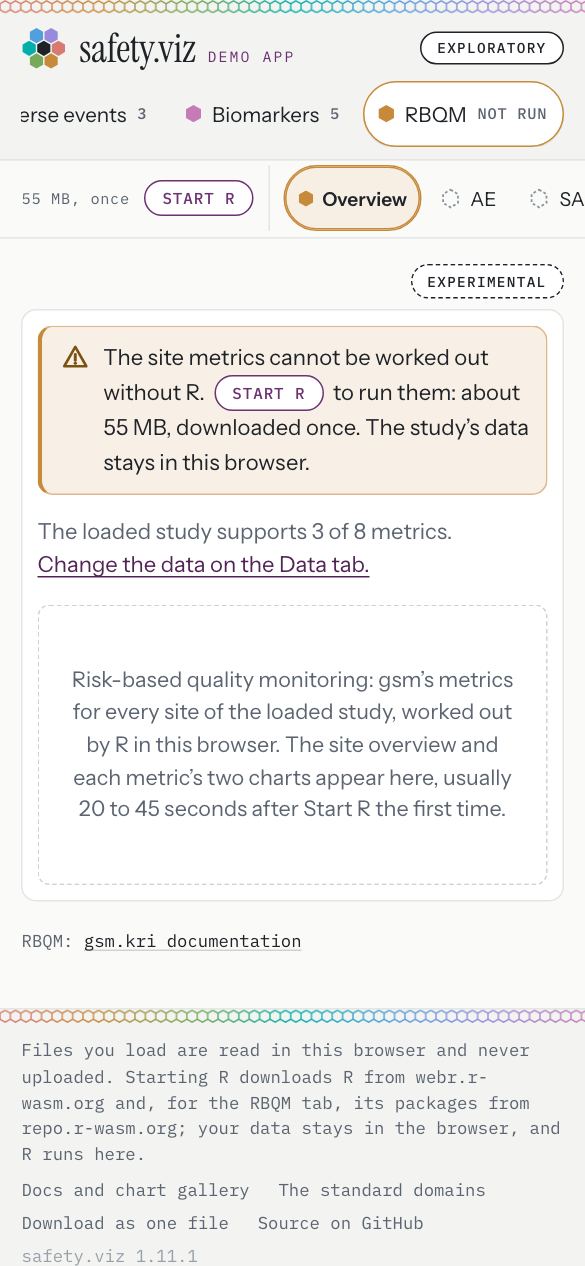
The RBQM note at 390 pixels: 340 pixels wide on a page 390 wide.
- The same sentence, wrapped.
Before R, at 390 pixels
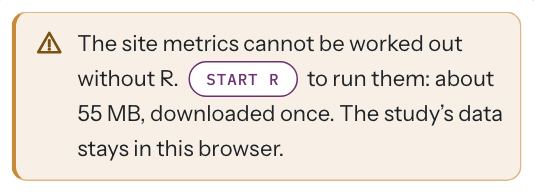
“The site metrics cannot be worked out without R. Start R to run them: about 55 MB, downloaded once. The study’s data stays in this browser.”
While R starts, at 390 pixels
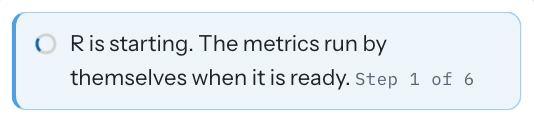
“R is starting. The metrics run by themselves when it is ready.” Small print: “Step 1 of 6”.
R did not start, at 390 pixels
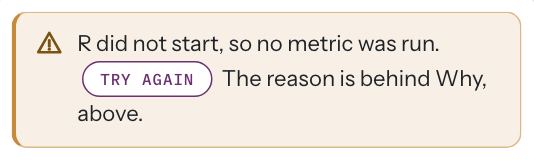
“R did not start, so no metric was run. Try again The reason is behind Why, above.”
Try it: under a minute
- Open the RBQM tab.An amber note: “The site metrics cannot be worked out without R. Start R to run them: about 55 MB, downloaded once. The study’s data stays in this browser.”
- Press Start R in the note, once.The note turns blue and names the step: “Step 1 of 6”, then the next. The control at the top right counts the seconds.
- Wait about half a minute.The note is gone and the outcome line reads “R ran 3 of 8 metrics on the Pilot study in a few seconds. The other 5 need data it does not have: change the data on the Data tab.”
One note across the app: blue for information, amber for cannot run
Every note the app draws is now one component with two looks. Blue is information. Amber is something that cannot run until the reader acts. Red is kept for a failure.
Requirement: a standard note where R can be started (obot.roadmap #420) Task: add the app’s standard note, use it for every note, and remove the line on first open (safety.viz #321) Pull request: the app’s notes are one standard note, blue or amber (safety.viz #324) As drawn in the design’s table of every note in the app
The colours, as read from the page
- Blue, information: the edge of the note is rgb(81, 159, 221).
- Amber, cannot run: rgb(199, 138, 59).
- Red, in release 1.11.0, on a chart that could not be drawn: rgb(216, 121, 114).
- Purple, in release 1.11.0, on the line on first open: rgb(108, 50, 112). No note has it now.
A chart with no file loaded
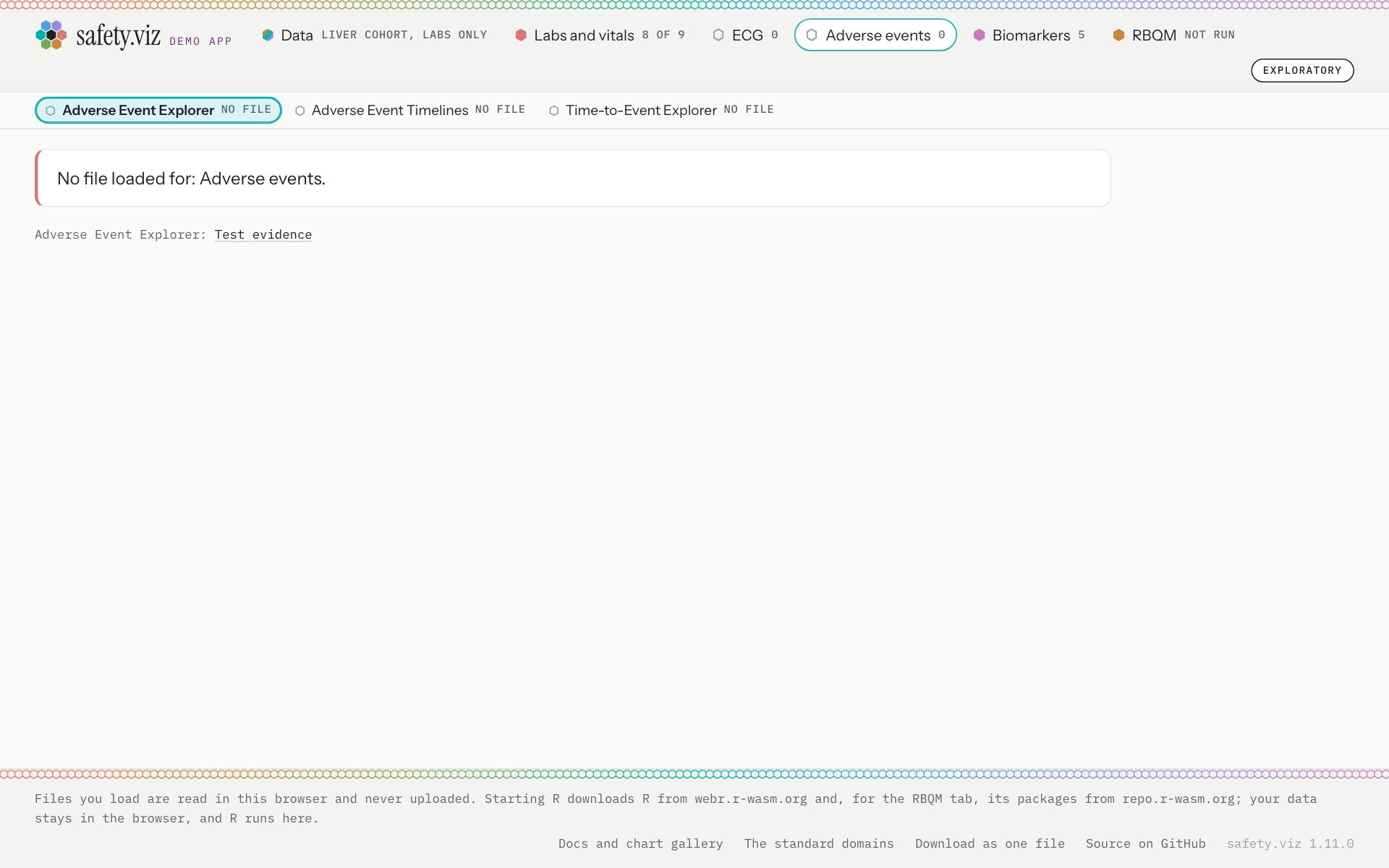
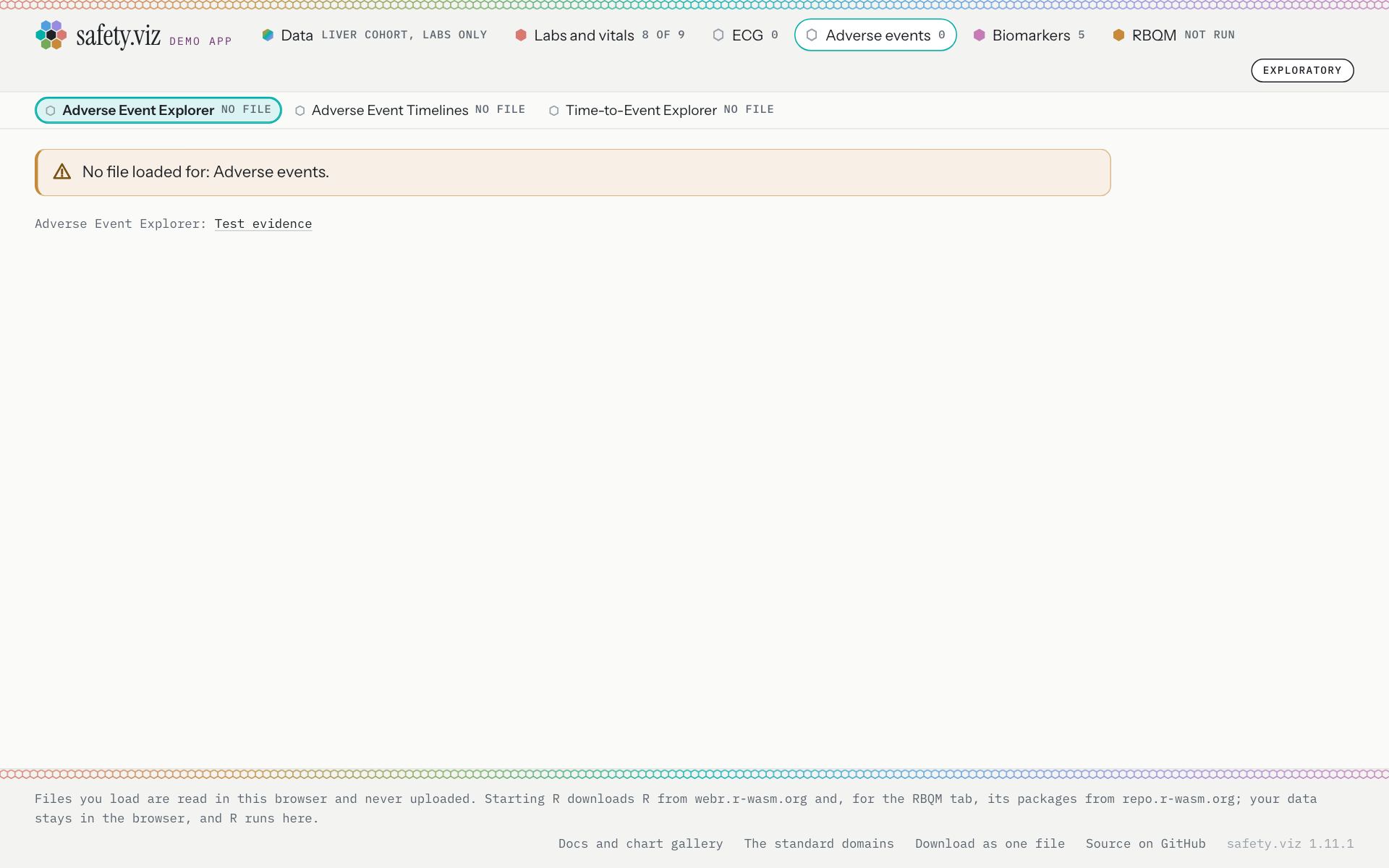
The Adverse Event Explorer with the demo study “Liver cohort, labs only” loaded, which has no adverse events file.
- A red card: “No file loaded for: Adverse events.”
- An amber note, with the warning mark and the same words: “No file loaded for: Adverse events.”
A column not mapped
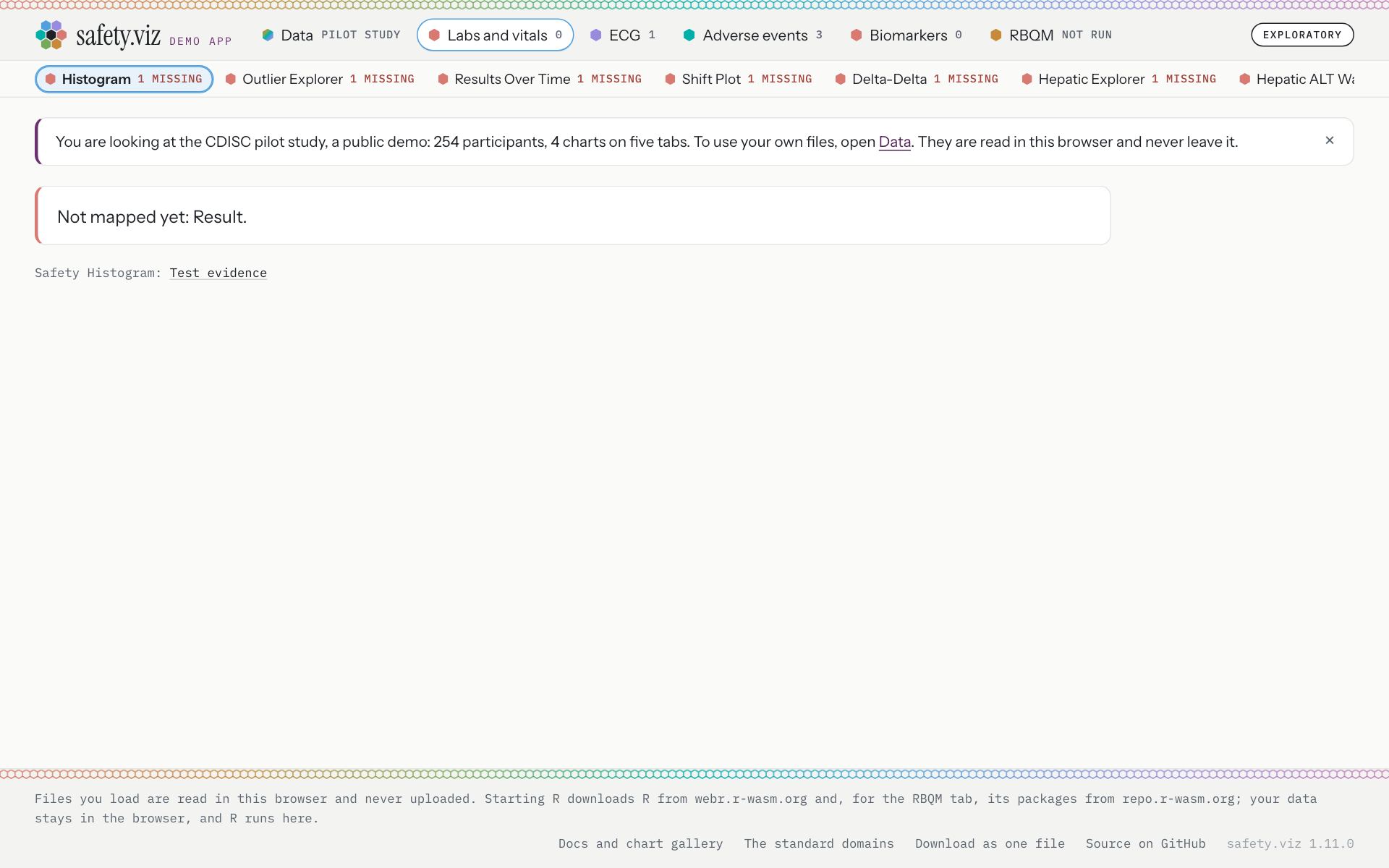
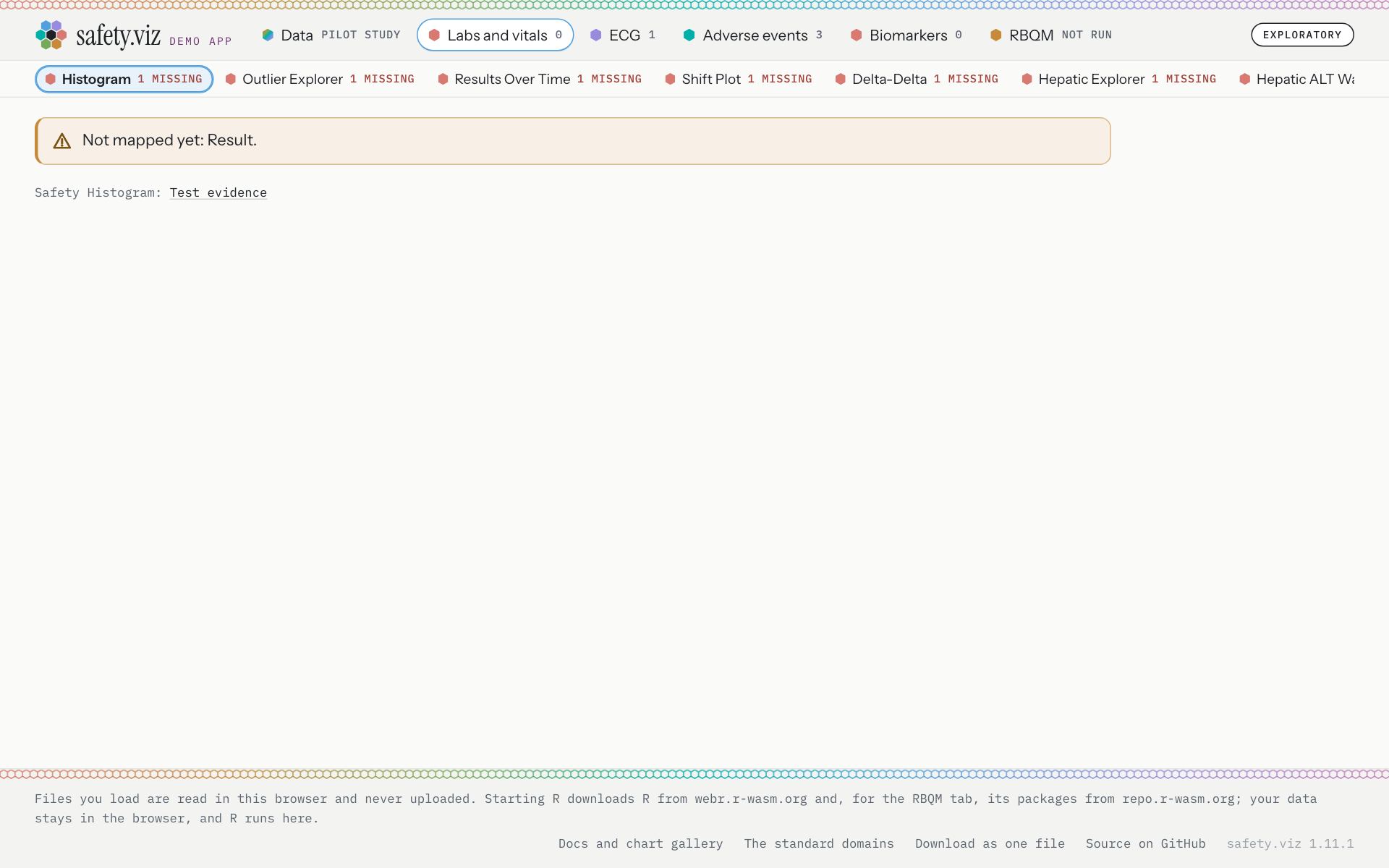
The Histogram on the pilot study, after the Result column of the labs file was set to “not mapped” on the Data tab.
- A red card: “Not mapped yet: Result.”
- An amber note: “Not mapped yet: Result.”
The participant profile
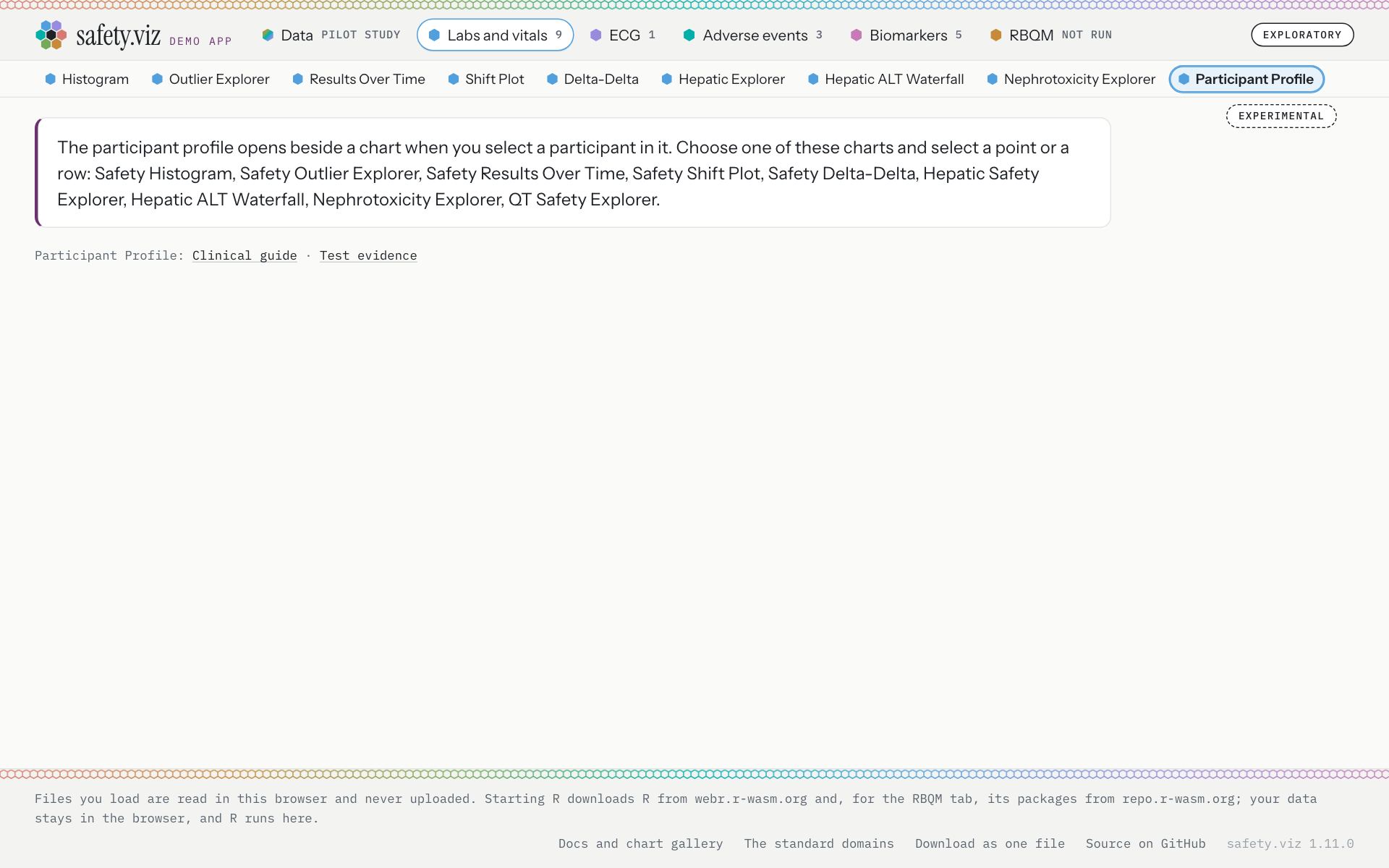
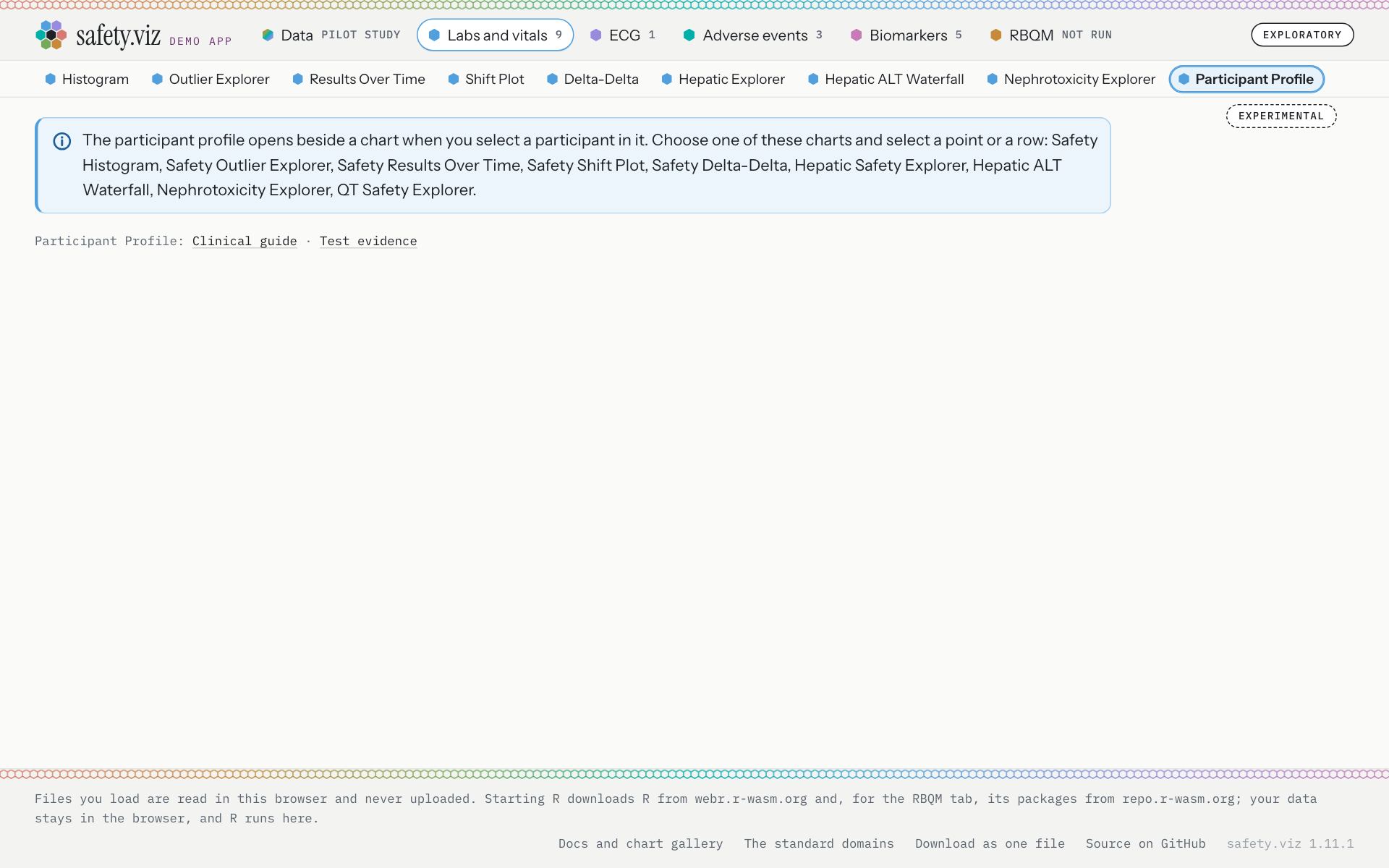
The Participant Profile opened from its name in the row, with no participant chosen.
- The sentence that says how to open it, on a card with a purple left edge.
- A blue note with the information mark and no cross. The sentence is word for word release 1.11.0’s: “The participant profile opens beside a chart when you select a participant in it. Choose one of these charts and select a point or a row: Safety Histogram, Safety Outlier Explorer, Safety Results Over Time, Safety Shift Plot, Safety Delta-Delta, Hepatic Safety Explorer, Hepatic ALT Waterfall, Nephrotoxicity Explorer, QT Safety Explorer.”
- Red is kept in two places. One is the control’s “R did not start”, pictured in section 02.
- The other is a chart that was ready and then failed, which keeps its red card. It is not pictured: the capture has no way to make a chart fail. The pull request says so, and requirement row APP-NOTE-002 records it (safety.viz #324; the demo app’s requirement rows).
- The move of these two cases from red to amber is the third thing to rule on (at the foot of this page).
Try it: under a minute
- Open the Data tab and choose “Liver cohort, labs only” from the menu of demo studies.The Data tab says what it is: “80 synthetic participants with abnormal liver tests at baseline. One labs file of liver tests: the charts of the other domains have no file.”
- Open the Adverse events tab.An amber note: “No file loaded for: Adverse events.”
- Go back to the Data tab and choose “Pilot study” again.Every chart draws again.
- Open the Participant Profile from its name in the Labs and vitals row.A blue note says how to open a profile.
The line on first open is gone
Release 1.11.0 opened with a line above the first chart saying whose data this is. It is removed, and its purple edge with it. The Data tab still names the loaded study.
Requirement: a standard note where R can be started (obot.roadmap #420) Task: add the app’s standard note, use it for every note, and remove the line on first open (safety.viz #321) Pull request: the app’s notes are one standard note, blue or amber (safety.viz #324)
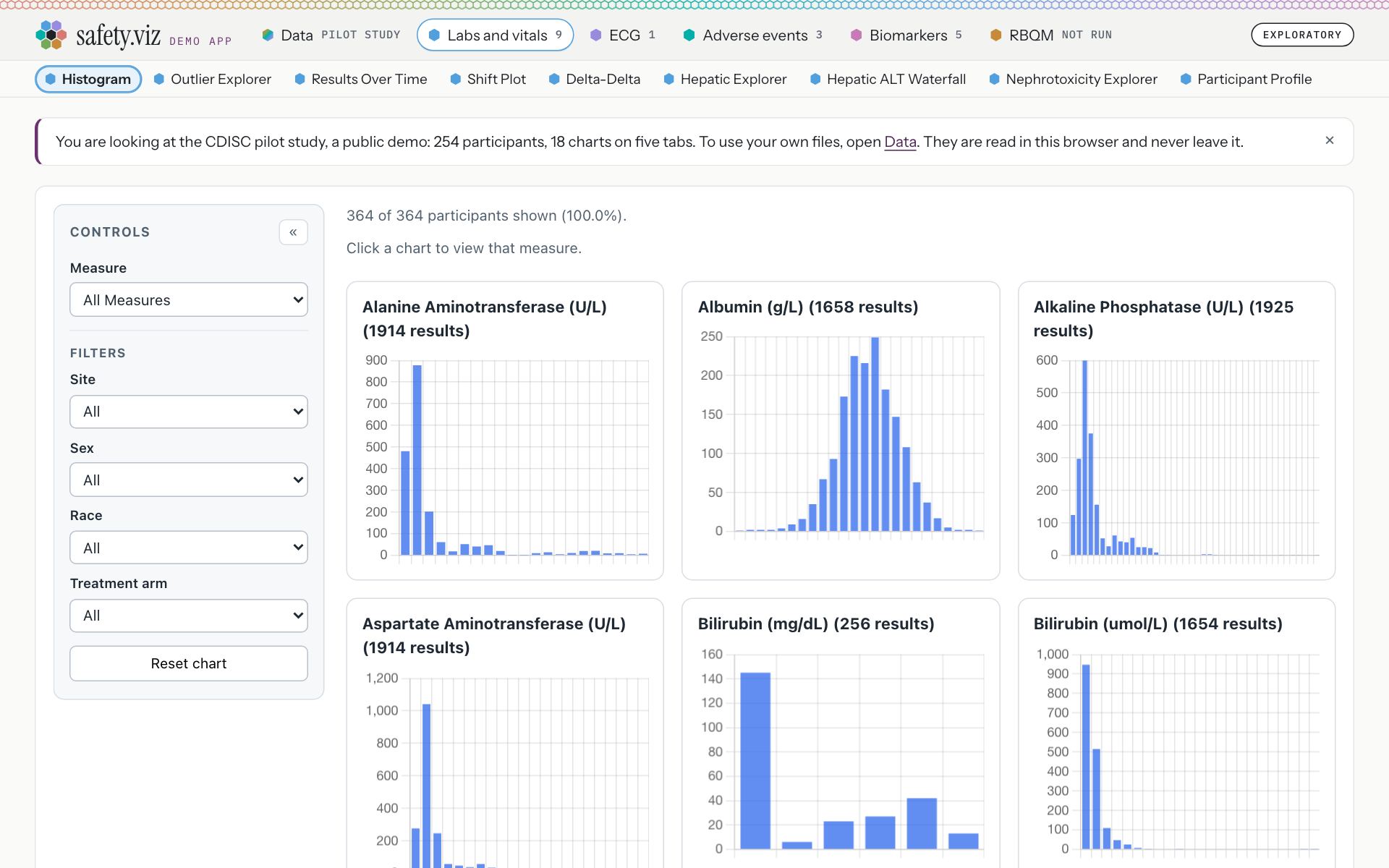
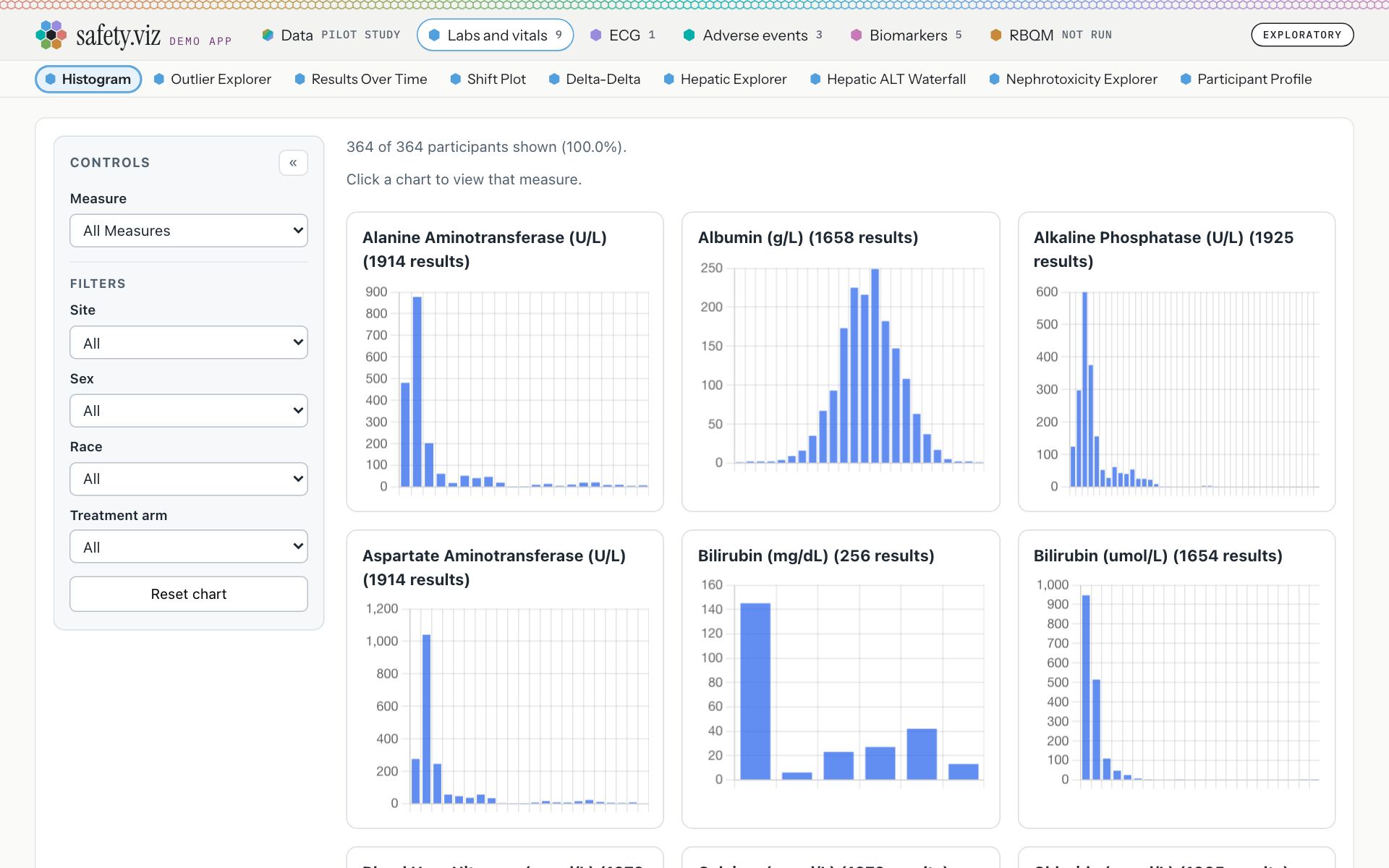
The demo app as it opens, on the pilot study.
- The line on first open, with a purple left edge and a cross: “You are looking at the CDISC pilot study, a public demo: 254 participants, 18 charts on five tabs. To use your own files, open Data. They are read in this browser and never leave it.”
The app opens straight on its first chart. The chart’s card starts 108 pixels from the top of the page, where it started at 171.
- The Data tab still names the loaded study: “Pilot study”. On it, the study’s own note still says whose data this is: “254 participants from the CDISC pilot study, with standard column names. The labs file also carries 110 synthetic liver and kidney participants who are in no other file.”
- The line showed on any first visit, whichever chart was opened. The release 1.11.0 stills in the other sections of this page were taken with it closed, so each shows only its own change.
Try it: under a minute
- Open the demo app in a private window, so that it is a first visit.The first chart is directly under the row of chart names. There is no line above it.
What did not change
Release 1.11.1 changes where the app says R can be started, and how its notes look. It does not change what the app works out.
- No chart is added and no metric is added.
- The app is still labelled “Exploratory”, and its status panel still counts: “13 charts are Exploratory. 5 charts and the RBQM tab are Experimental.”
- The control at the right end of the chart names reads the same on both sites: “Statistics need R · 13 MB, once · Start R” on the Biomarkers tab and “Site metrics need R · 55 MB, once · Start R” on the RBQM tab.
- R still starts only when asked. Before a press the page had asked nothing of R’s addresses, on the Biomarkers tab (0 requests) and on the RBQM tab (0).
- R’s answers read the same on both sites. On the Association scatter: “Pearson's product-moment correlation: p = 0.129 (n = 230). Exploratory, unadjusted.” On the Cross-tabulation: “Pearson's Chi-squared test: p < 0.001 (n = 254). Exploratory, unadjusted.”
- A real run of the RBQM tab on the pilot study ends in the same line on both sites, but for its seconds, and the first row of the site overview is the same: “R ran 3 of 8 metrics on the Pilot study in 2.9 seconds. The other 5 need data it does not have: change the data on the Data tab.”
- No file of R’s changed, and no chart’s code changed: the release notes say so, and the footer of a biomarker chart still names the chart library as it was, “bio.viz 0.3.0” (the release notes).
- What holds the note in place is a set of browser tests named by requirement rows: APP-NOTE-003 and APP-PAGE-044 for the standard note and the first screen, APP-R-060 to APP-R-063 for the note on the biomarker charts, and APP-RBQM-082 for the RBQM tab (safety.viz #324; safety.viz #325).
For your ruling
Six things, none of which held the release
-
The sentences in the notes are drafts
They ship as drafted and are yours to correct. Every one is printed under every sentence the note says, and the two this page cannot picture under sentences this page does not picture.
-
No seconds in the note while R starts
- The design page drew seconds in the note: “13 MB · 4 s” (the design’s second mockup).
- The build leaves the seconds to the control. The note reads “13 MB” and the control “Starting R · 13 MB · 3 s” (the picture).
- The reason is a standing rule that keeps one count on the page (requirement row APP-RBQM-019).
- Say if you want the seconds in the note as well.
-
Three cases moved from red to amber
- A chart with no file loaded, which was a red card: “No file loaded for: Adverse events.” (the picture).
- A chart with a column not mapped, which was a red card: “Not mapped yet: Result.” (the picture).
- The RBQM tab’s line when R did not start, stopped answering or stopped, which was red text: “R did not start, so no metric was run. Try again The reason is behind Why, at the top right.” (the picture).
- Red is kept for a chart that was ready and failed, and for the control’s “R did not start”.
- One more move, not from red: a metric the loaded study cannot support said why in a box with a purple edge, and now says it in an amber note (the picture).
-
The RBQM tab has one note while R is ready
- The design said that once R is ready there is no note.
- The build has one, in one state: R is up and nothing has yet run on what is loaded. A blue note reads “R is ready. Run the metrics on what is loaded now.” (the picture).
- In release 1.11.0 this state was a line of text: “R is ready. Run the metrics from the R chip, at the top right.”
- Say if you want it otherwise.
-
The hub’s line on one control that starts R
- The hub’s developer guidelines say: “One way to do a thing across an app: one control that starts R, in one place” (the guidelines, designing and checking what people look at).
- The approved design adds a second place to press, the note. Its button calls the control’s own press.
- safety.viz’s contributing guide was reworded to say so. The hub’s line was not (the contributing guide’s demo app conventions).
- Proposed wording for the hub’s line, yours to accept: “one control that starts R, in one place; a note may repeat its press inside a sentence, and it is the same press”.
-
The requirement is not yet linked under the demo-ready objective
The requirement for the standard note names that objective, but is not yet one of its linked requirements. That link is yours (the objective: a demo app ready to show, obot.roadmap #401; the requirement, obot.roadmap #420).
Not in this release
- A button inside the chart’s own line. That line is drawn by the chart library, so it would need a release of the library; the app changes only the words it hands over (the design’s list of what is left out).
- The chart library naming for itself which charts cannot be drawn without R. For now the app names the two (the requirement’s design section).
Where to look further
- The demo app, on the released site.
- The design this was built from: annotated mockups of the note in each state.
- The release notes, which are short; this page carries the detail.
- The demo page of release 1.11.0, for the control that starts R and the RBQM tab.
- What the capture read, and how each picture was made.