R/Pharma Diary #10 — What Can We Actually Do With AI Agents Right Now? The keynote, annotated
This morning I’m giving the keynote at R/Pharma 2026. This is the talk, slide by slide, with what I’ll say about each one.
This series started in June with one question: what can we actually do with AI agents right now? The keynote is my answer, and this post is the tenth and last entry in the developer diary. I’ve borrowed the format from Simon Willison’s annotated talks. You can also click through the slides themselves (arrow keys to move; each image below links to its slide).
I build open-source tools for clinical trials, and I’ve spent the last few years trying to figure out how AI fits into that world. That’s what this talk is about.
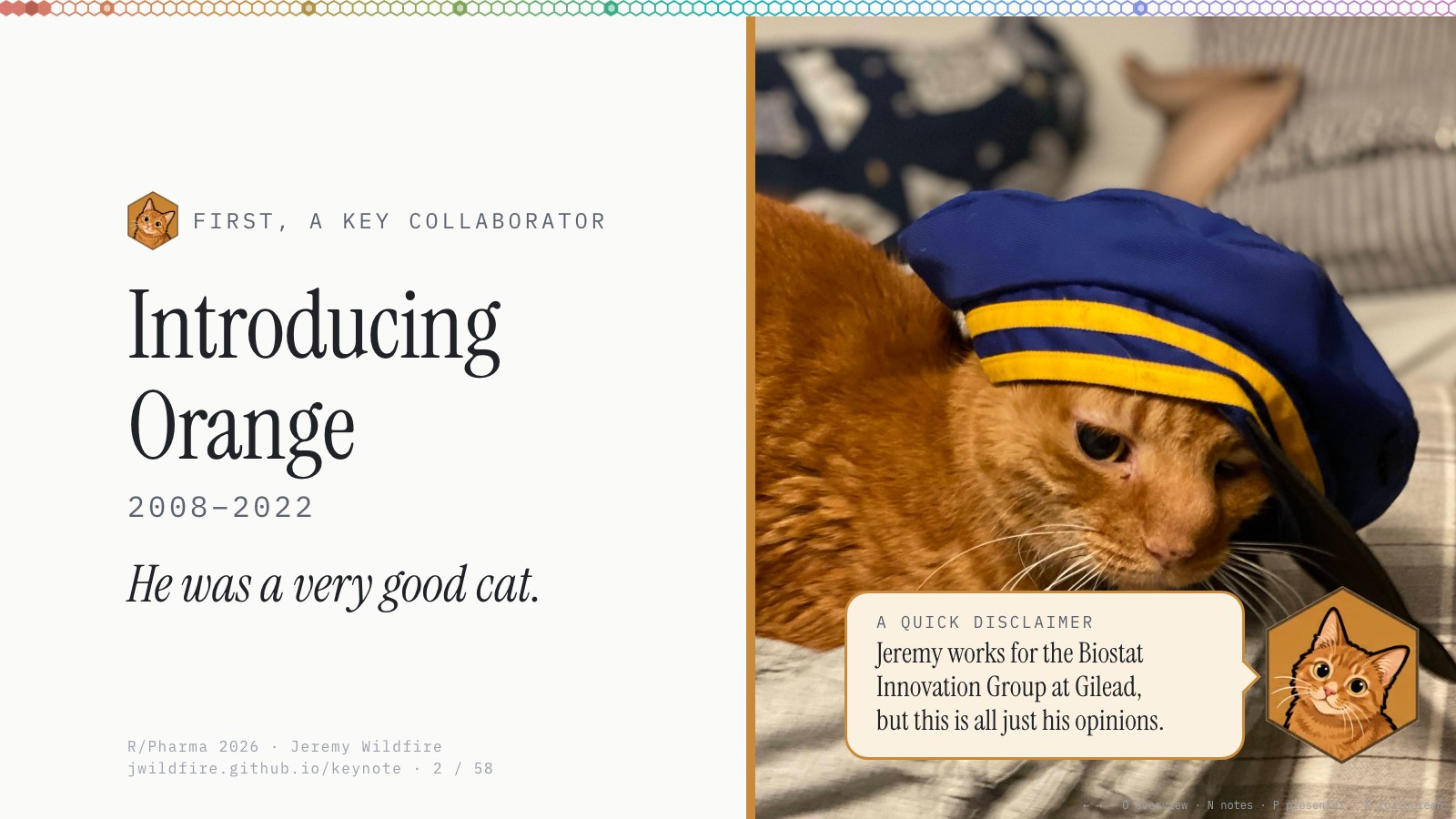
First, a key collaborator. Orange was our Chilean street cat. We found him as a kitten on Avenida Pedro de Valdivia when we lived in Santiago, and he worked with me for a lot of my career, so he was there for everything in this talk. He’ll show up again, in a few different hats.
A quick disclaimer: I work for the Biostat Innovation Group at Gilead, and I’ll talk a little about what we do at work, but this is all just my opinion.
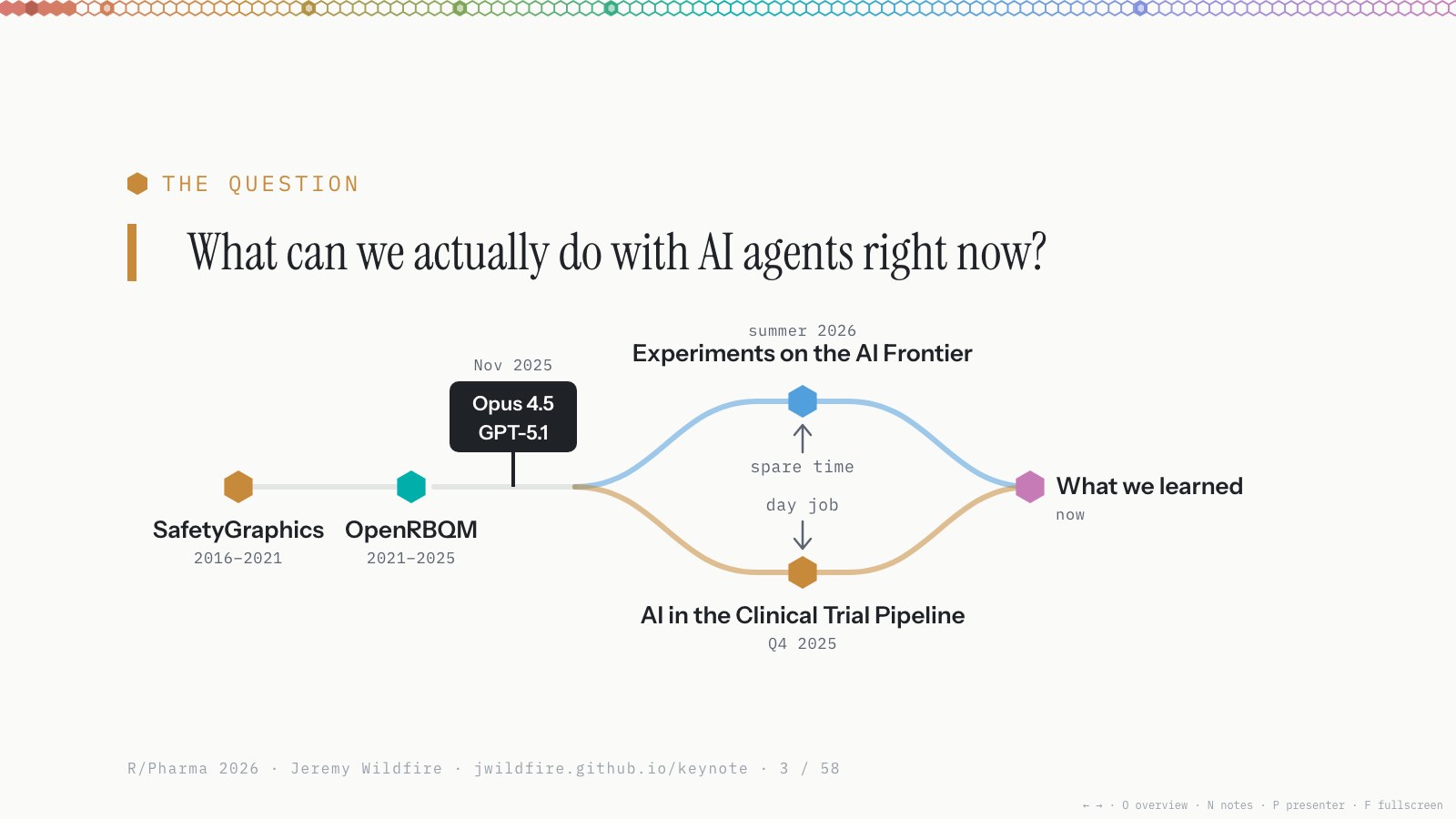
As these AI tools have come into all of our lives, the question I wrestle with most is: what can we actually do with AI agents right now? That’s what I’m trying to answer today.
Here’s the map. We’ve already met Orange. Next come SafetyGraphics and OpenRBQM, two big projects I’ve worked on for the last decade or so. Then, around November 2025, when Opus 4.5 and GPT-5.1 came out, the road forks: how we use AI in the clinical trial pipeline on my team (the day job), and my experiments at the AI frontier this summer (spare time). The two lanes meet again at what we learned, and what comes next.
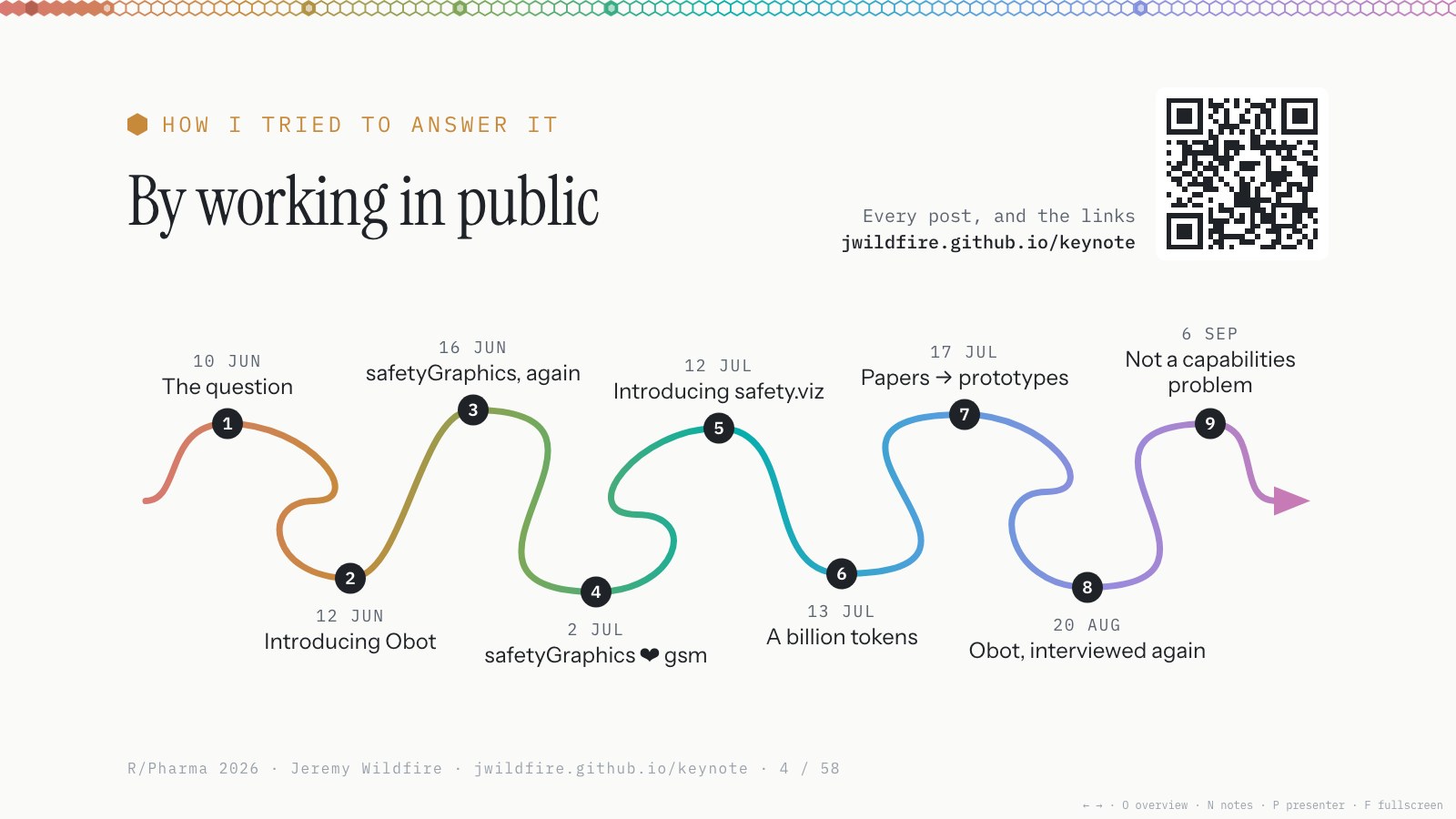
When I found out I was giving this talk, back in the spring, I tried to think about how I’d answer that question. Like any good R developer and open-source advocate, I decided to do the work in public. I wrote a series of posts, and everything leading up to this talk is there.
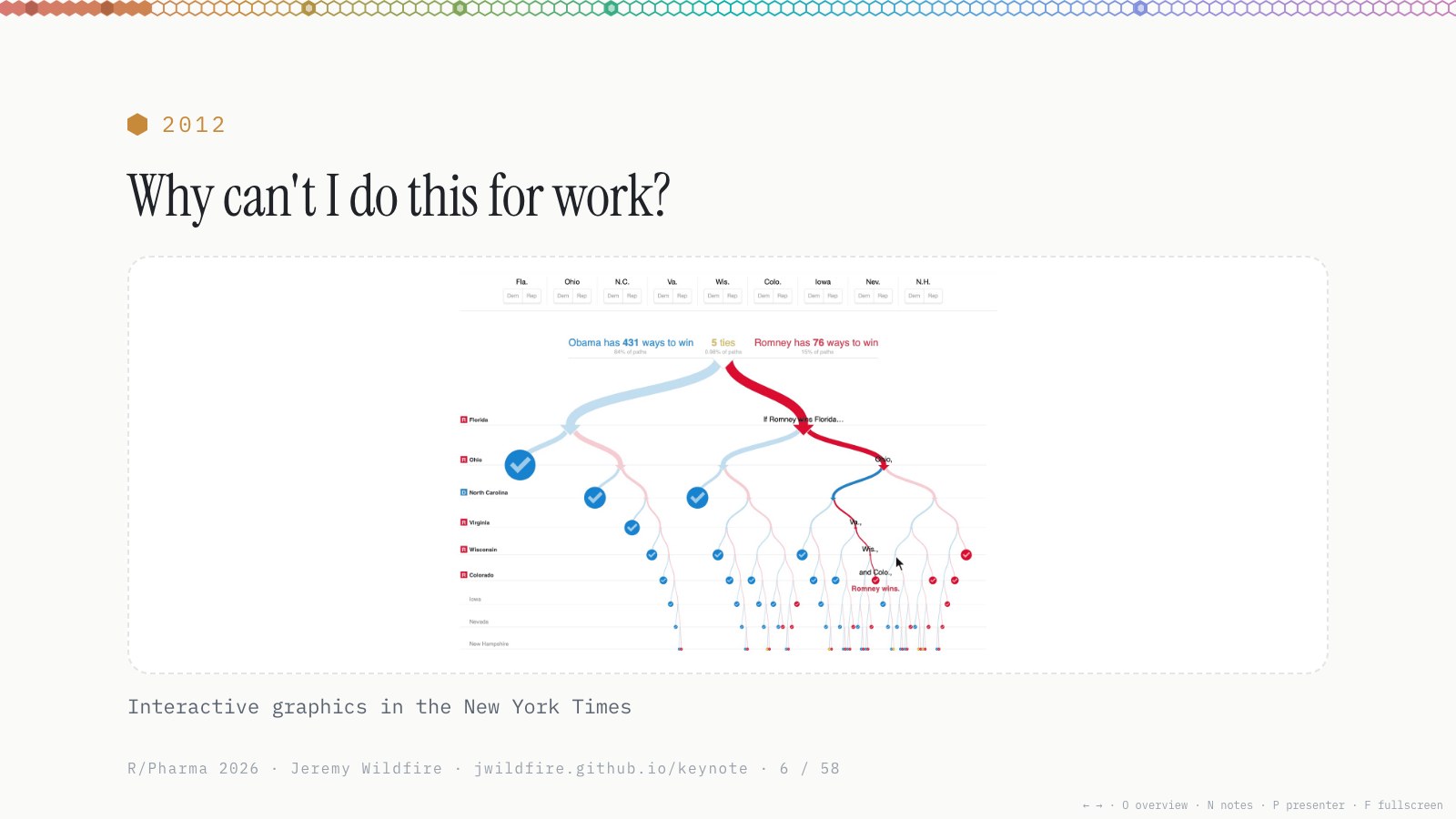
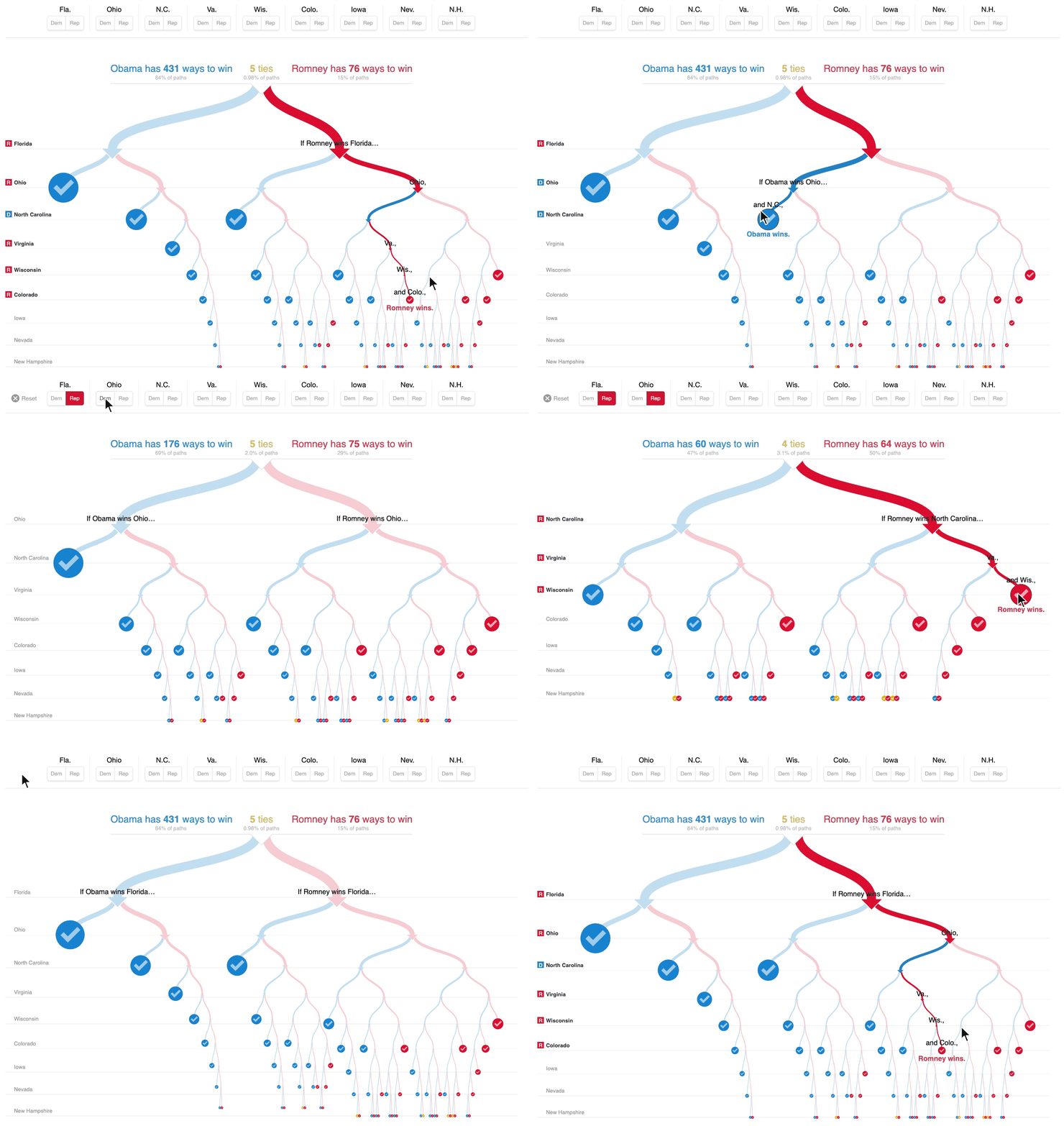
Back in 2012 I was a biostatistician working on NIH-funded asthma and allergy studies. I knew SAS and some R, and I started seeing interactive graphics in places like the New York Times. This one shows Obama’s paths to victory in his re-election, so it was a while ago. Looking at these, I thought: why can’t I do this for work?
It turns out we can. I taught myself JavaScript (D3 version 2, I think), and we ran a bunch of experiments. We were already making fancy R graphics, mostly in lattice back then, and we started building more and more with JavaScript, and deploying it with R through htmlwidgets and Shiny.
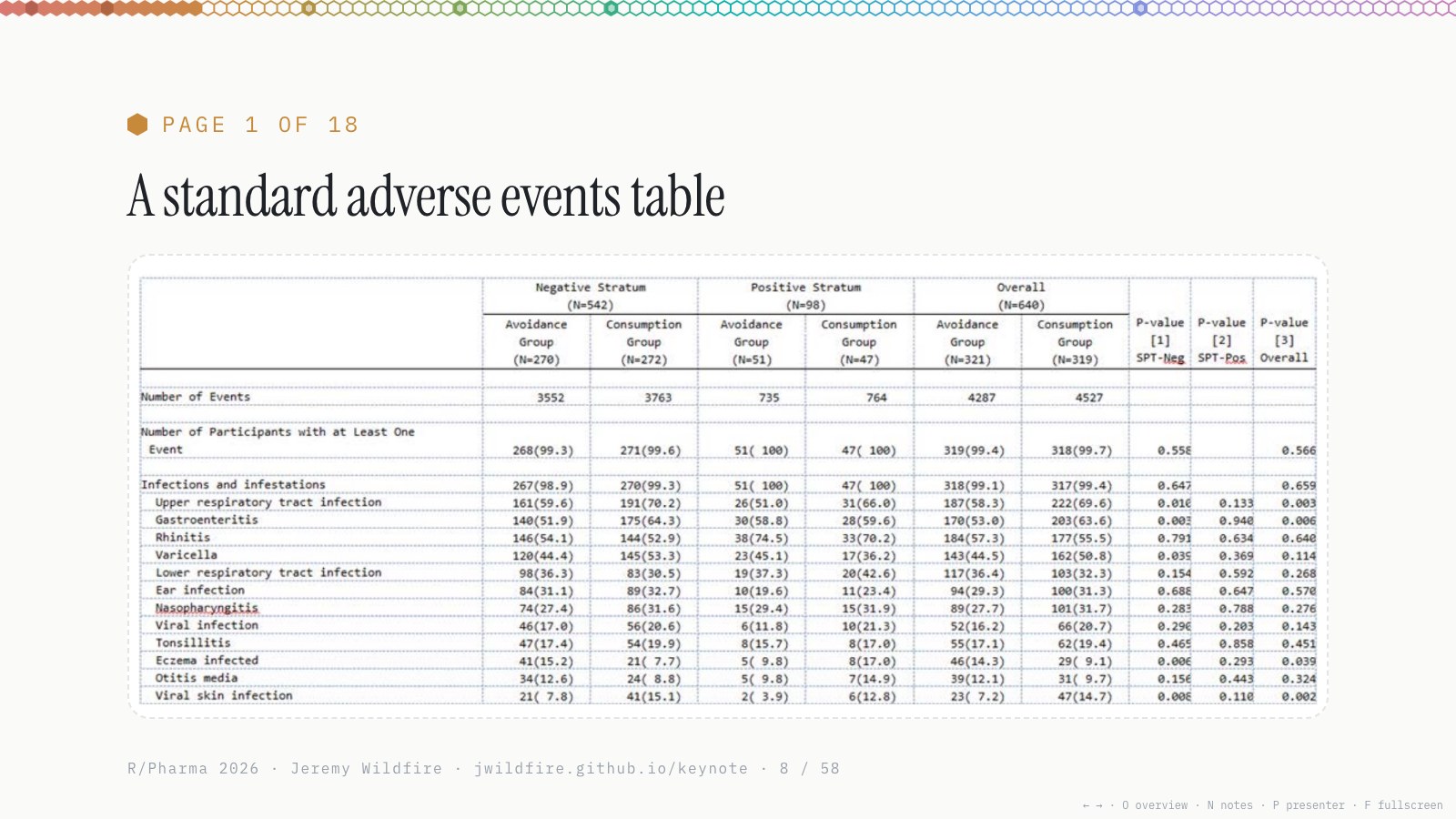
After some experimenting, we found places in the clinical trial pipeline where this was really useful. As a study statistician it always drove me nuts to make dense, five-point-font, 18-page adverse event tables. They come with every study, and they’re horrific to read.
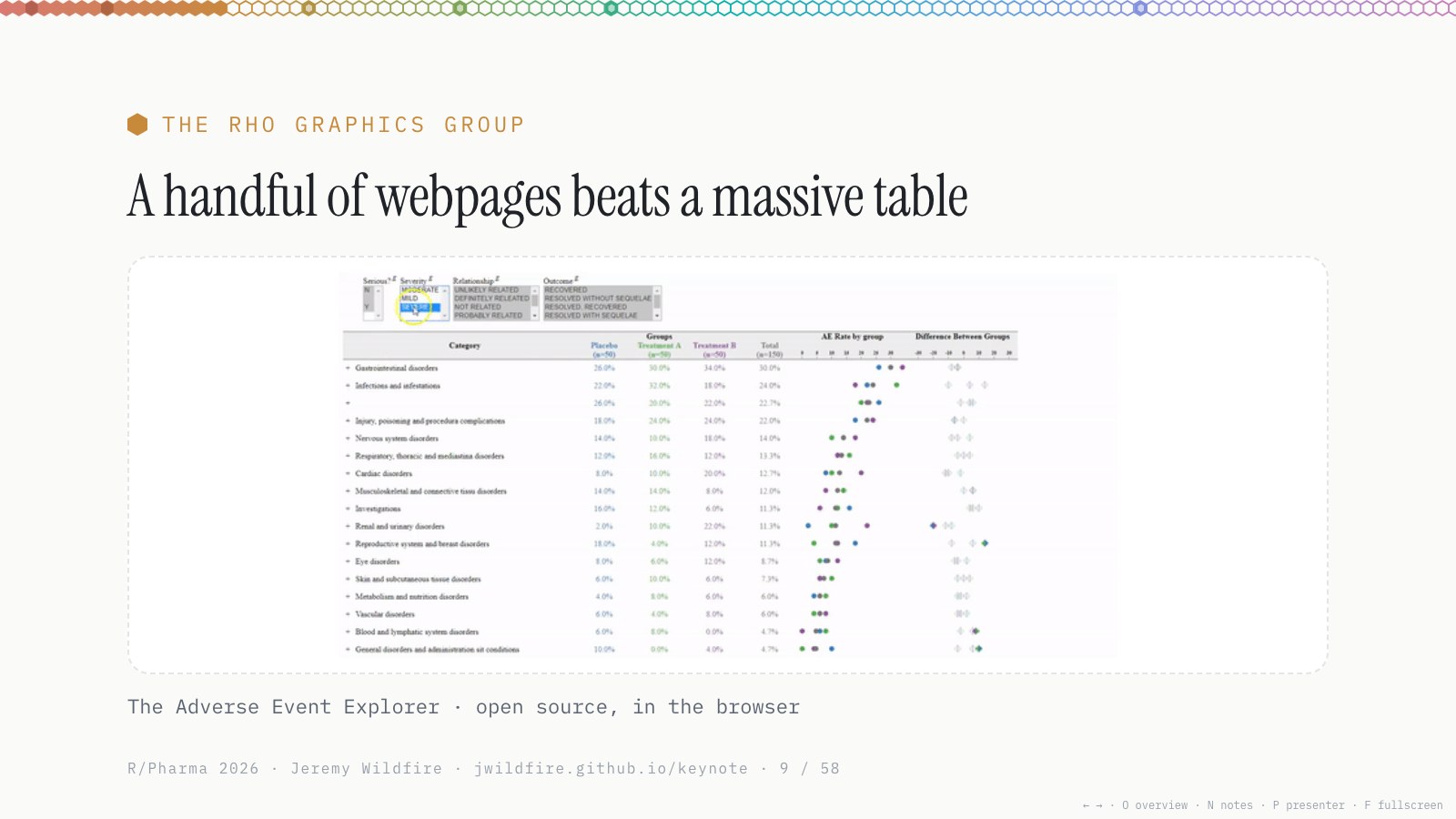
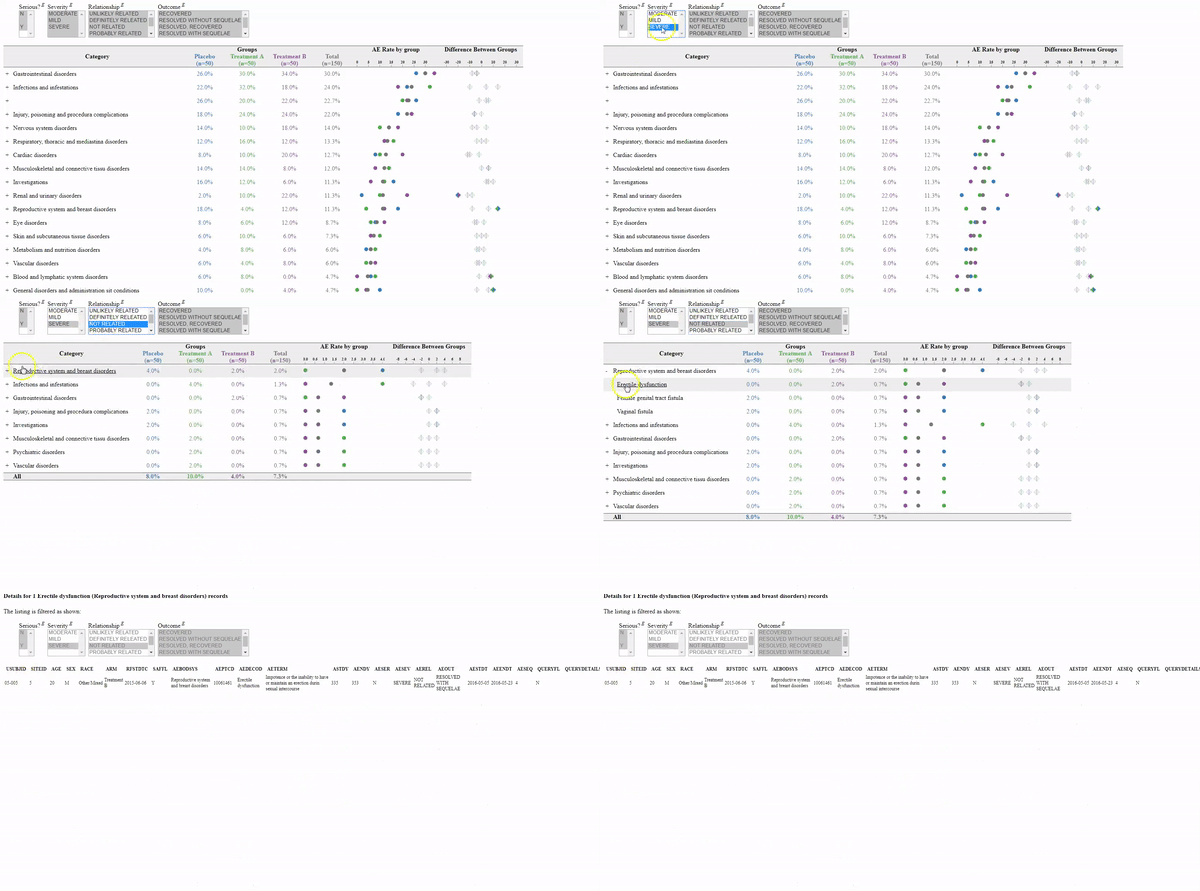
So we turned them into a handful of web pages, which is a much better way to review a study’s data in lots of ways. Everybody liked it more. We liked making them more, and the users liked using them more.
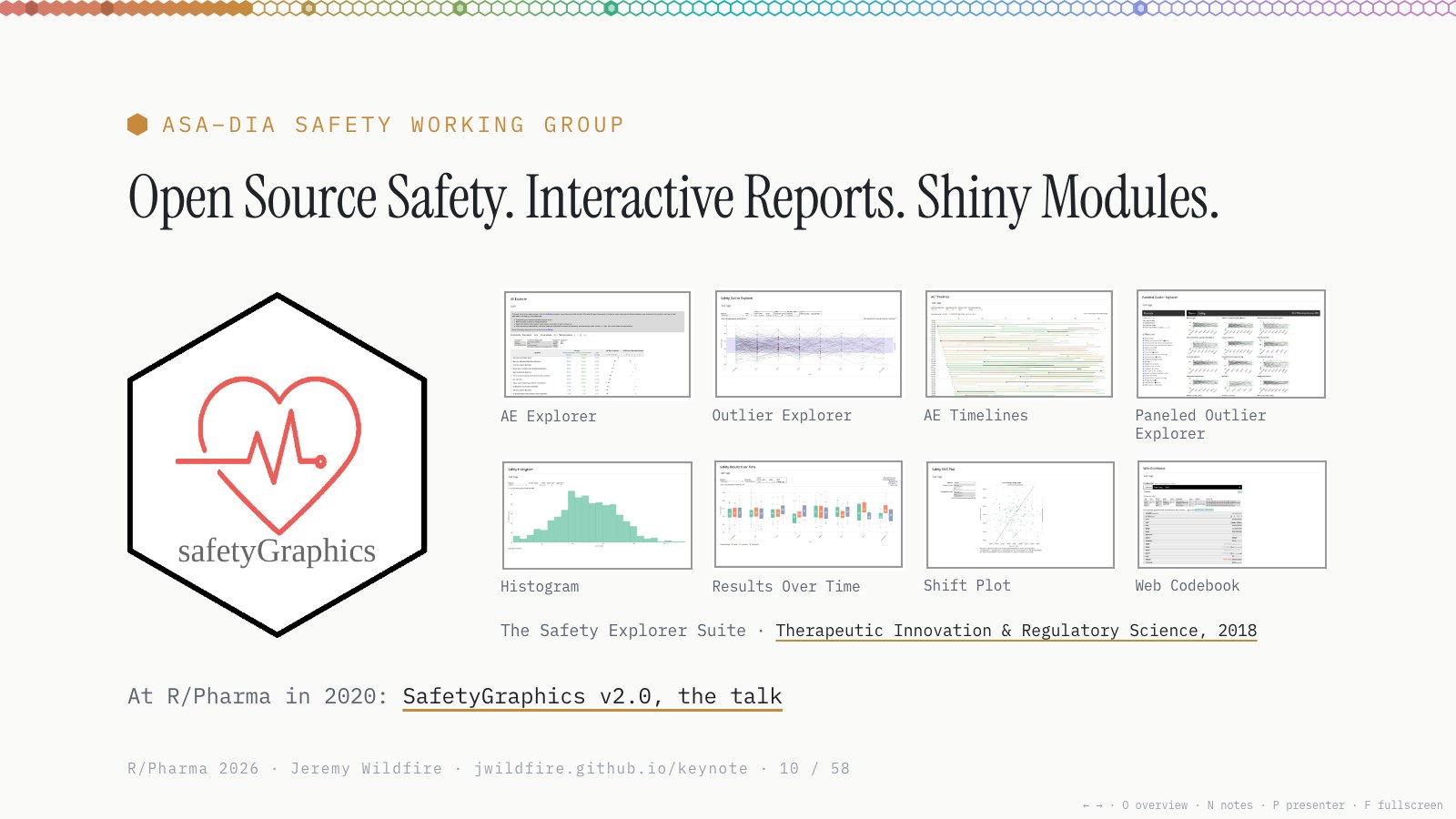
That was the first interactive graphic in the SafetyGraphics project: an R package with a Shiny app full of interactive charts for monitoring safety, built by a consortium of clinical and technical collaborators and co-sponsored by DIA and the ASA Biopharmaceutical Section. There’s more in the 2018 paper, my R/Pharma 2020 talk on SafetyGraphics v2.0, and diary #3.
Thanks to everyone who built it with us; they’re all named in diary #3.
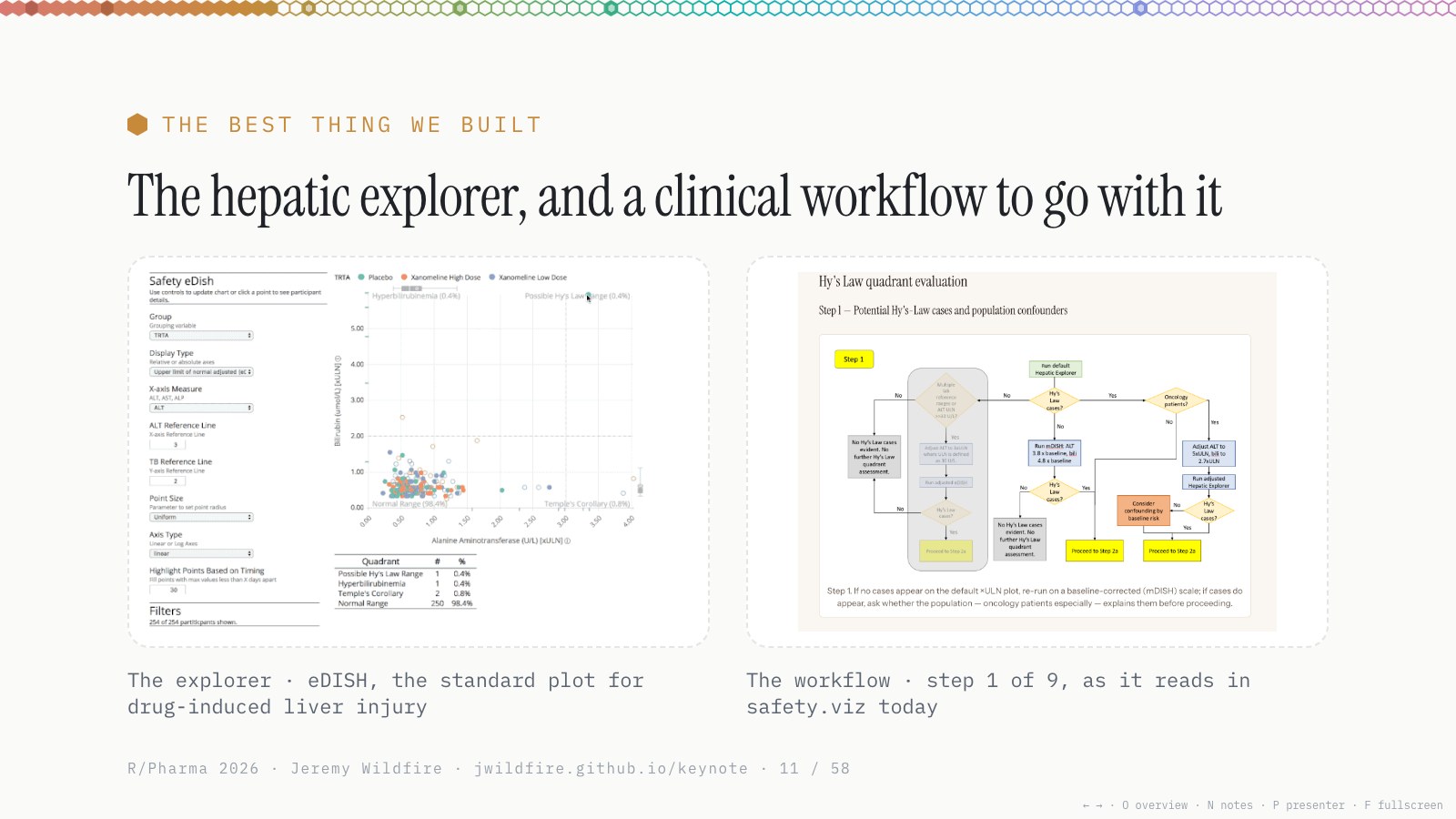
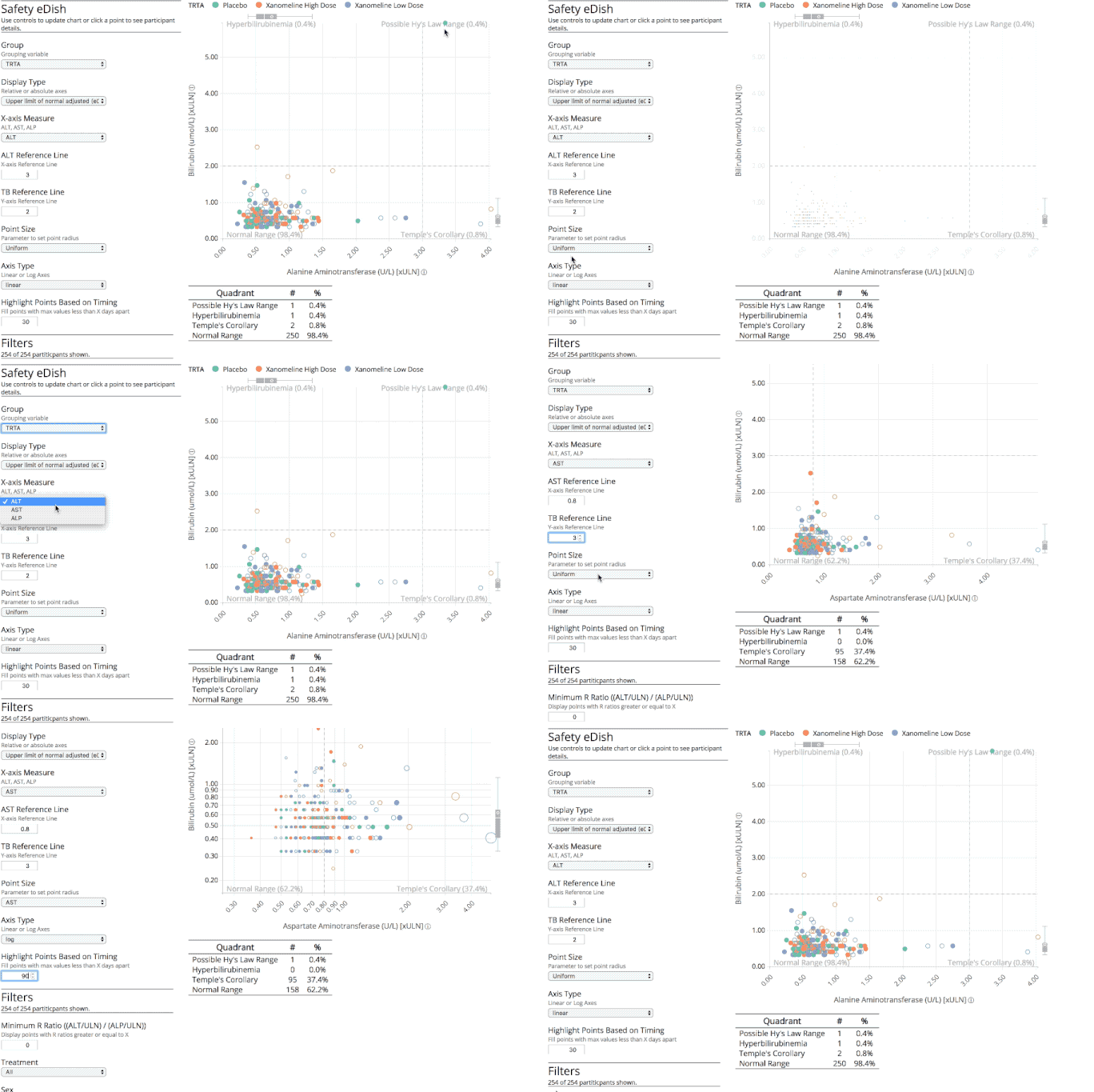
I think the best thing we built was the hepatic explorer, and the clinical workflow that goes with it. The team was about half technical folks like me and half clinicians. Jim Buchanan, our clinical lead, wrote a detailed workflow for analyzing liver toxicity with eDISH, and we built the chart to support it. The workflow tells you how to use the tool, and the tool is updated as the workflow evolves.
Building custom workflows like this, all open source and freely available, and then using them on the trials I was supporting, was eye-opening.
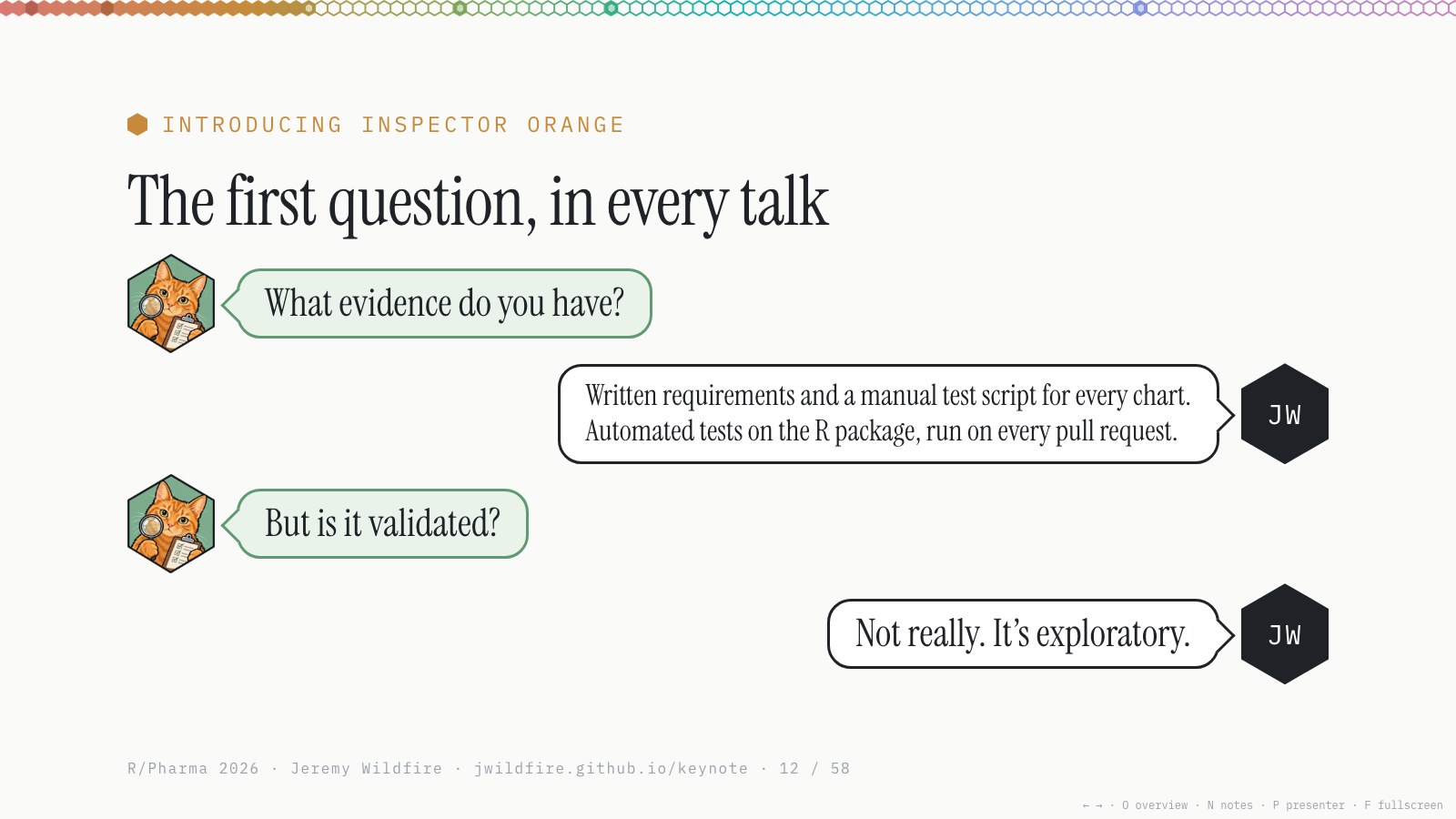
We gave a lot of talks, and the first question at every one was about quality. So here’s Inspector Orange, who’ll pop up throughout the talk.
What evidence did we have? Quite a lot: written requirements, manual test scripts, and automated tests, including Shiny tests, run on every pull request. But was it validated? Not really. It was exploratory.
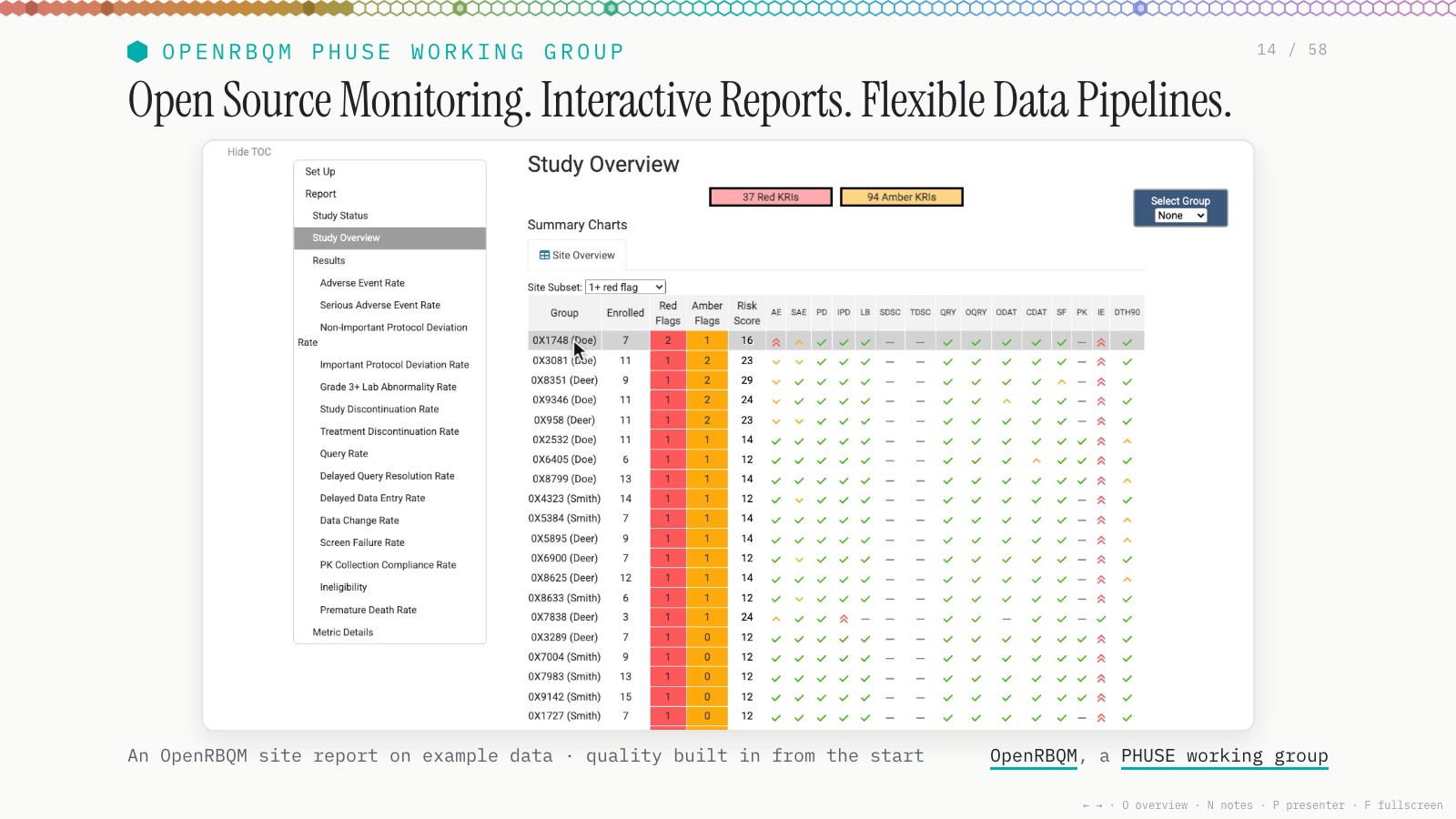
In 2021 I joined Gilead and moved from safety monitoring to a team focused on RBQM, risk-based quality management. We built more open-source software, which we’re still building and maintaining today, under OpenRBQM, a PHUSE working group.
The safety work had a monitoring component, but it was largely about submissions, which is why the validation question kept coming up. RBQM is about study conduct and monitoring. We took a lot of the framework from SafetyGraphics and put a more robust process around it.
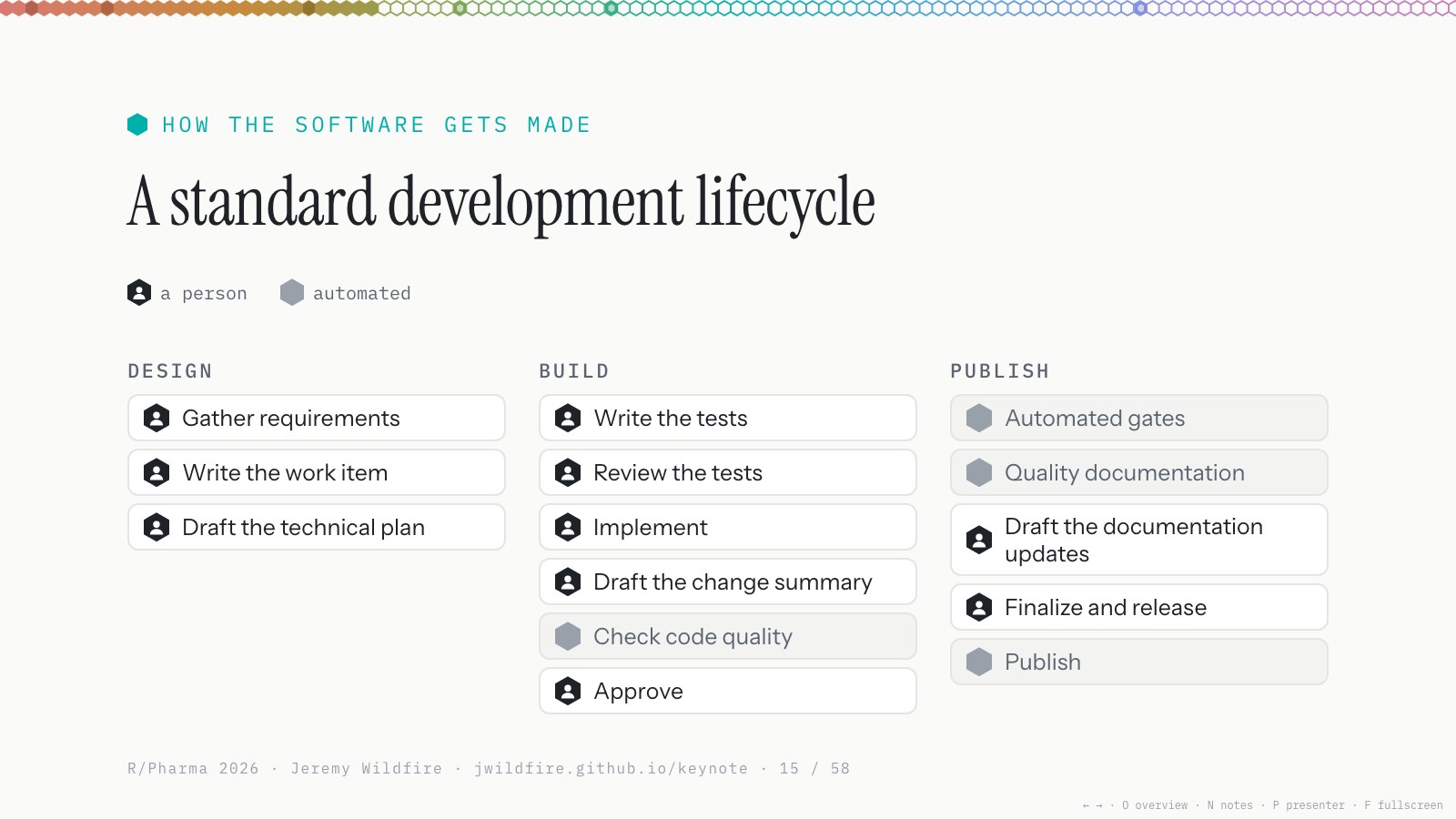
We also landed on a standard development lifecycle: design, build and publish, with quarterly releases. Until about a year ago, people owned all of this. We had some CI/CD, shown in grey, but we wrote the requirements, filed the issues, programmed the tests and wrote the code, all by hand.
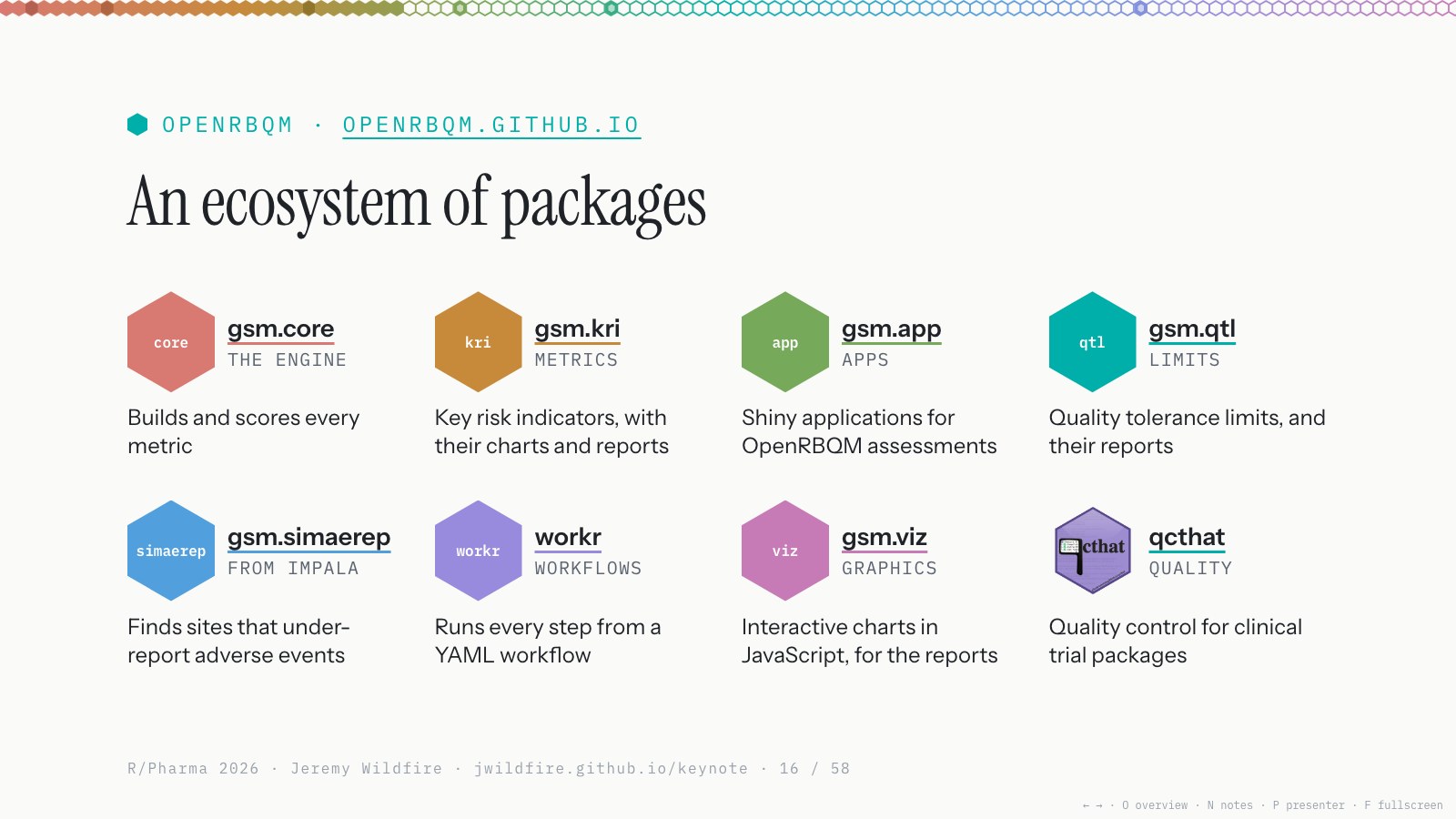
OpenRBQM is an ecosystem of packages that adds up to a robust monitoring framework: an engine (gsm.core), metrics (gsm.kri), a Shiny app for deep dives, and workr, which I really love: YAML-driven pipelines that are easy to customize for each study. The IMPALA group contributed packages that plug into the framework, and we built our own test data factory, gsm.datasim. We’re using it at Gilead on a lot of studies now.
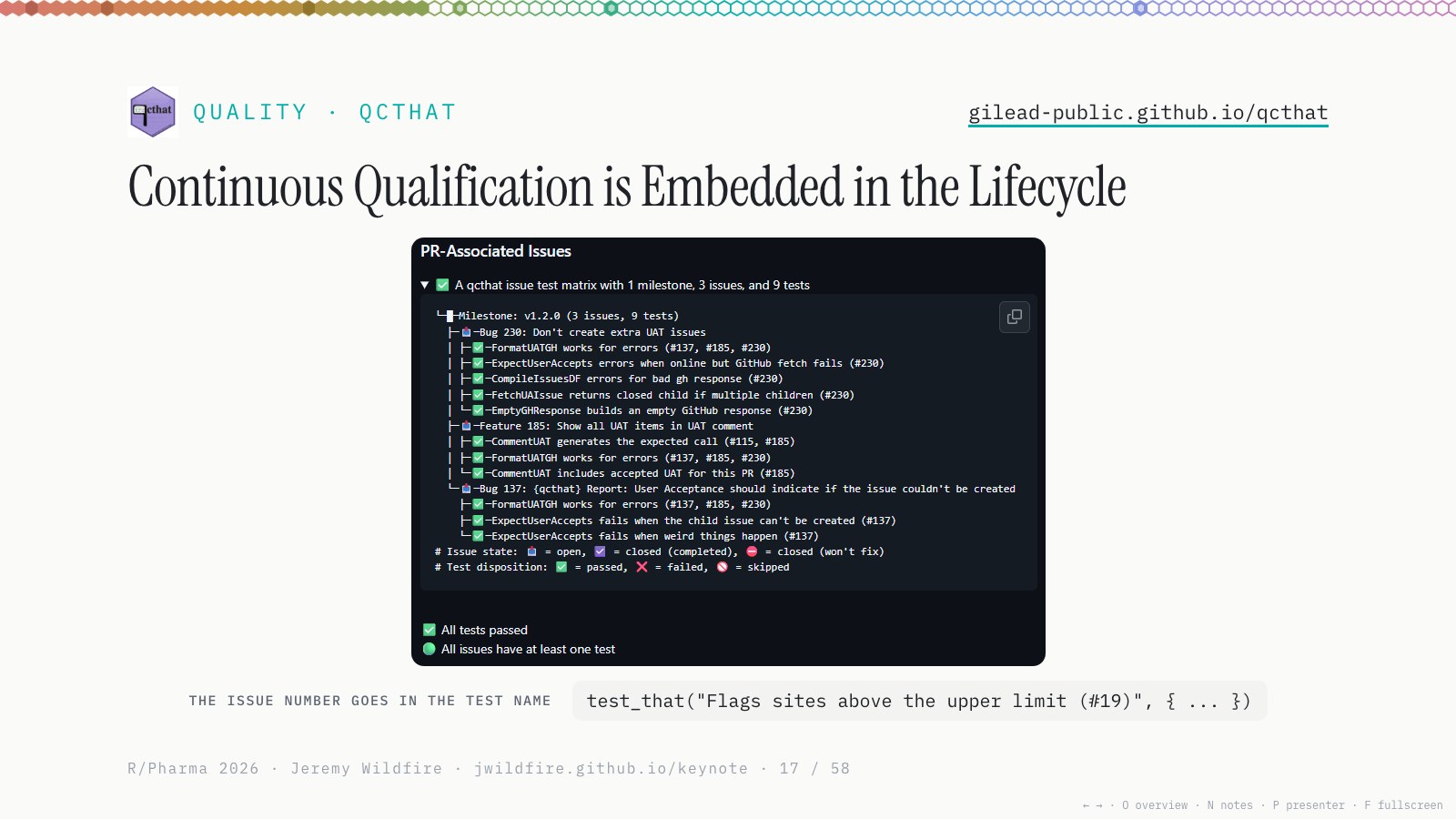
We also spent a lot of time on quality, since that question was top of mind after SafetyGraphics. We built a package called qcthat, which Jon Harmon and Natalia Andriychuk from my team talked about at R/Pharma this week; I recommend checking it out.
The core idea is that your testthat tests are linked to GitHub issues. Each test names its issue number, just like you would in a pull request. Your issues become your requirements, your test results become your evidence, and your traceability matrix becomes an artifact that ties into GitHub workflows, for humans or for agents, in a really natural way. It all runs in CI/CD, and the evidence attaches automatically to pull requests and releases.
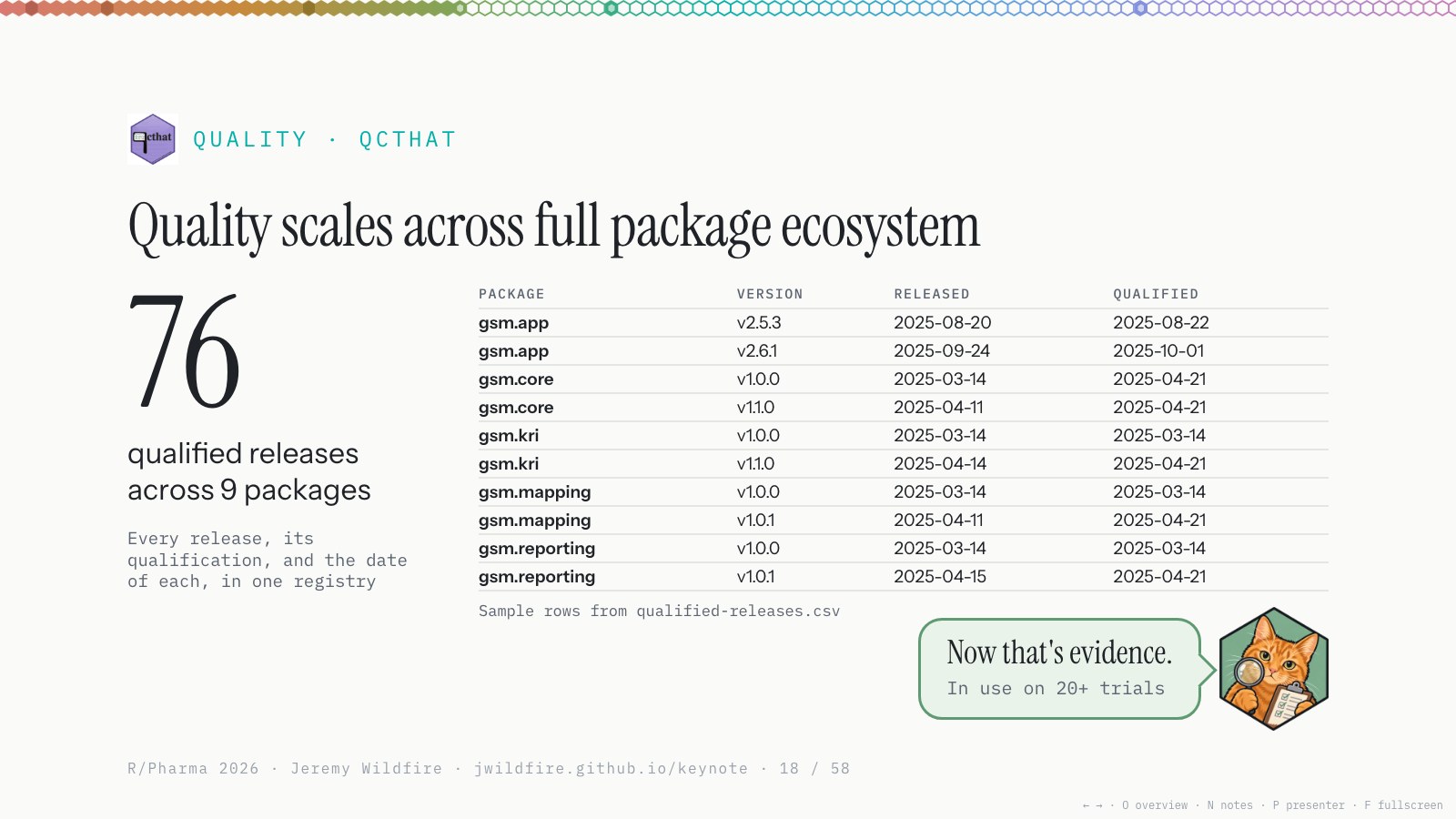
And this scales really quickly. Once you’re in the habit of putting issue numbers in your tests, every release ships with robust evidence, publicly, with the packages. You’ll still have to do the work at your own company, but for us, we review that evidence and sign off, and soon after each release we have what we consider a qualified tool.
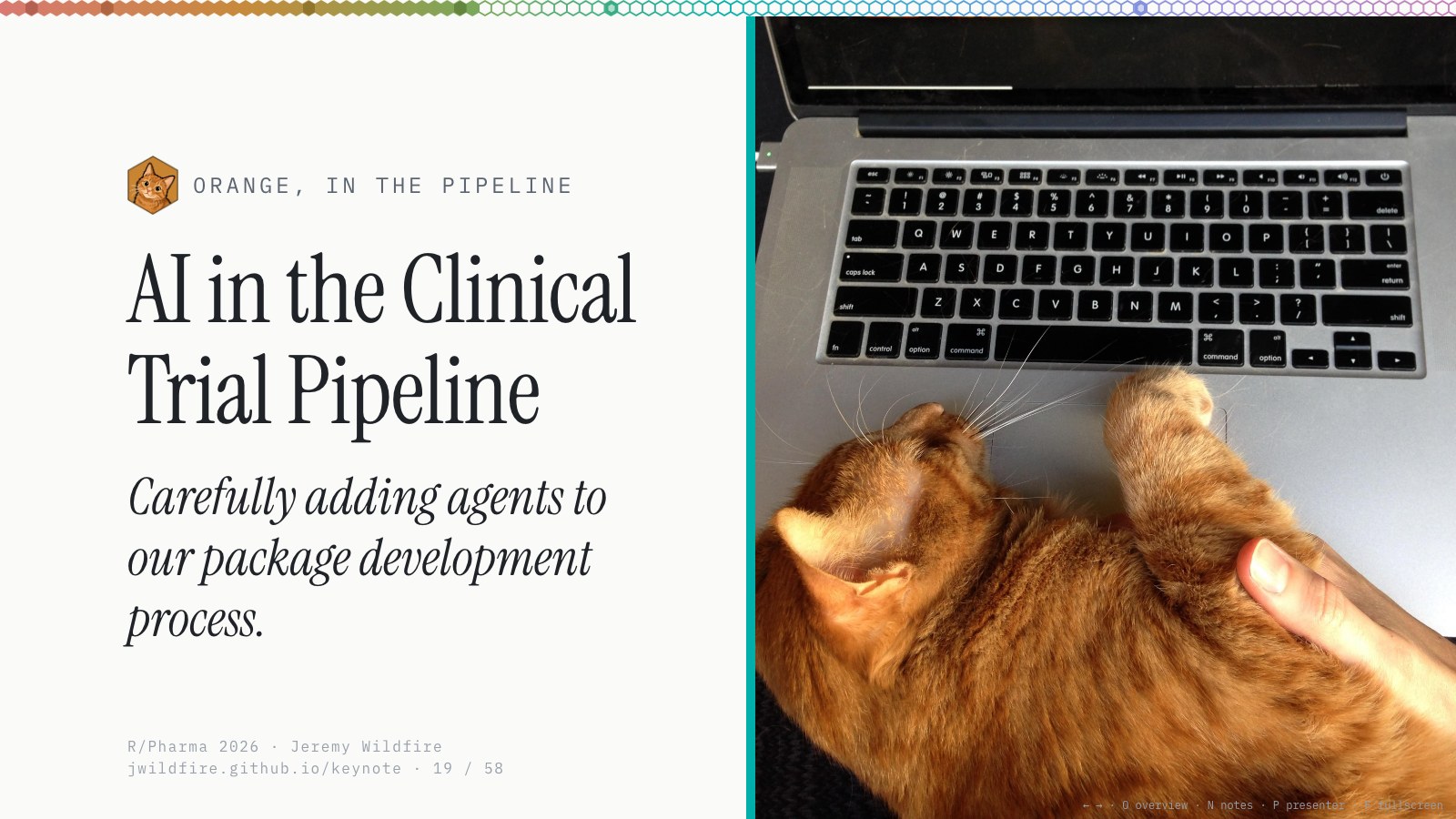
That brings us to about a year ago, when the AI models got really good. We’d been watching them and using code assistants since ChatGPT took off, but last November we crossed a threshold: coding agents could write code well enough that you weren’t going back to correct them all the time. That’s when they earned my trust.
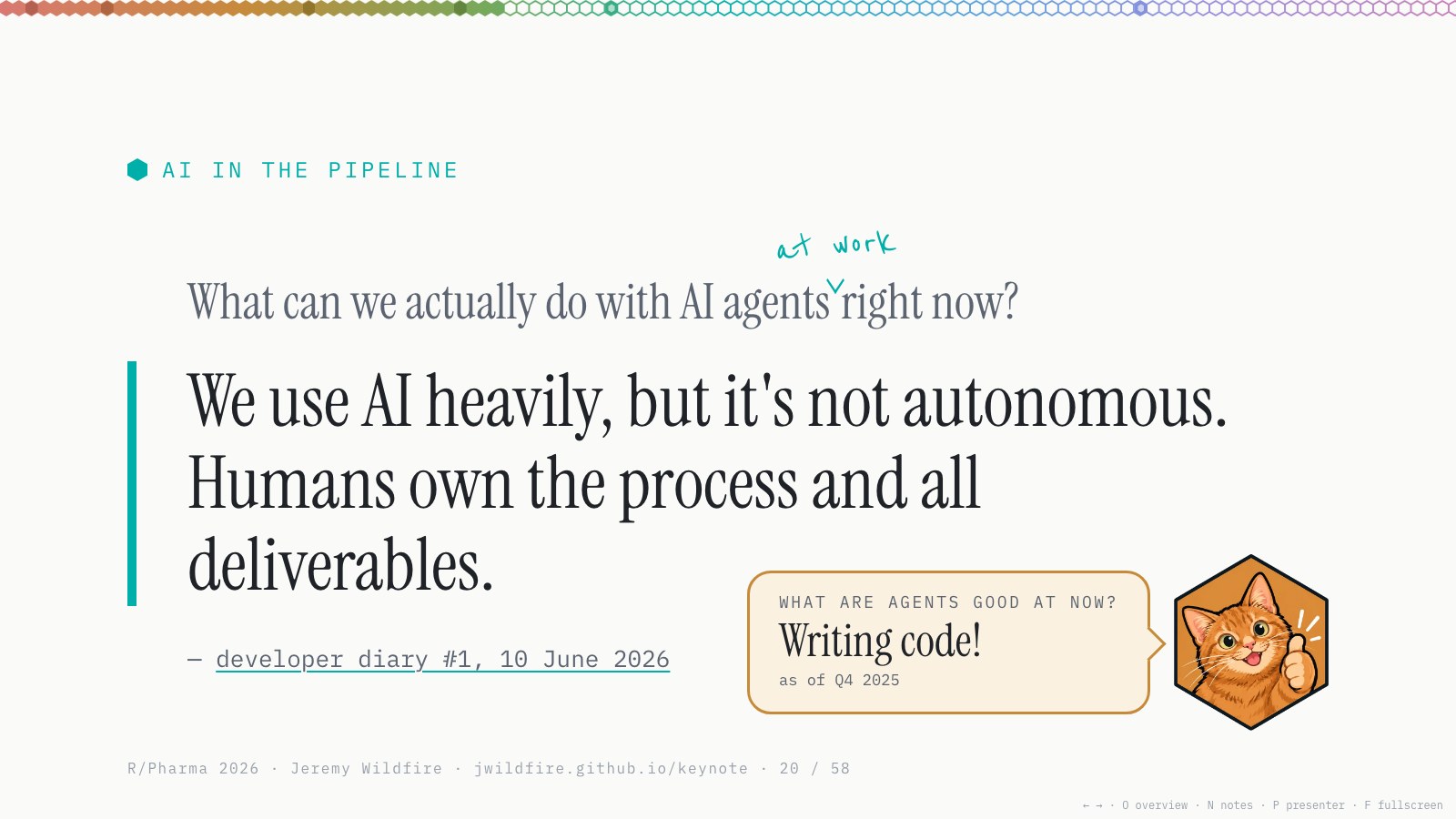
In January I told my team it was time to start experimenting. By Q2, after three months of experiments, we’d adopted coding agents in our day-to-day work and started setting our workflows and best practices. In Q3 we’ve been building that out.
We use AI heavily, but we’re not using autonomous agents. Humans own the process and every deliverable; there’s a directly responsible person for every task an agent does. I wrote more about this in diary #1. The question we’re wrestling with now is: how much can you safely hand over to agents?
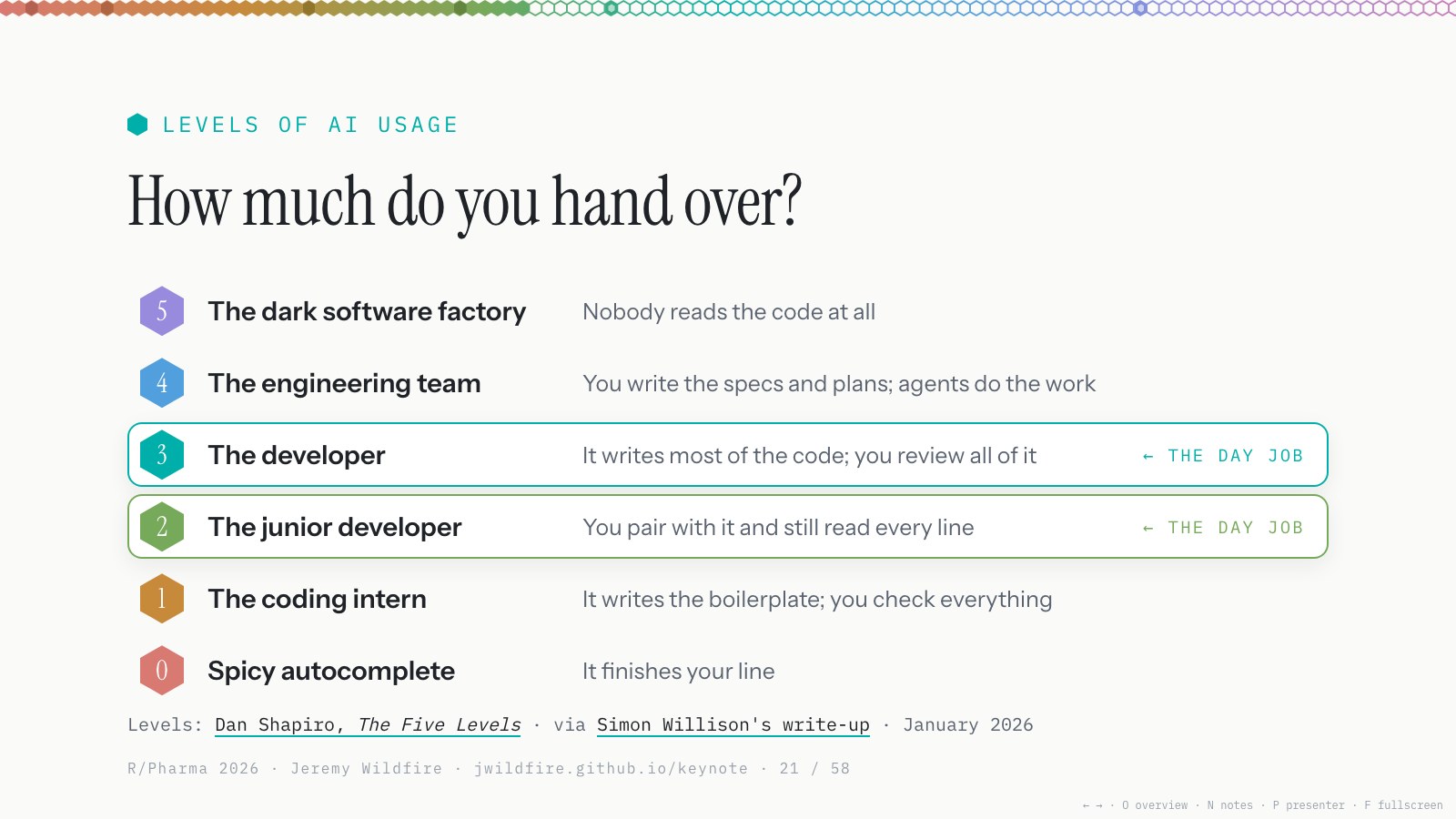
I think this is the core question in our industry, and really in every part of software development right now. This is a hierarchy I really like, Dan Shapiro’s five levels (I found it through Simon Willison’s write-up).
It starts with spicy autocomplete: you write the code and hit tab to finish a line. It goes up through the intern and the junior developer, where you still read every line; the developer, where you trust it but review all the code; the engineering team, where you write the specs and plans and don’t read much code; and the dark software factory, where nobody reads the code at all. I don’t recommend that for the kind of work we do, but it is happening out in the world.
We’ve landed between the junior developer and the developer, depending on the task: closer to 2 for the code itself, closer to 3 for design and filing issues.
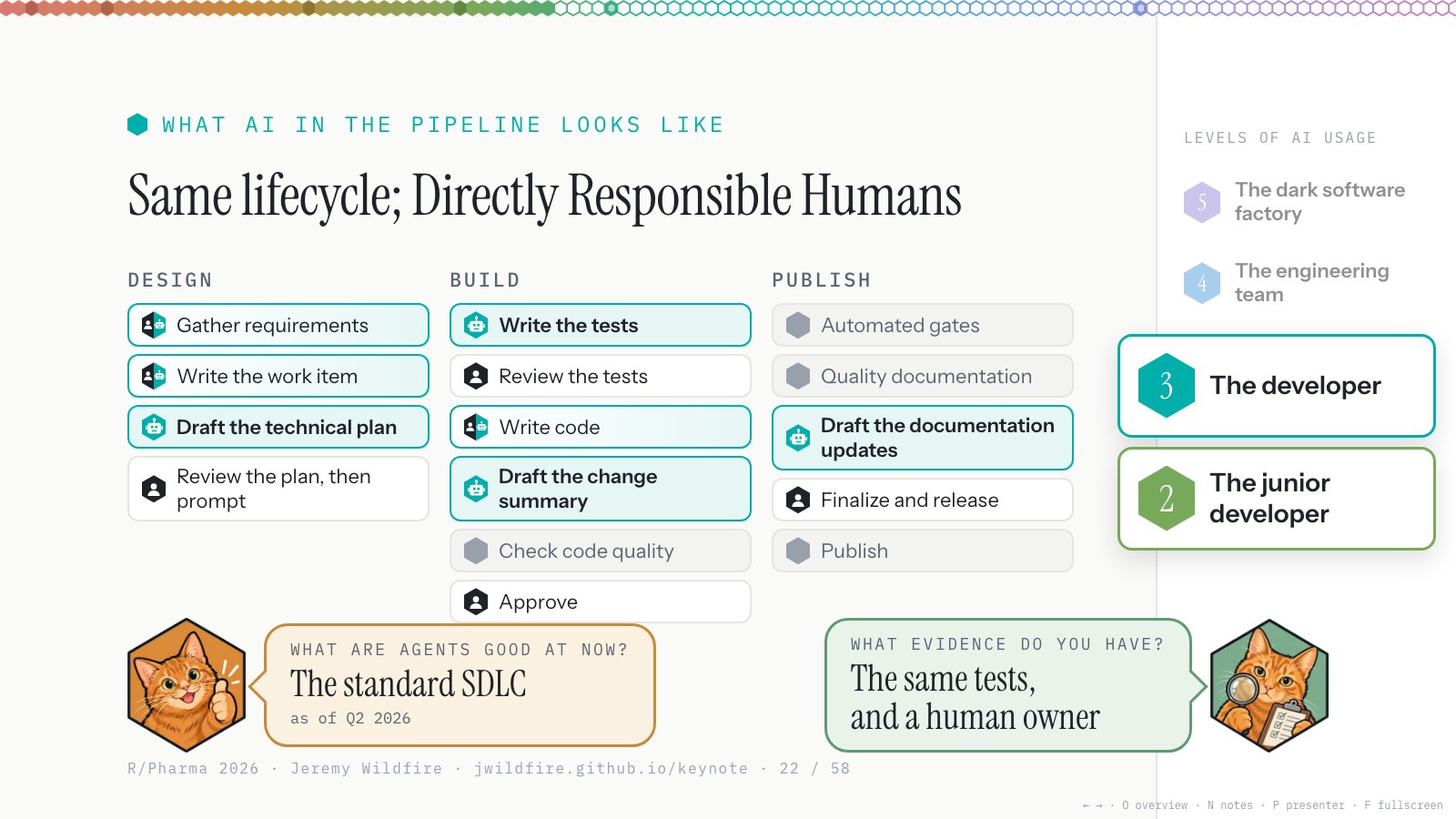
This is how our lifecycle looks now. The coloured steps have been handed to agents, in part or in whole. We have the same SOPs and the same roles and responsibilities. Agents are another tool, and we are responsible for all the code. For our qualified frameworks, a human has read every line of code, every qcthat test and every issue, and owns how it all fits together.
As of Q2 or so, agents went from good coders to good developers: gathering requirements, filing issues, version control, drafting PRs, reviewing code. The evidence is the same as before (more tests, in fact, reviewed by humans and agents), and a named person still owns it. We’re just not sitting at the keyboard typing for loops anymore.
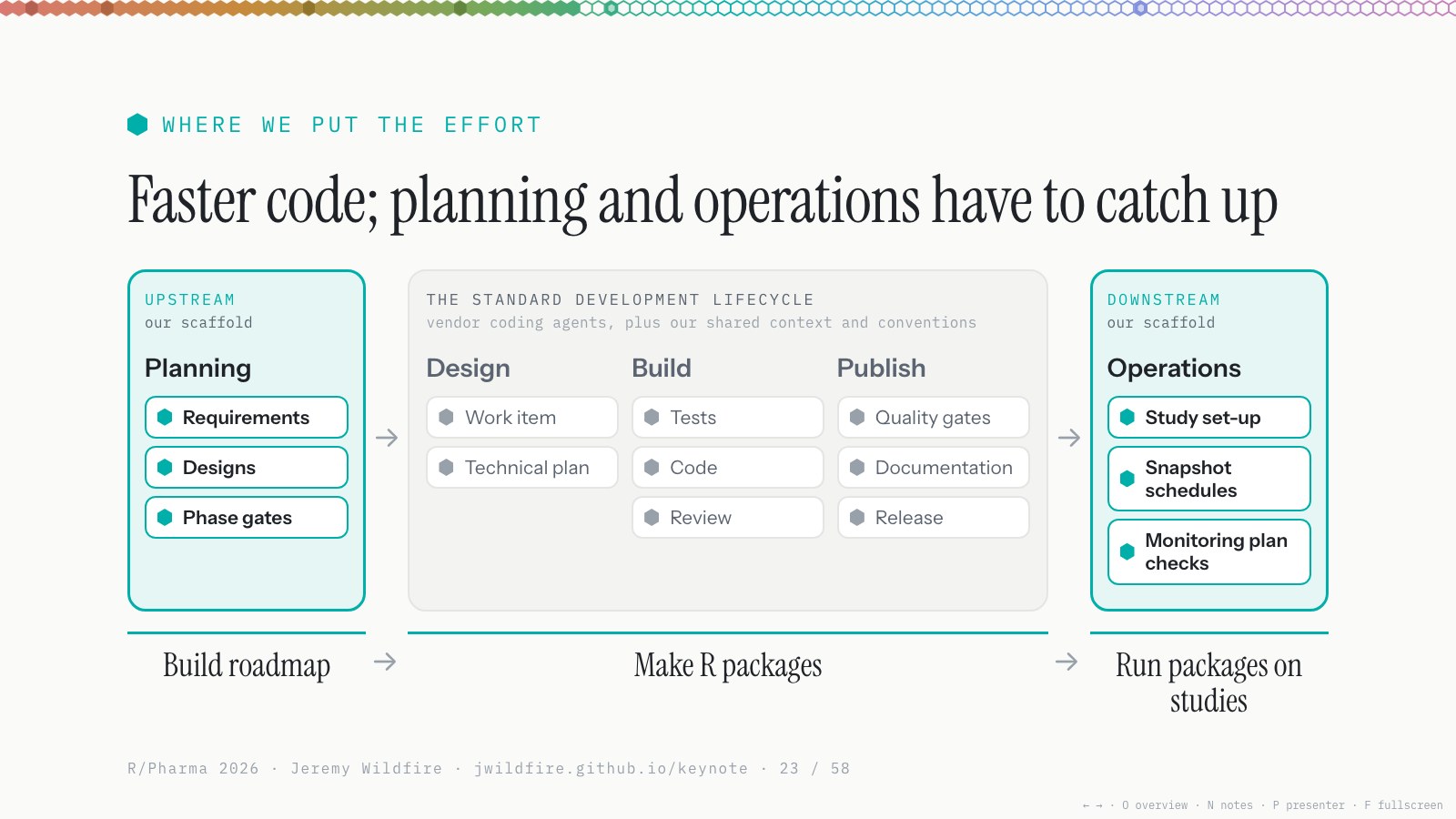
As agents got good at the standard lifecycle, the parts upstream and downstream needed more attention. Code got faster, and planning and operations started to lag behind.
Agents help a lot with both. For planning, they’re really good at creating artifacts: an implementation plan, an interactive demo, three designs to choose from, release notes. Our roadmap is massive, with hundreds of issues in the queue we haven’t had time to get to, and agents help us evaluate them and capture requirements. They’re good at drafting, but bad at setting priorities; we still tell them what matters next.
For operations, every study has its own repo, and a hub repo runs the snapshot schedule through GitHub Actions for 20 to 30 studies. We moved from spreadsheets to GitHub, and agents helped us set that up, keep it running and fix it.
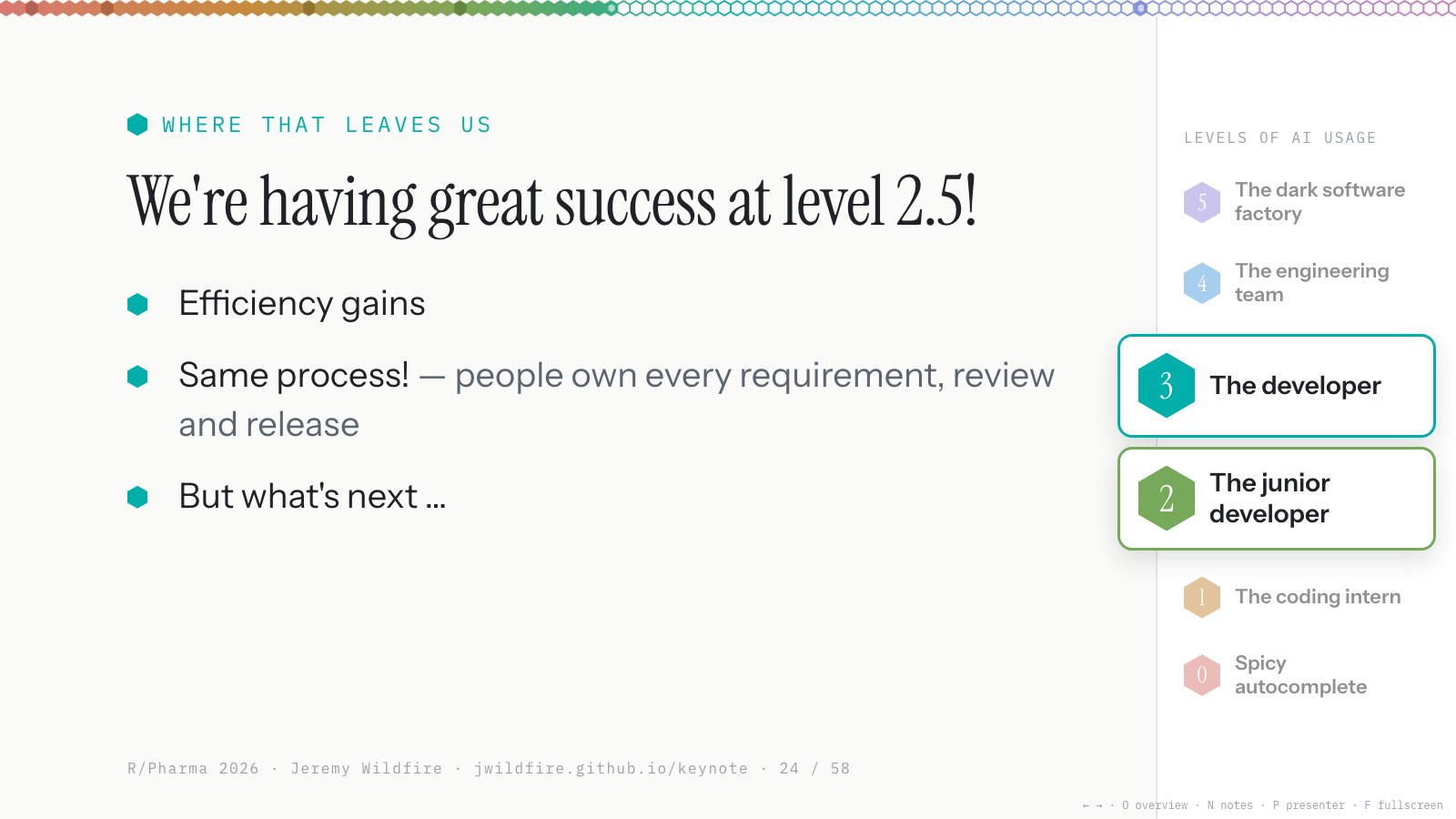
That’s where we are at work. We’re nine months into adopting these tools, and we’re seeing efficiency gains. We haven’t rewritten our SOPs; we brought AI into the loop with robust human oversight, and I’m happy with where we are.
But what’s next?
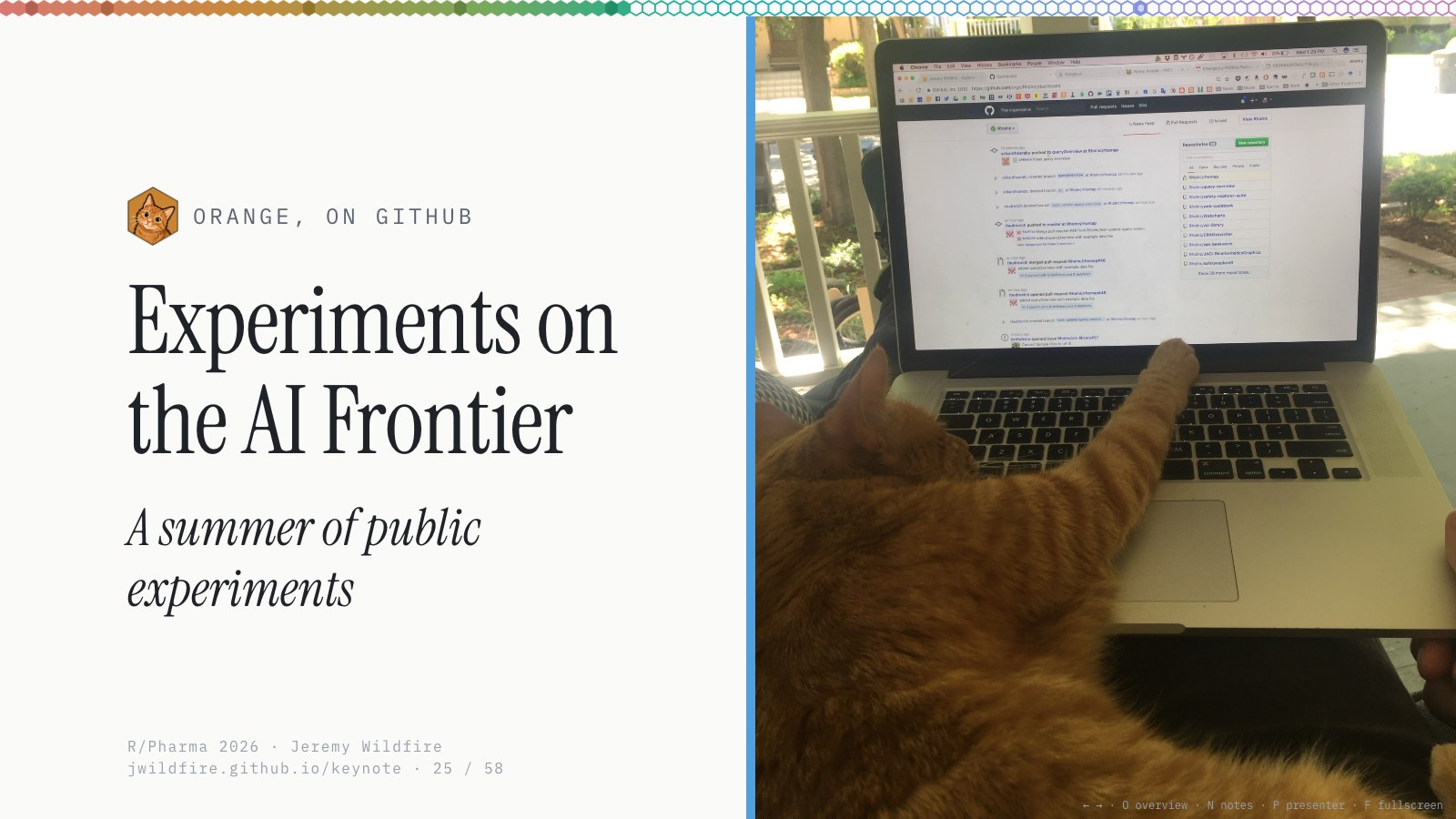
As I’ve worked on making this better in the day job, I’ve been watching videos and listening to podcasts from people much further up that ladder. The AI frontier feels very different from what I do at work. So when I was asked to give this talk, I wanted to find out: what can we actually do with AI agents right now?
Here’s Hacker Orange. There’s only one way to find out: go try it. I decided to play around on some of my old open-source work. We’re intentionally very careful with the work we do on actual studies, but I think the models’ capabilities are way past that now.
Inspector Orange isn’t really involved in this next section. This is me experimenting, to see what I can build. We’ll check in with him at the end.
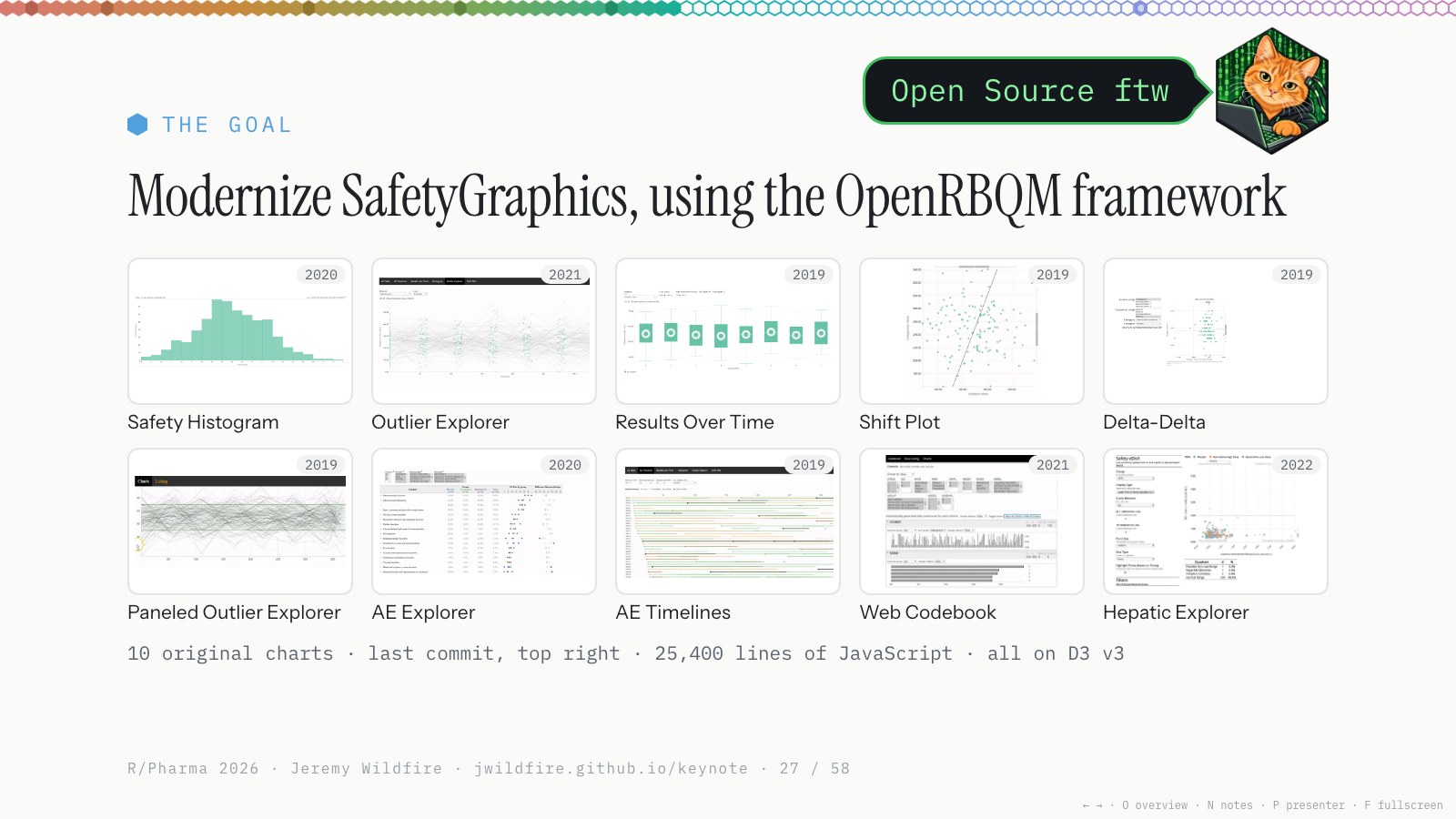
I had this robust OpenRBQM framework, with pipelines, qcthat and real evidence. And I had these old safety renderers: ten charts, 25,400 lines of JavaScript, all on D3 version 3, last touched years ago. I’d wanted to modernize them for years, but put it off because I thought it would take a team about a year. Could AI agents help me bring SafetyGraphics into the modern age?
Open source for the win: all of it was publicly available, so I could spend my own time updating it.
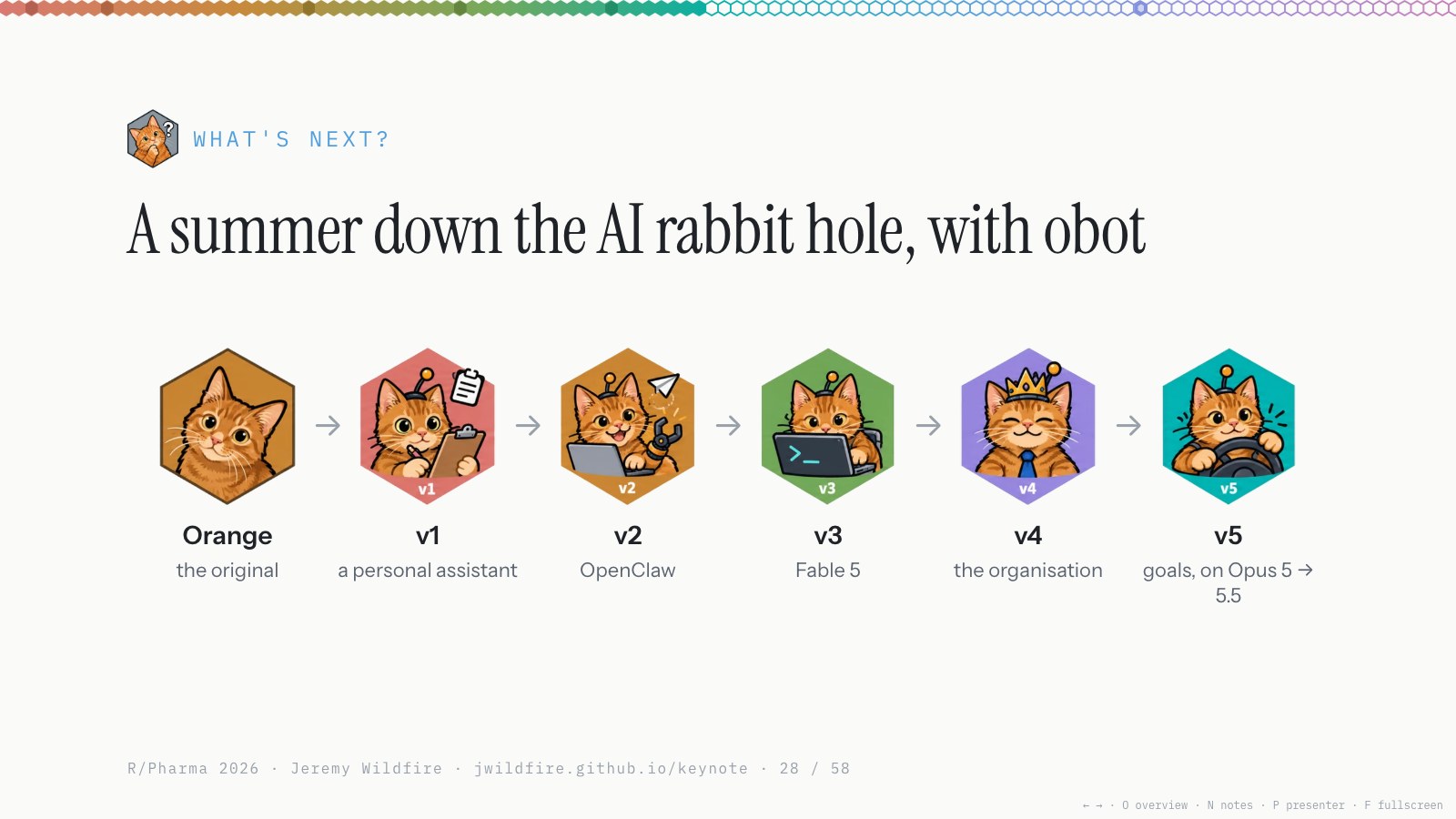
I went down the rabbit hole this summer and built several frameworks for using AI on these open-source tools. The real Orange passed away a few years ago, and I think about him a lot, so when I was naming my agents I called them obot. There were five-ish versions. Here they are, quickly, and then what I built.
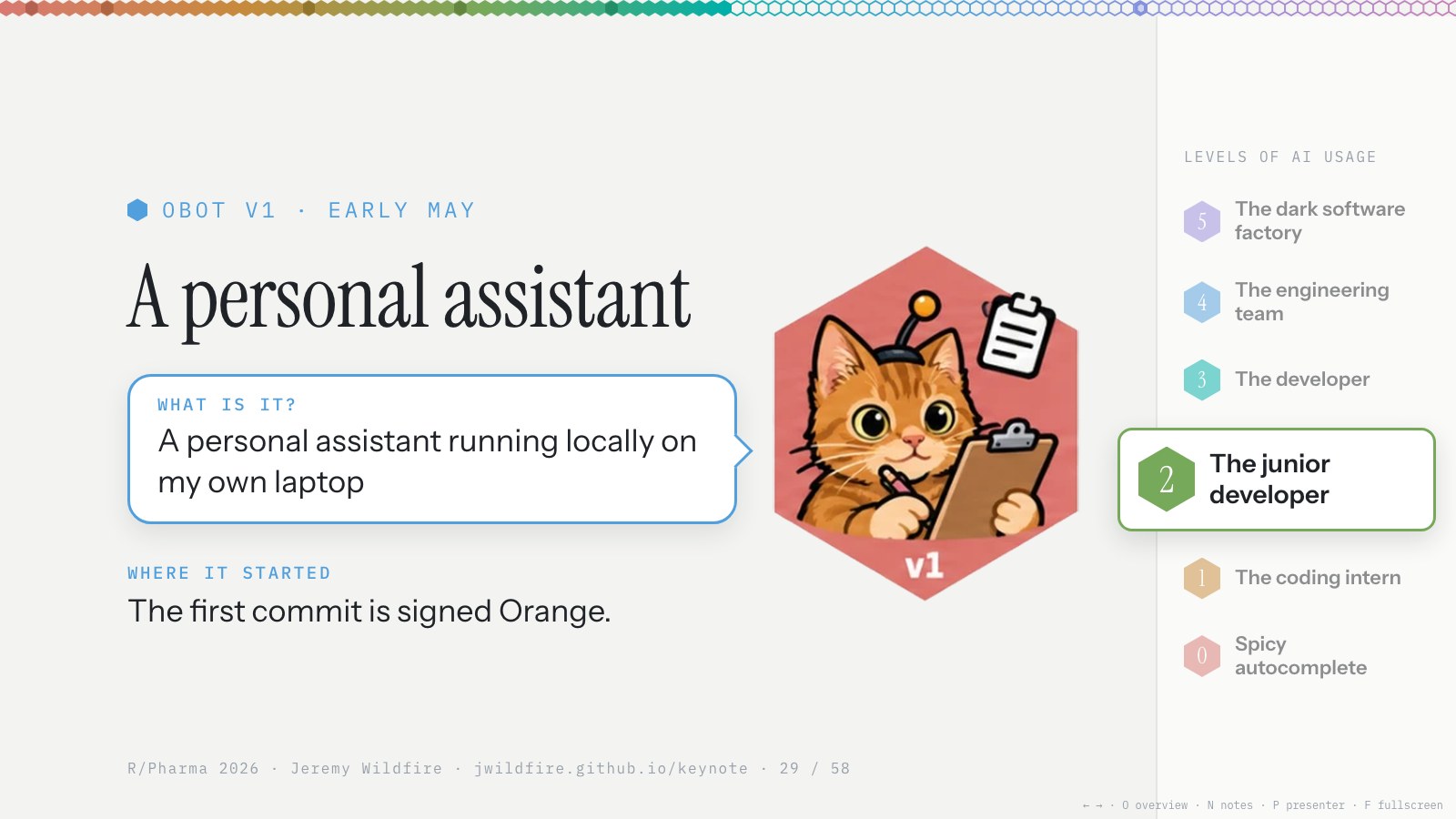
The first was a personal assistant running on my laptop in Claude Code. I asked it little questions and had it check my email, and it signed everything as Orange.
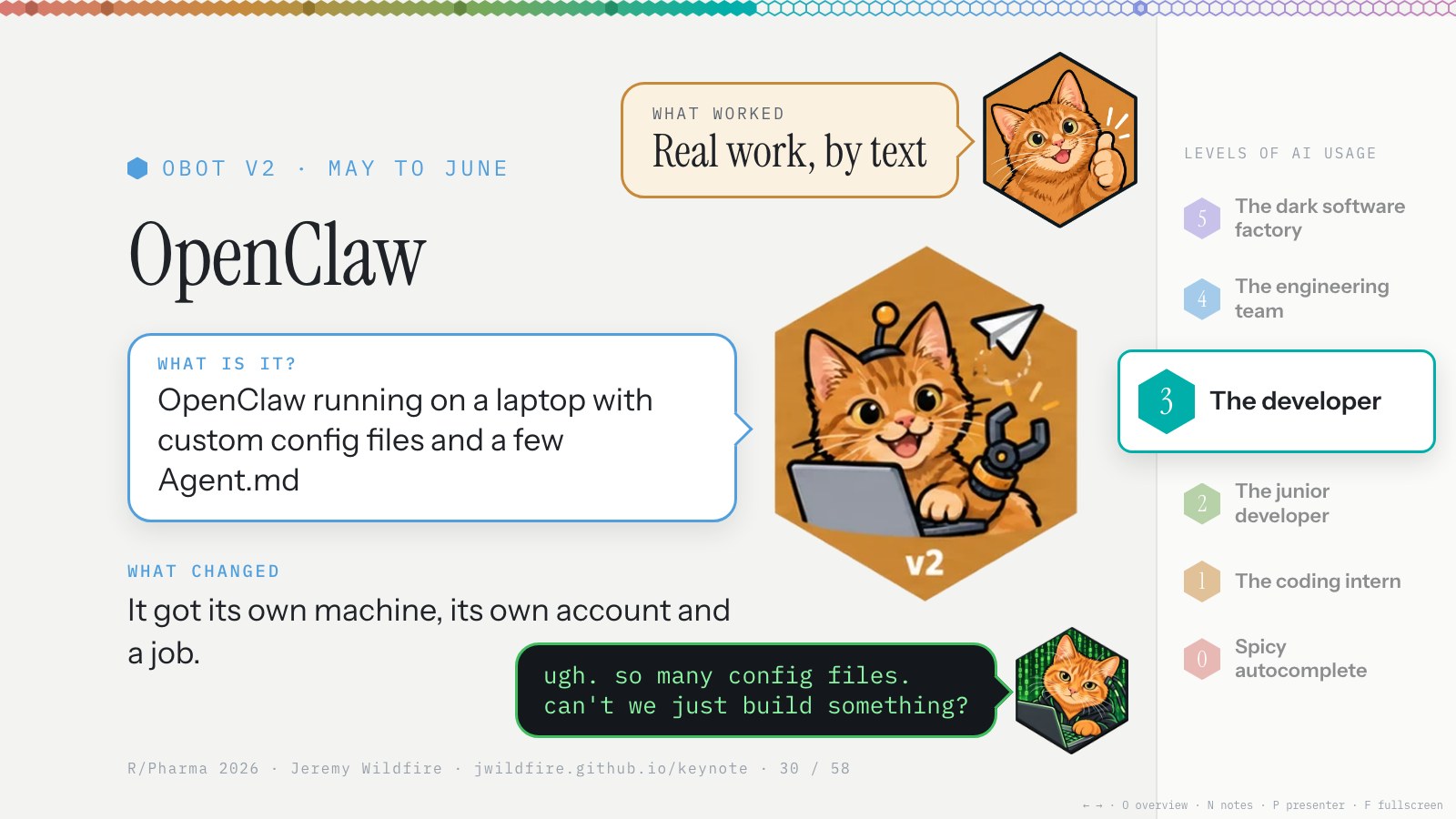
When I found out about this talk, I gave obot a real job. I wiped an old laptop and installed OpenClaw, an agent that runs around the clock and that you can talk to from anywhere. I’d text it on Telegram, and it would go do the work on GitHub. That part was mind-bending.
The rest was config files. I spent most of a month setting it up instead of building.
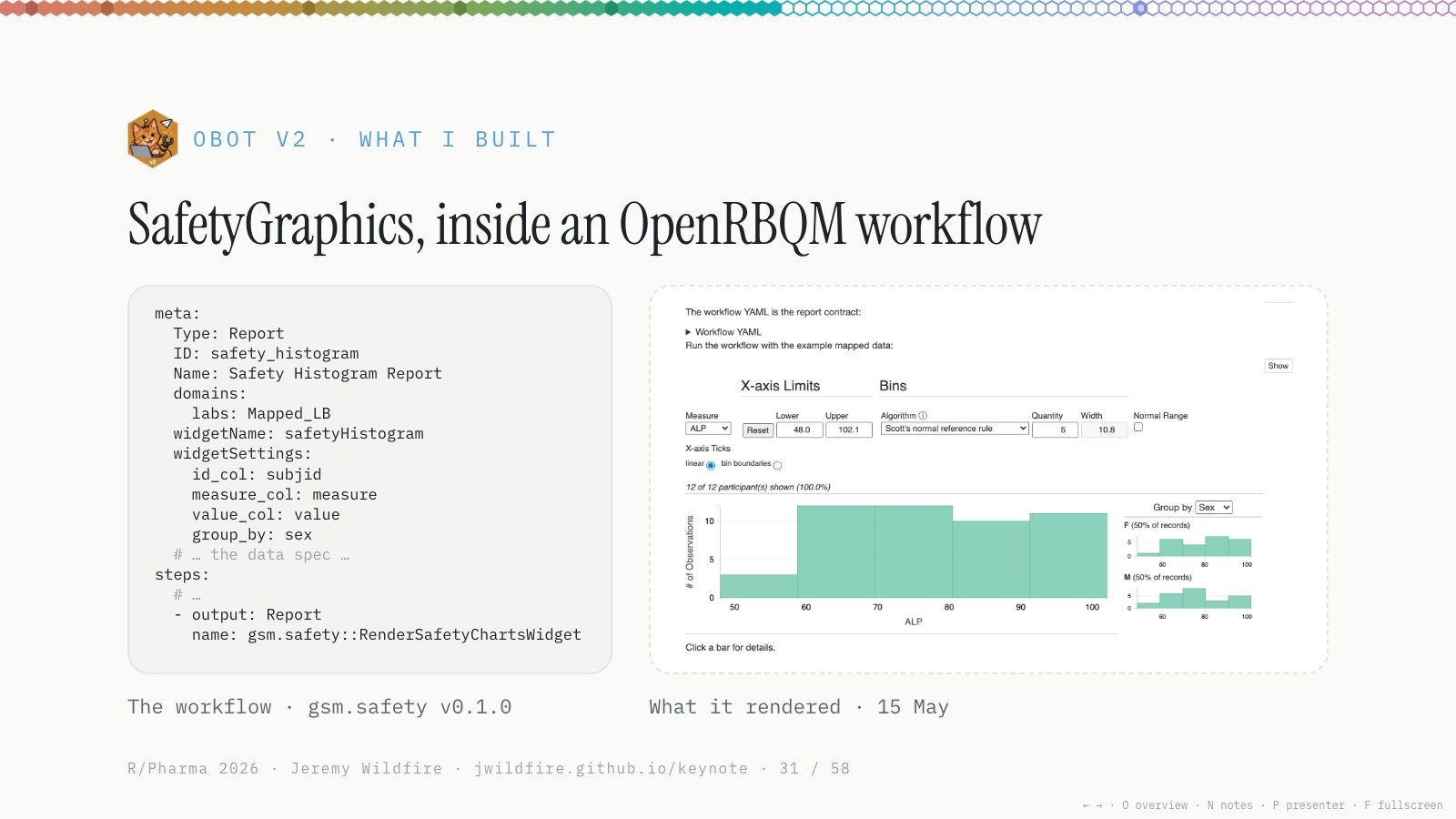
It did get one thing working: the old SafetyGraphics charts, running inside our new OpenRBQM framework. A good first step. But it couldn’t get much done without me, and I wasn’t climbing the ladder at all. I was in the weeds getting the thing configured, and I’d probably have been faster by hand.
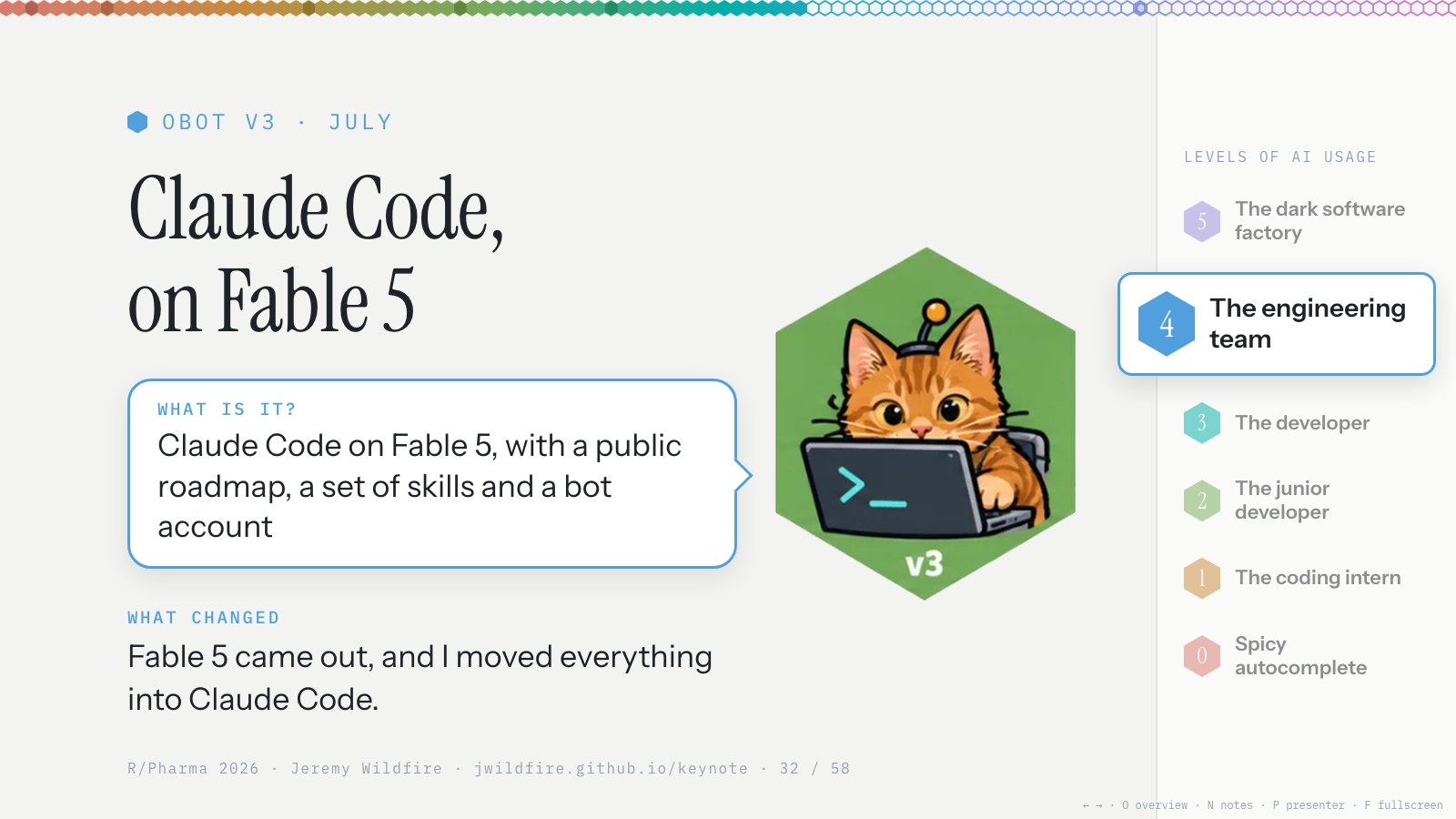
Then in July, Fable 5 came out, with all the drama about whether it was available. Enough fiddling with the laptop: I got rid of the OpenClaw config, installed Claude Code, got the $200 a month Max plan, and started prompting to see what it could do.
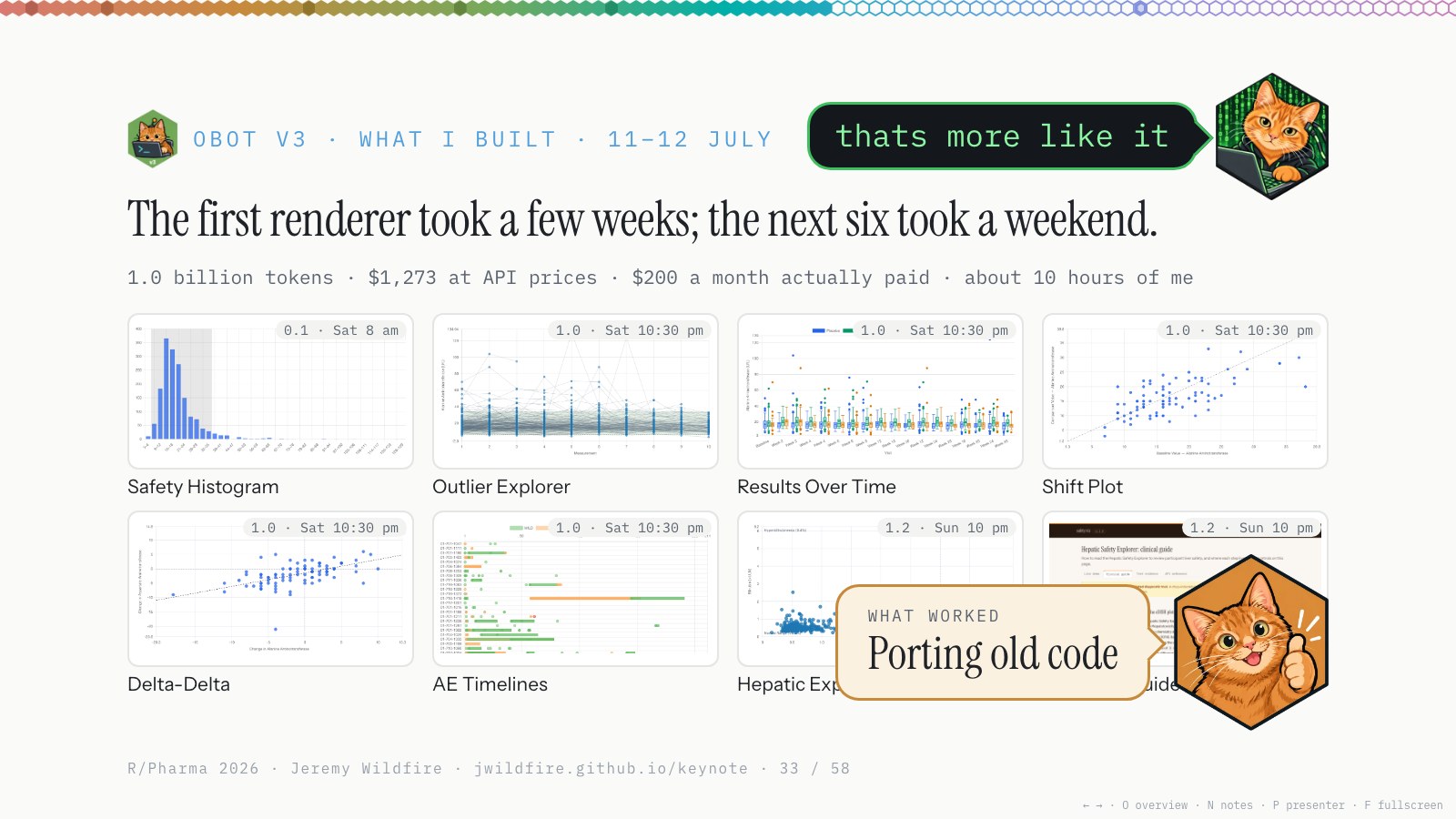
That’s when things opened up. I finished the first renderer from the OpenClaw days in another week or two: a modern JavaScript library for the safety histogram, on Chart.js, with a test framework and evidence, using the same tools we use for OpenRBQM. I looked closely at how it was built to make sure it followed the best practices we’d set.
I was happy with it, so one Saturday morning I prompted: we did the first one together, now you the rest. By that night I’d gone from one working renderer to six, and by Sunday night the hepatic explorer too, with Jim’s workflow document turned into a clinical guide on the website. There’s test evidence for every one, with screenshots next to the test code. It used a billion tokens, and I was mostly watching the World Cup and saying: yes, do that, do the next thing.
I’d have expected that to take a team of three developers about six months without AI. I did it in a weekend. To be fair, this was old working code, with good documentation of what we wanted. AI is really good at porting old code. More in diary #5 and diary #6.
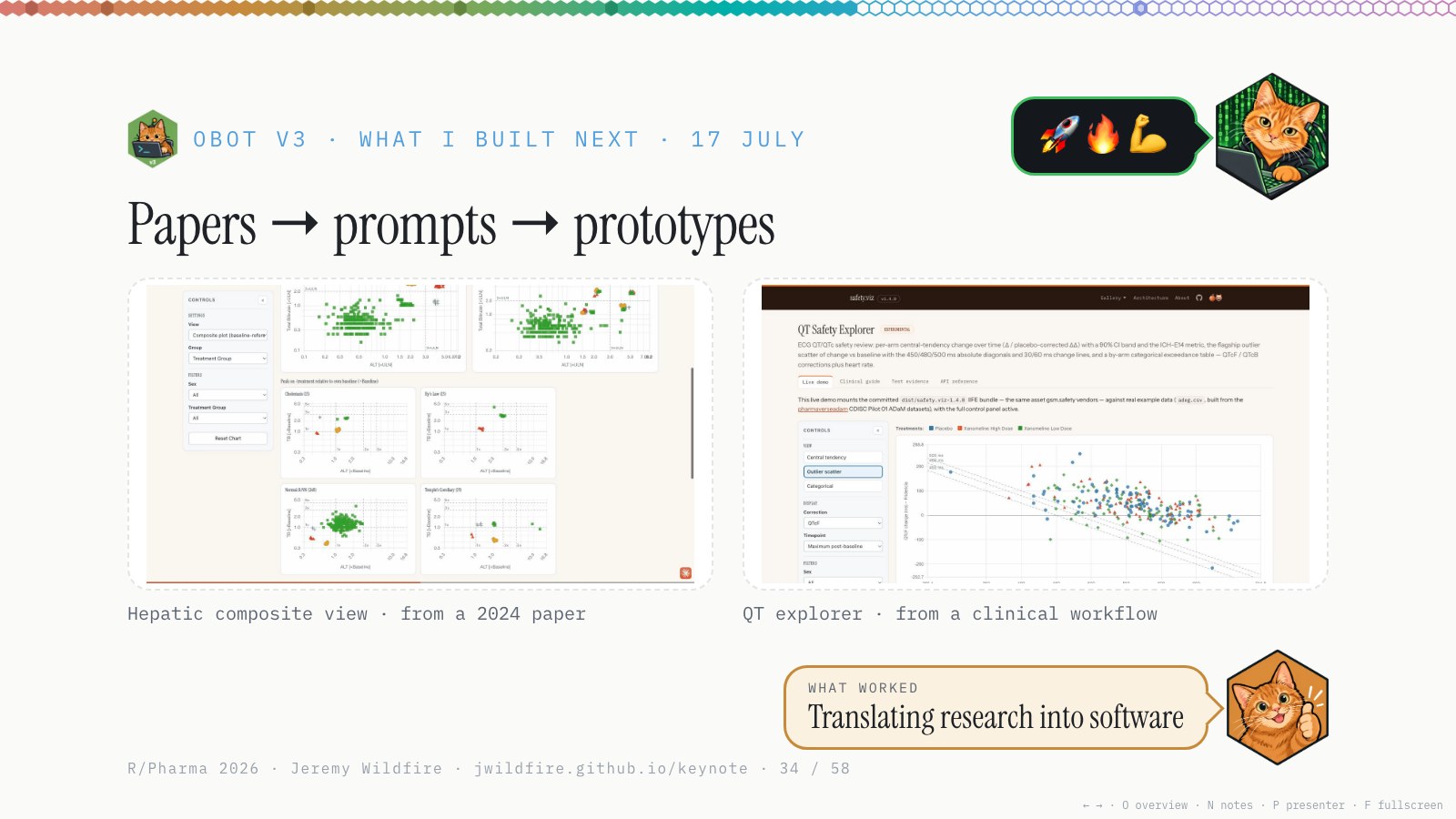
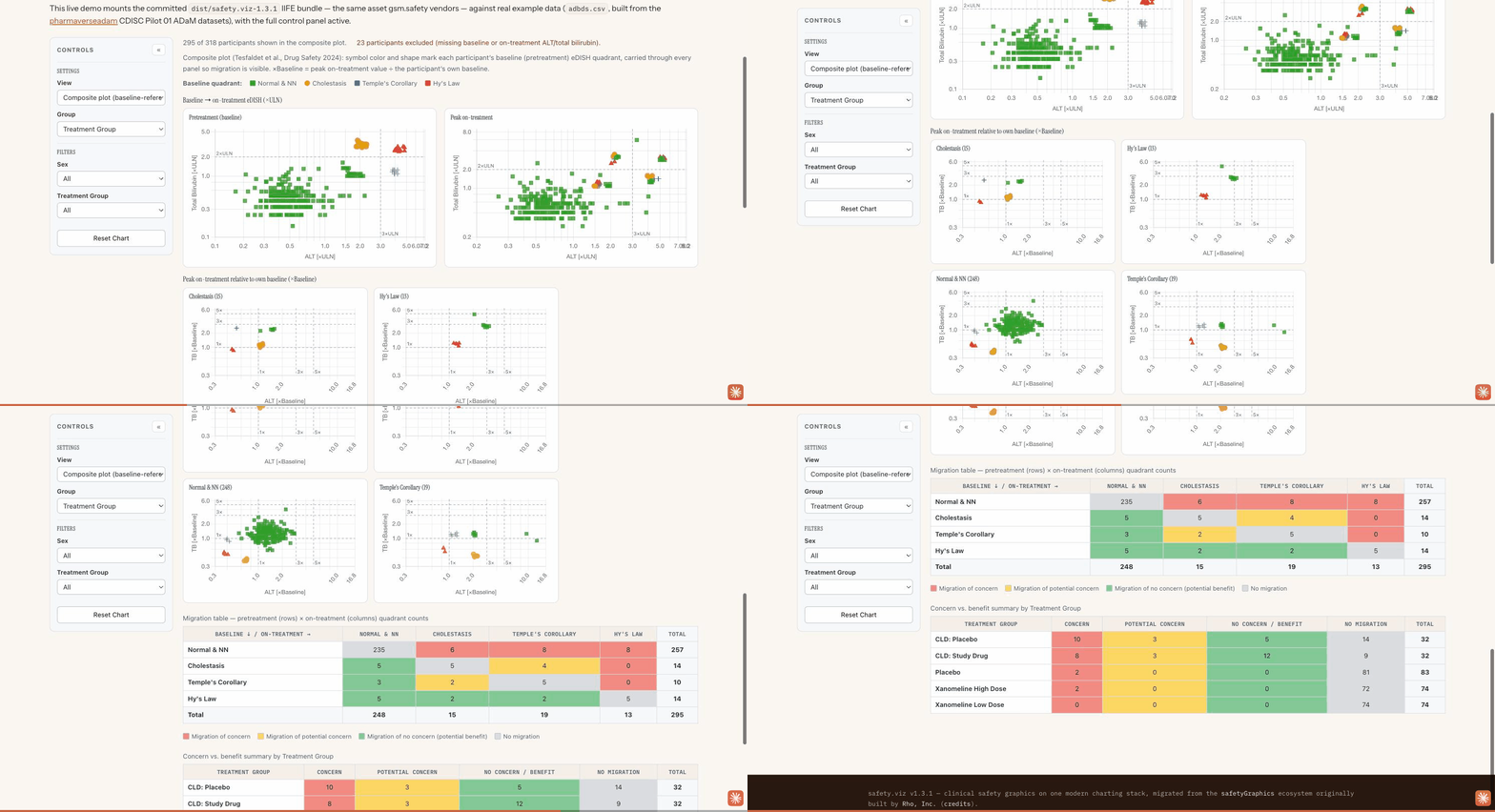
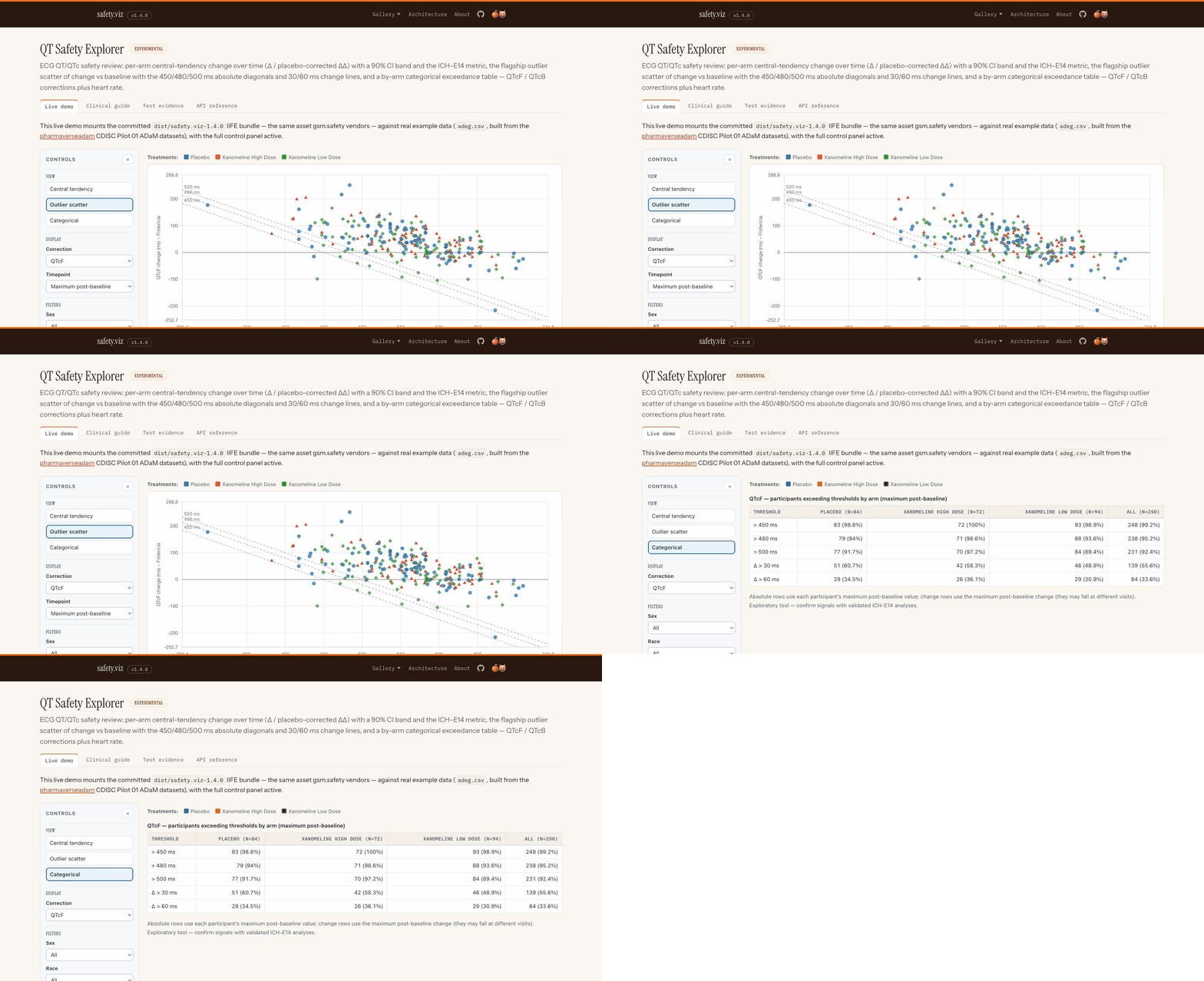
Then I sent it to Jim Buchanan, SafetyGraphics’ clinical lead. We hadn’t worked on it in a couple of years, and he was excited; he’s an amazing advocate for this work. He sent me a couple of papers from colleagues at FDA, including a newer one that changes how the eDISH analysis works. It had some cool new figures, so I asked obot: take a look at this paper; can you build figure 3? A few hours later we had this composite view, a new way of analyzing liver toxicity, working, with a clinical workflow. Then the QT explorer, which we’d worked on but never taken to production: modernize that old repo. Done, another night.
Translating research into software like that blew my mind, with tests and quality documentation too. It’s not qualified; nobody has gone through those steps. But it passes the sniff test from people who’ve spent a lot of time with these charts. This wasn’t something I had time to do, or funding to do. This new technology made it possible. The full story is in diary #7.
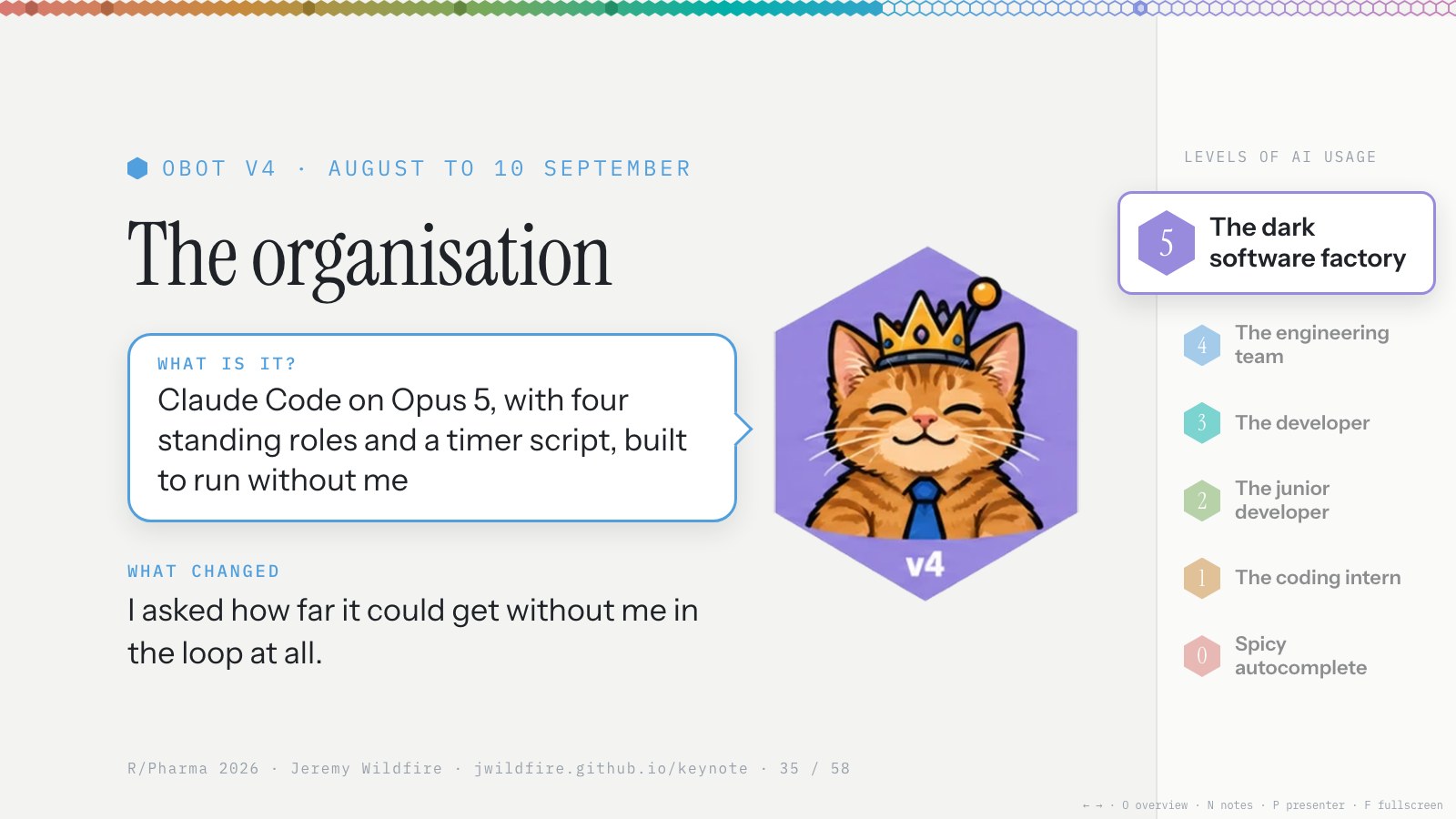
Coming off that success, I got a bit greedy. OK, Obot, If you can take a paper and make charts, what do you need me for? There was all this talk of loop engineering, so I started tiptoeing from the engineering team, where I set the direction and review the output, towards the dark software factory: I tell it what to do, and I don’t look at the code.
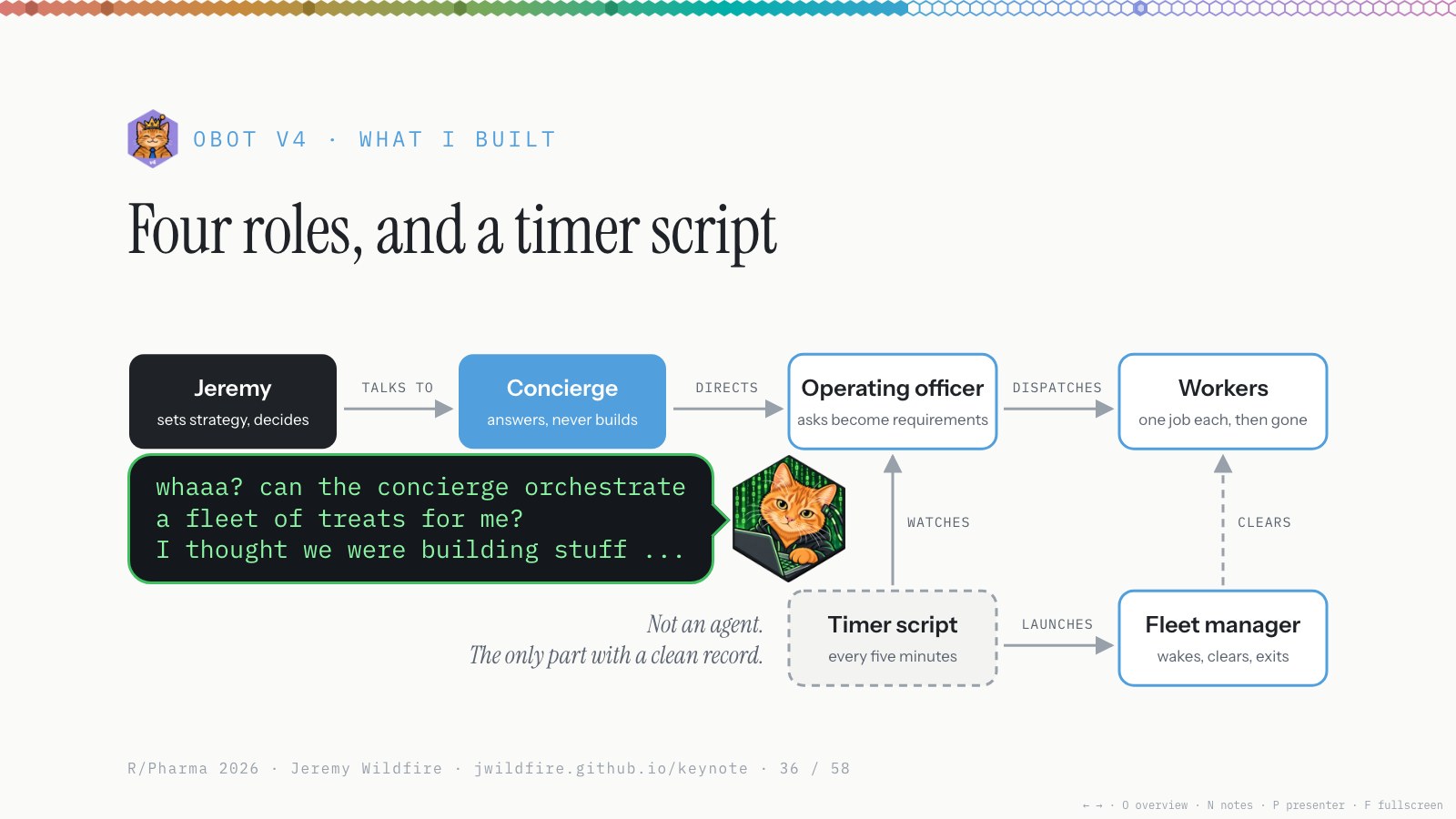
So we set up a small company: several agents with different roles, a fleet of workers, an operating officer, a concierge and a fleet manager, plus some scripts. Some nights I had 20 or 30 agents running at a time. I spun my wheels on it for a few weeks. Hacker Orange was right: it was the OpenClaw days again, all configuring and no building. (Diary #8 is obot’s own account of this stretch.)
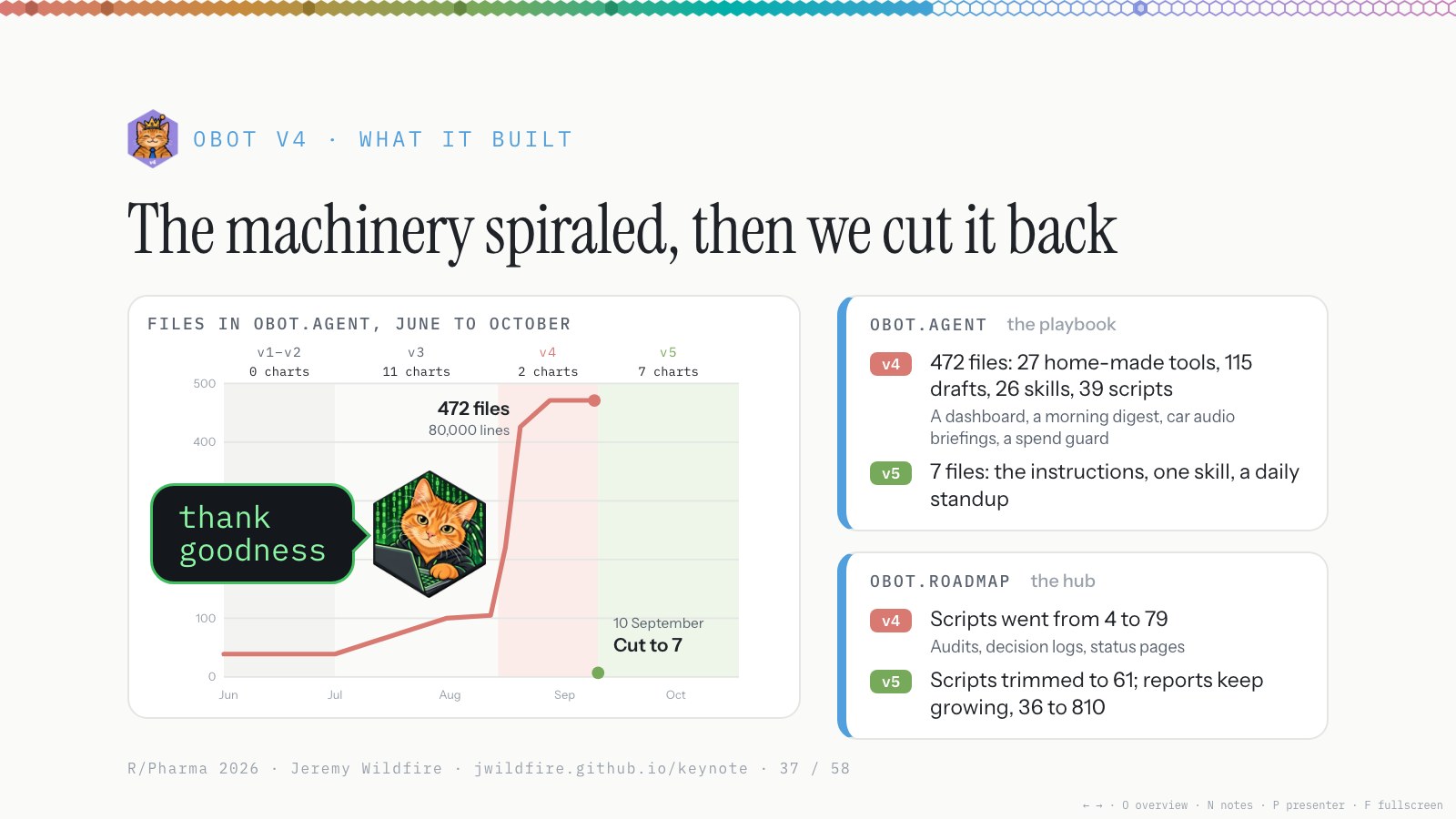
Here’s what v4 actually built. obot.agent is the playbook: the agent’s instructions and tools. Through June it was about forty files. In August it climbed to 472, about 80,000 lines: 27 tools it built for itself, a dashboard, a morning digest, even audio briefings for the car. Almost none of it built a chart.
On 10 September we cut it to seven files: the instructions, one skill and a daily standup. The hub, obot.roadmap, went the same way: its scripts were trimmed, and the reports it publishes kept growing, from 36 to more than 800.
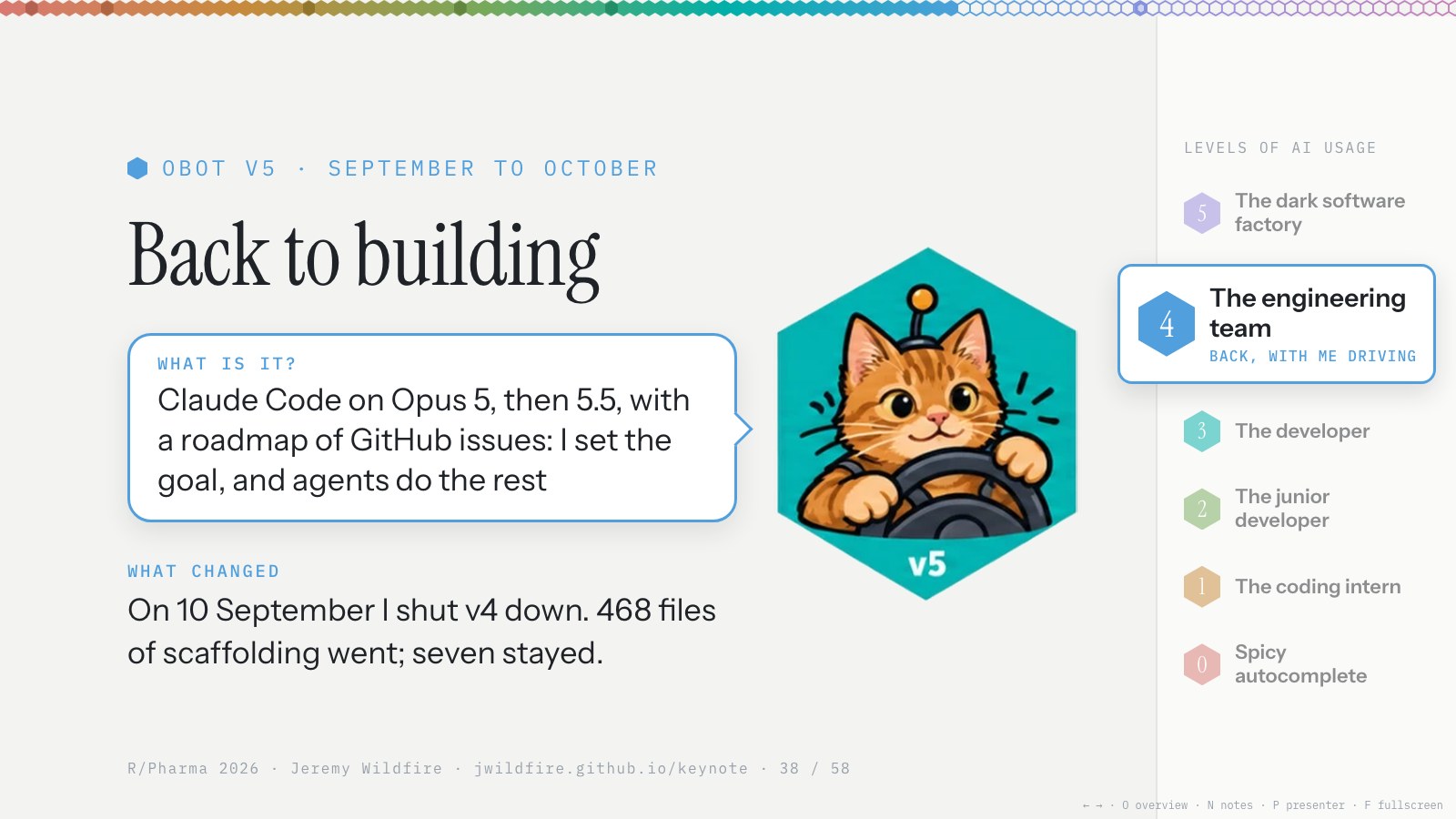
In September I shut the dark factory down: 468 files of scaffolding went, and seven stayed. Maybe it was me; I don’t know the best way to do that yet, and maybe it’s coming. But for now I don’t recommend going that route. Even in your experiments, I’d focus on something you want to build, and then build it.
So I went back to Claude Code with one change. I set the goal and review the release, and the agents do everything in between.
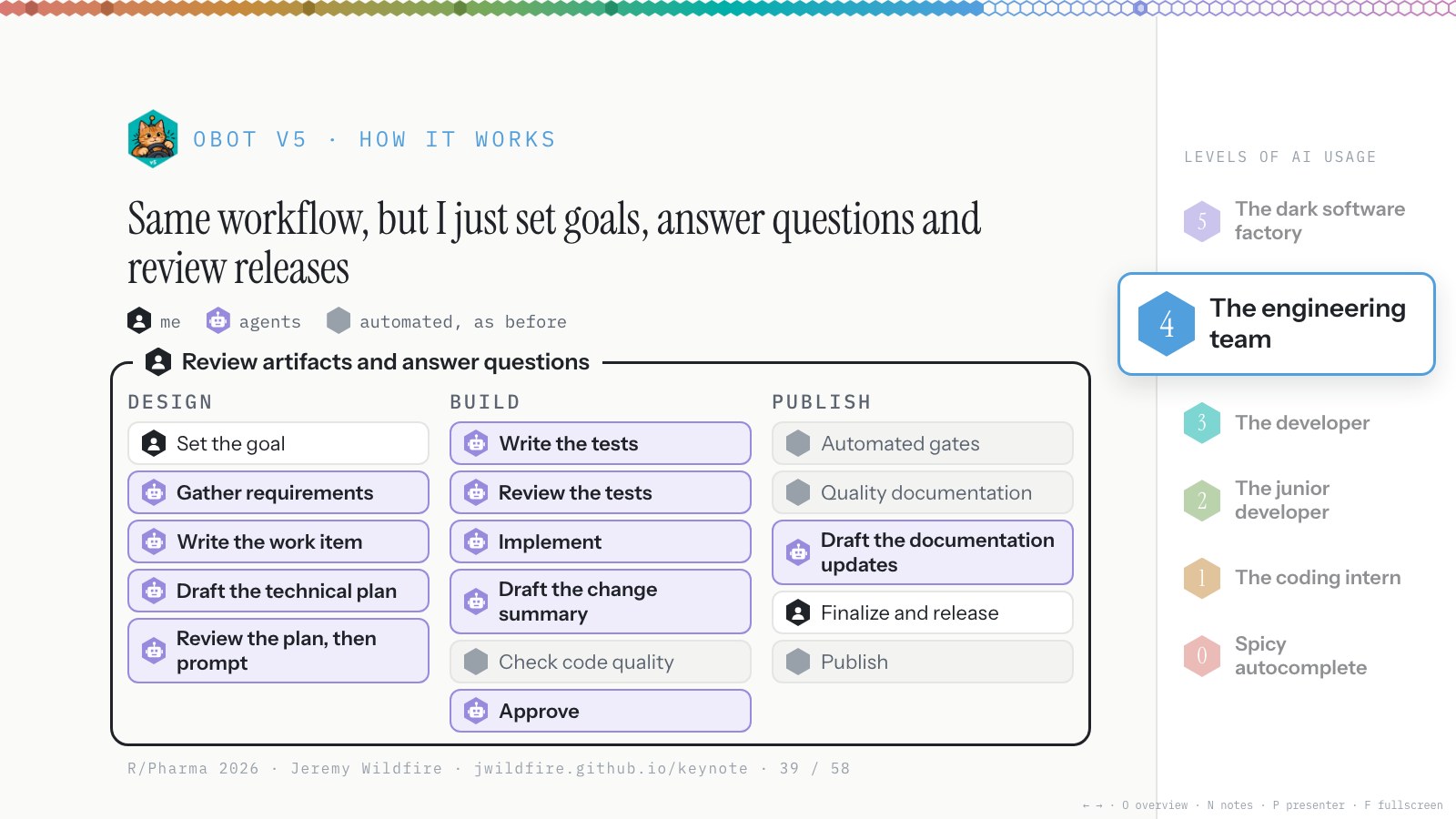
This time the deal was: I set the goals and review releases, and the agent does everything else. Gather requirements, build everything, draft the pull requests, merge to dev whenever it wants. Merges to main, for actual releases, I review. I wanted a demo for everything it built, and solid release notes, and I built skills and an AGENTS.md with Claude to say exactly what I wanted.
And: ask me questions whenever you’re stuck. Multiple choice when you can; if it’s a big question, make an artifact. That’s how I’ve worked for the last month, and it’s been remarkably productive.
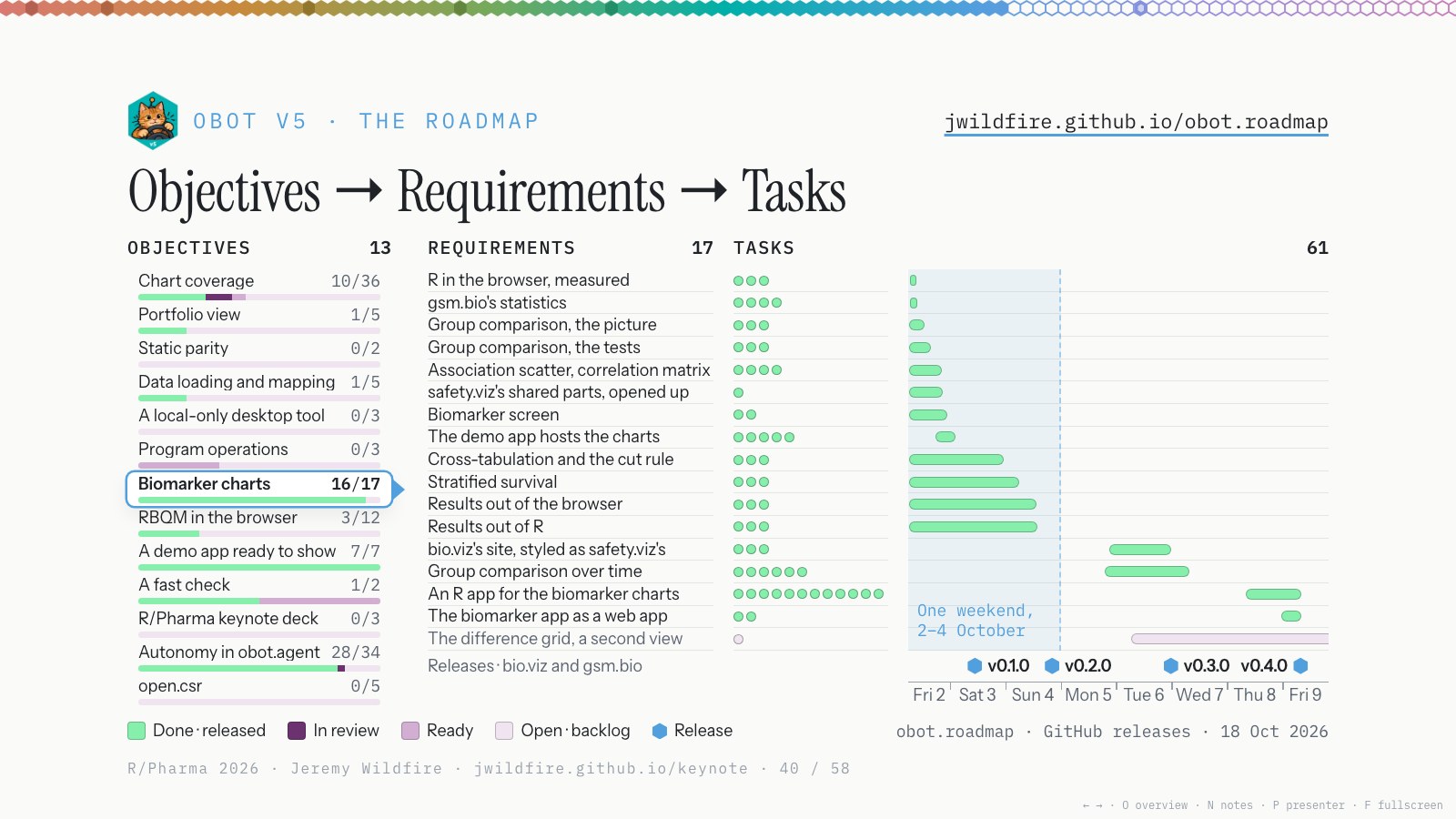
The whole roadmap lives in GitHub issues, on the obot.roadmap hub. Here’s every goal at once. Every goal becomes requirements (this is one goal, the biomarker charts), and every requirement becomes tasks, each with a definition of done. The last panel shows how it filled in, 2 to 9 October. The agents filed most of this, and I signed off on the goals. Getting that clear definition of done worked really well.
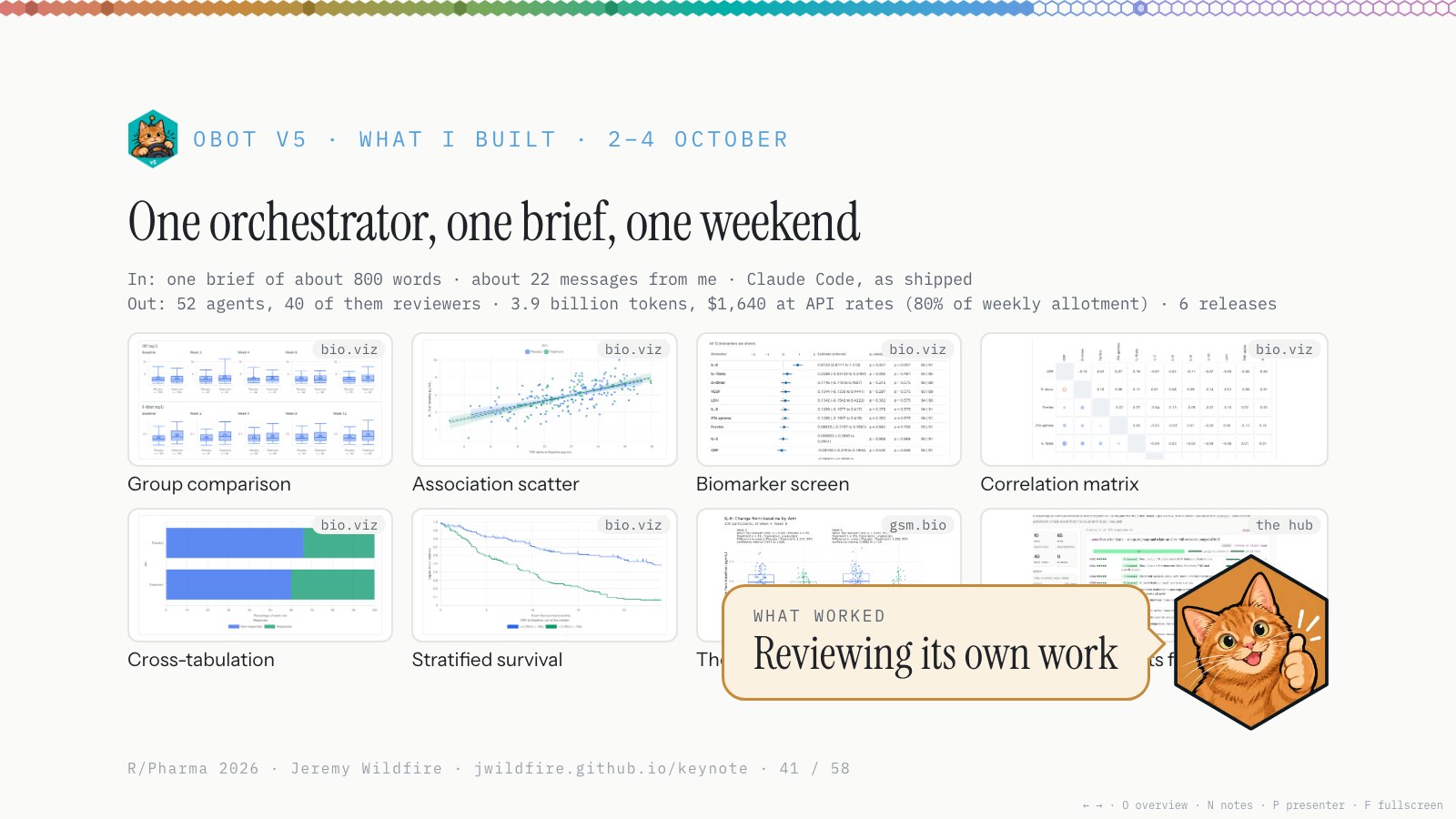
Then Opus 5.5 came out, the best model I’ve worked with. I think we’re in the middle of another jump in capabilities: it’s cheaper, and it’s really good at orchestration. I ask it to work on a goal, and it works through the requirements and issues for hours on its own, occasionally asking me questions or making draft decisions for me to confirm later. In the end, it hands me release candidates.
I gave it the biomarker goal and an 800-word brief. Over one weekend: 22 messages from me, 52 agents, 40 of them reviewers, 3.9 billion tokens, and six releases. A full biomarker suite in JavaScript and R, with R running in the browser. I steered; it did the work.
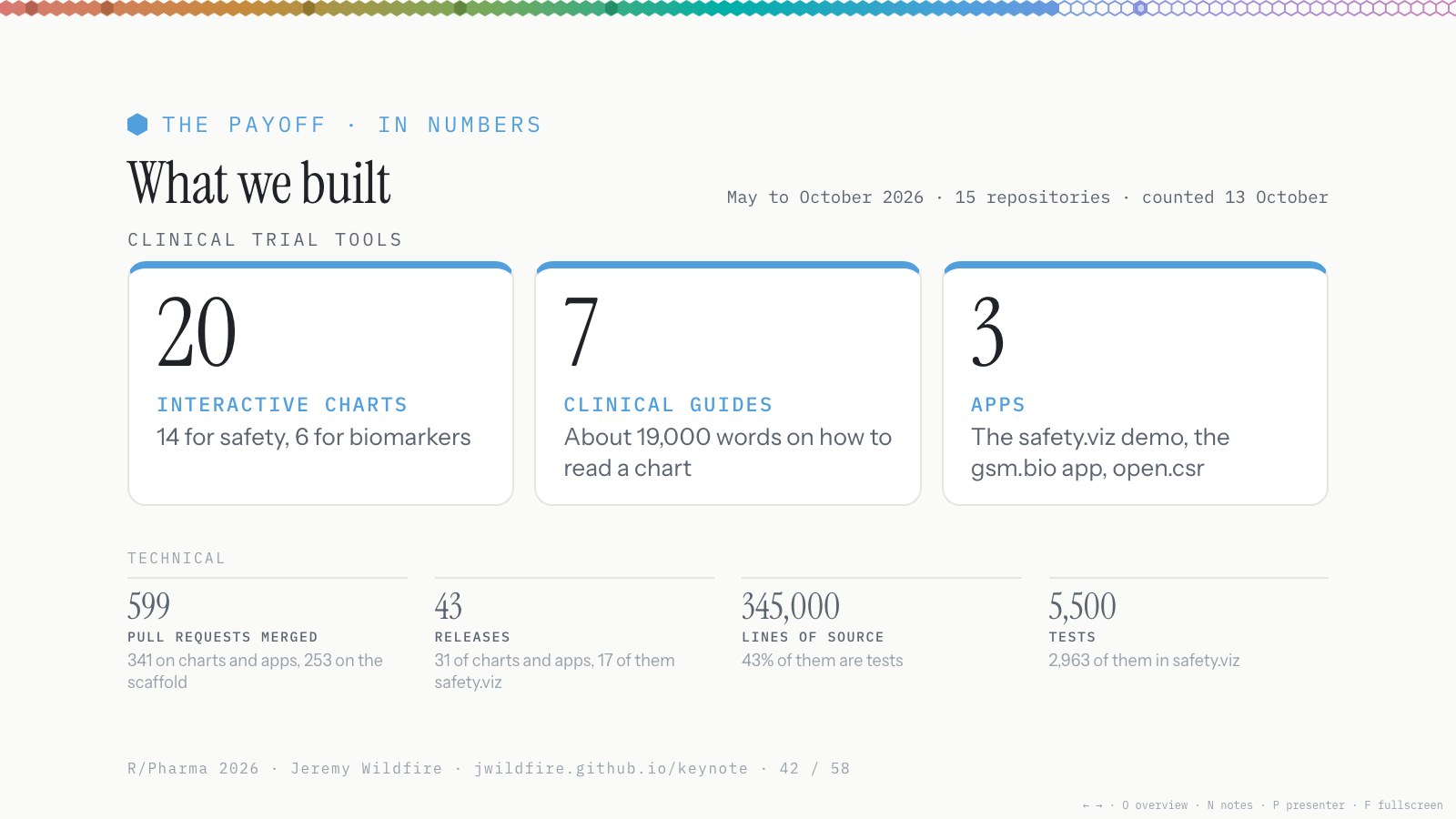
From May to October, Obot and I built 20 interactive charts, 3 apps and 7 clinical guides. Some new, some from papers, some from the old SafetyGraphics work. About 600 pull requests. This was nights and weekends, maybe 8 hours a week (I didn’t keep track), alongside my day job. One person, in their spare time, with a $200 a month plan.
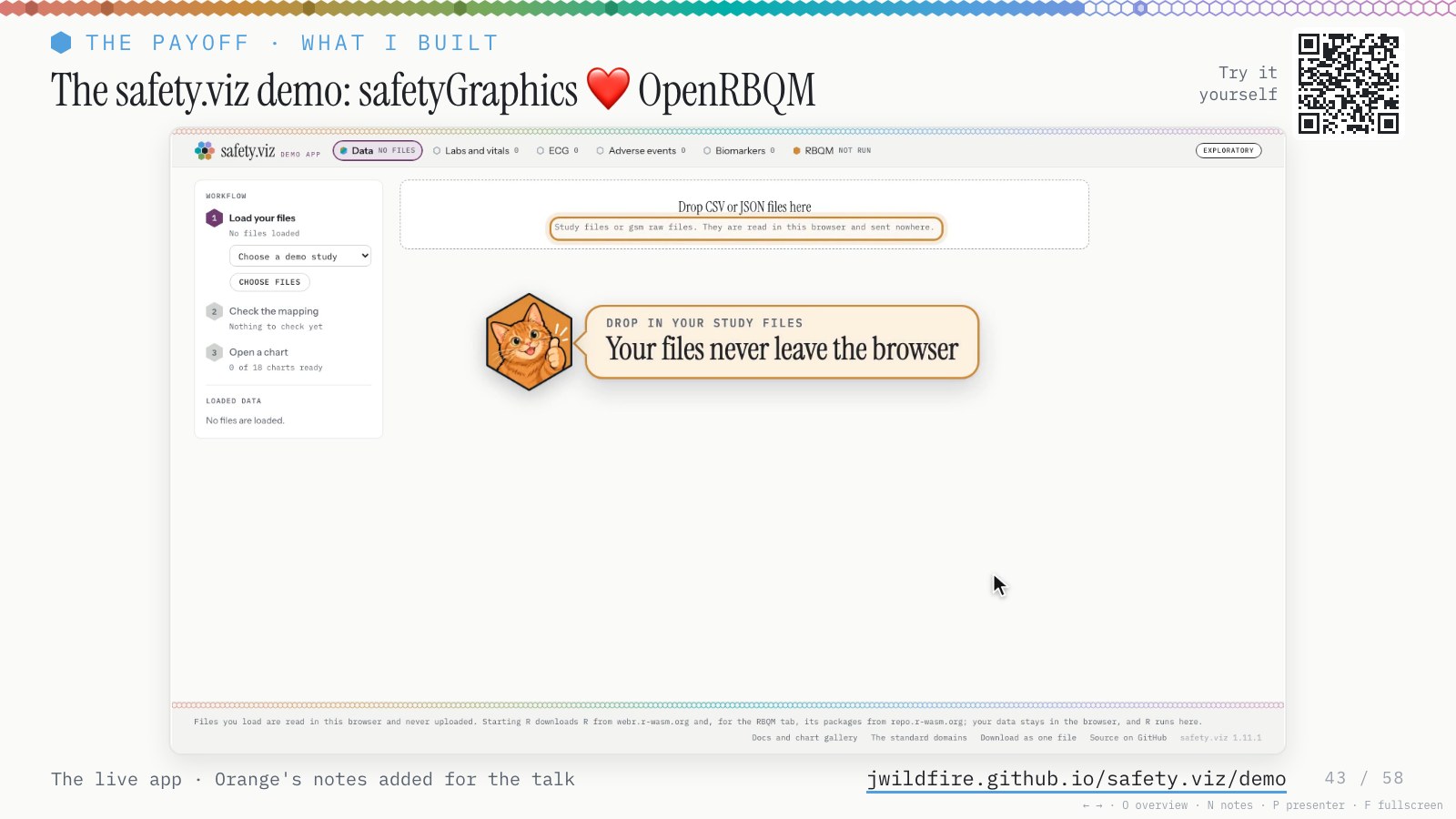
Here’s the demo. You load your own files, and nothing is uploaded. It works out how your data maps to what the charts need, and lets you tweak it. R launches in the browser (I’d never done that before; the agents figured it out), and you get the RBQM components, the new biomarker charts and all the SafetyGraphics work, old and new, in one place.
Please play with it and file issues, and maybe I’ll let Claude get to work on them. Or fork it; it’s all open source.
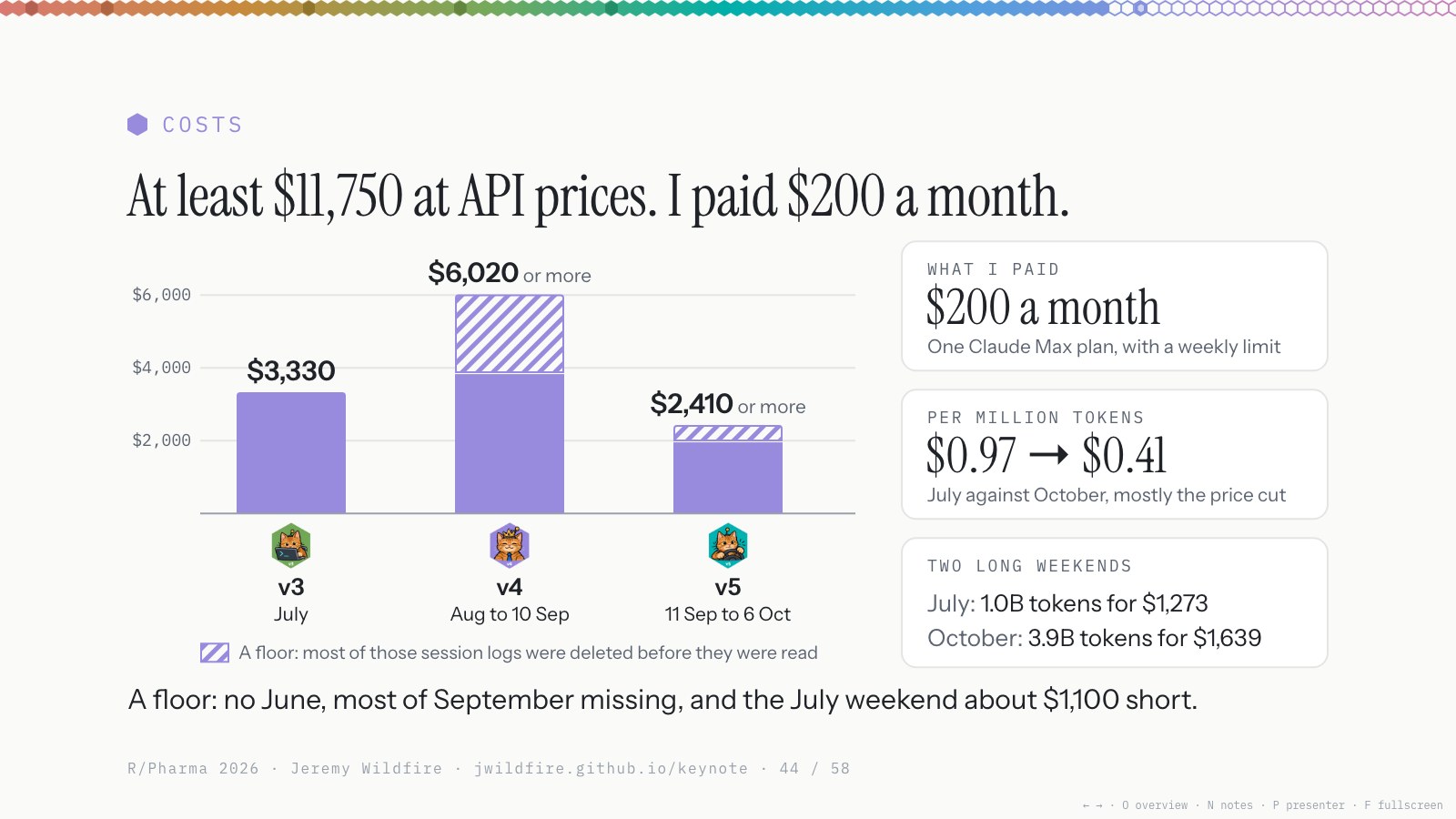
All told, I paid $200 a month for the Claude Max plan. At API prices this would have cost at least $11,750 in tokens; the record has holes, so the real figure is higher (the numbers). That’s a lot of money, but not compared to what it would have cost to build without AI. Claude isn’t the cheapest option, but the Max plan is a pretty decent deal.
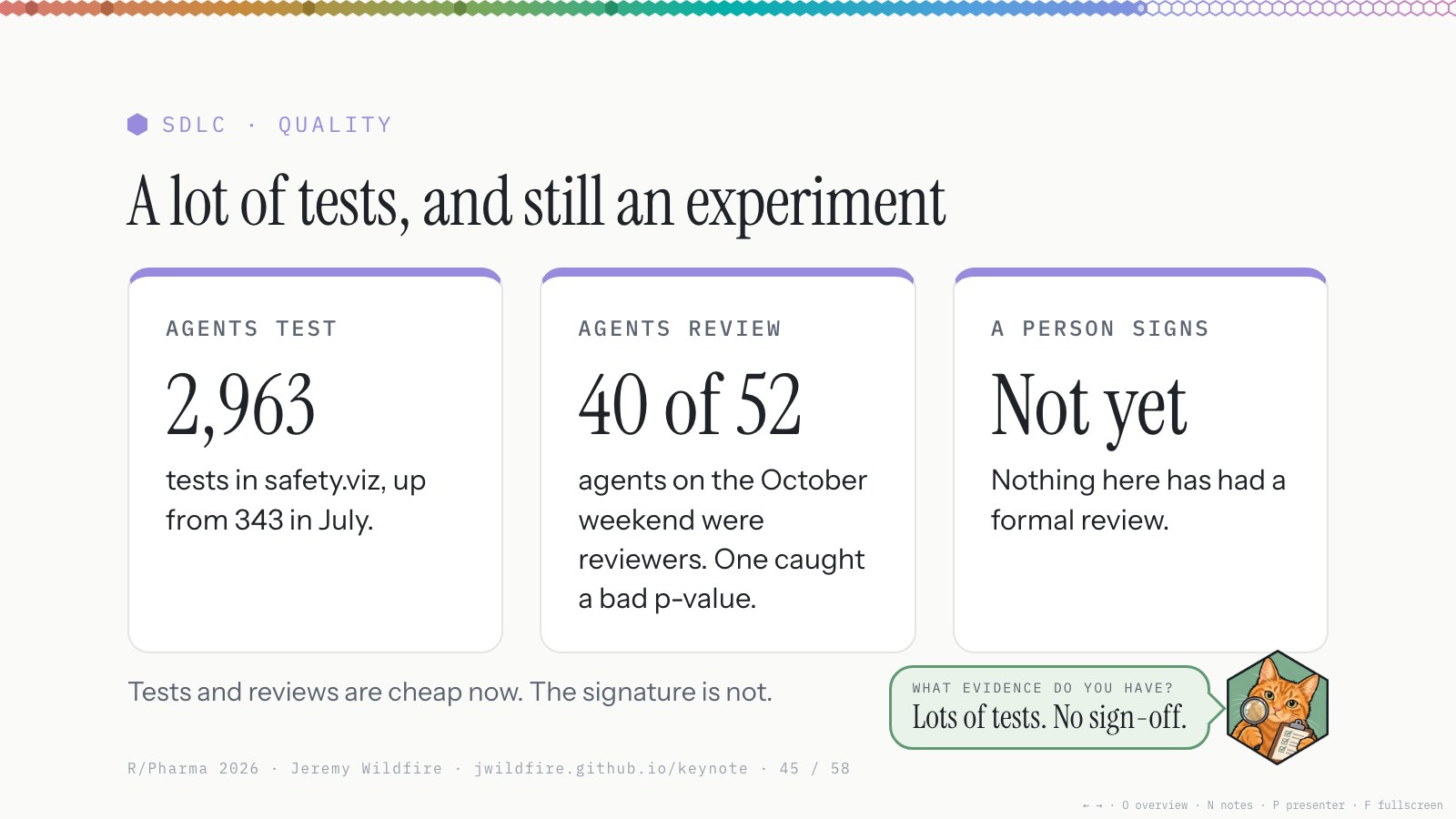
For Inspector Orange: about 3,000 tests written along the way, and agents reviewed everything; every PR in the last few months had several layers of review. I reviewed and approved every release.
But no sign-off. This is not qualified; let’s be very clear. It’s an experiment, and I did it more to understand how agents work than to build a production platform. Don’t use it on your actual study, and if you do, validate anything you find.
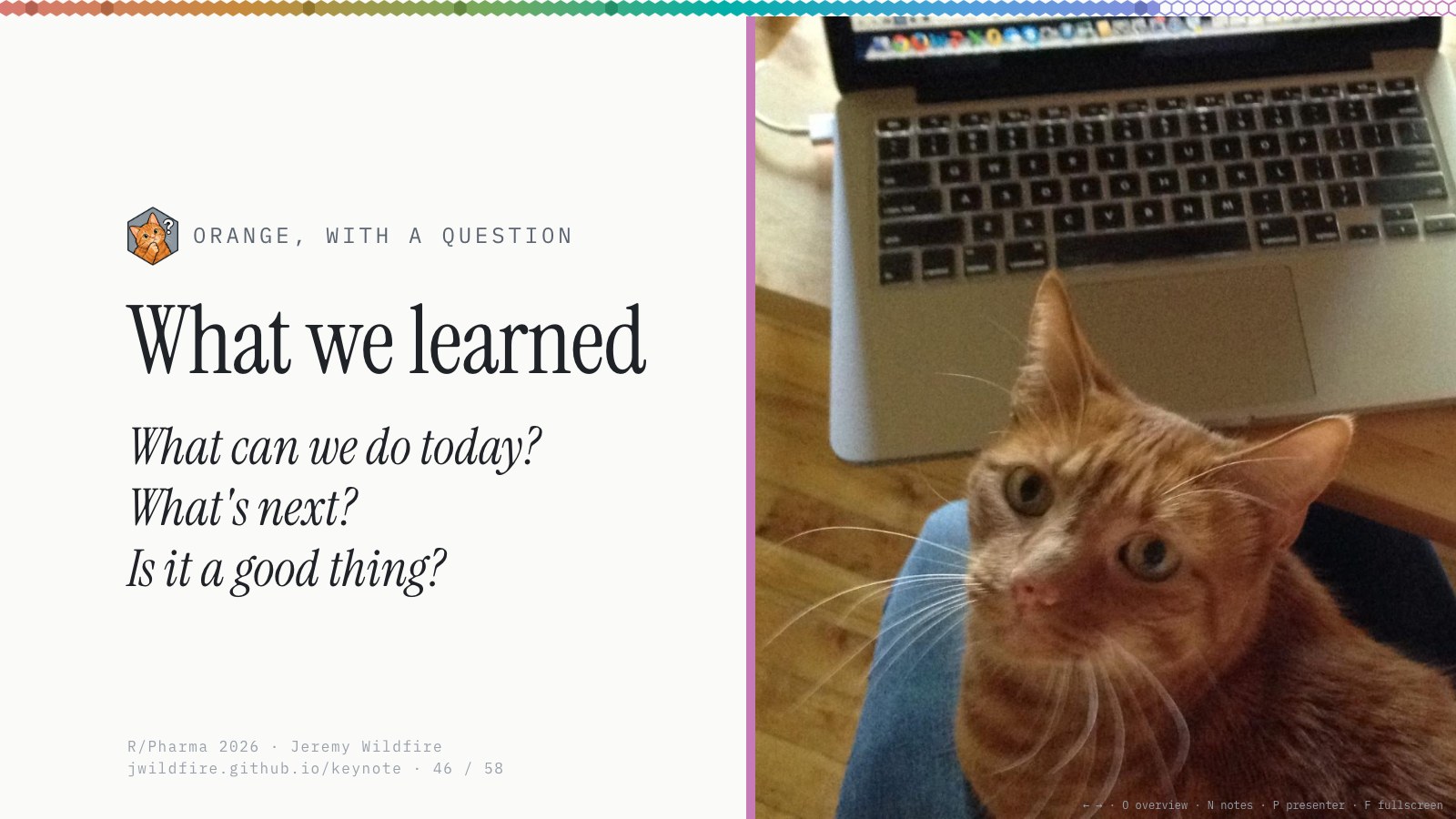
Okay, wrapping up. What can we do today, what’s next, and how do we feel about all this? It’s a lot.
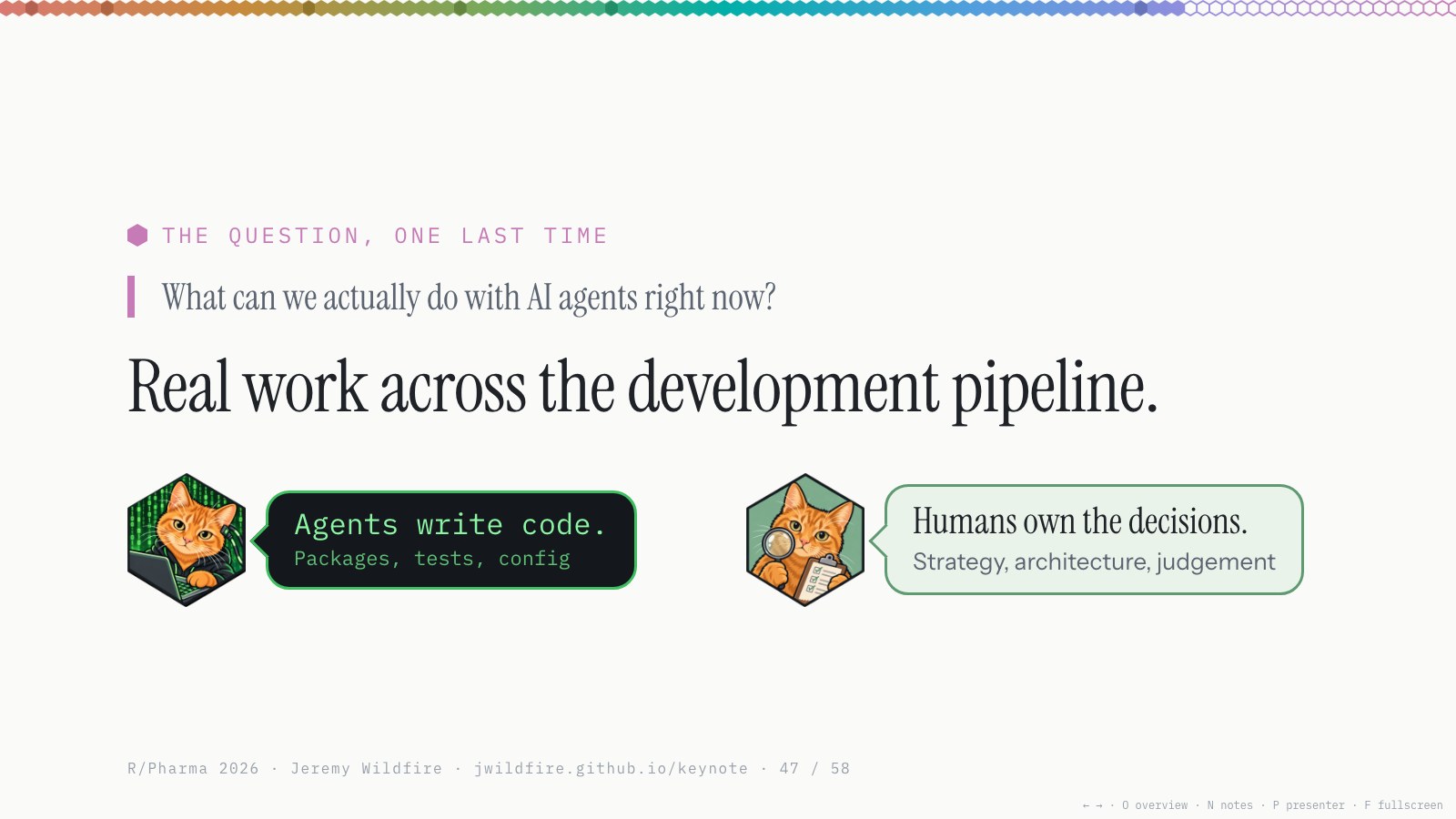
So what can we actually do with AI agents right now? Real work across the development pipeline. It’s a lot: most of the coding work. I didn’t have much luck at having Agents make strategic decisions or prioritizing, though I suspect they will improve quickly. Agents write the code, humans own the decisions, and that works great today. We’ll use them more and more as they mature.
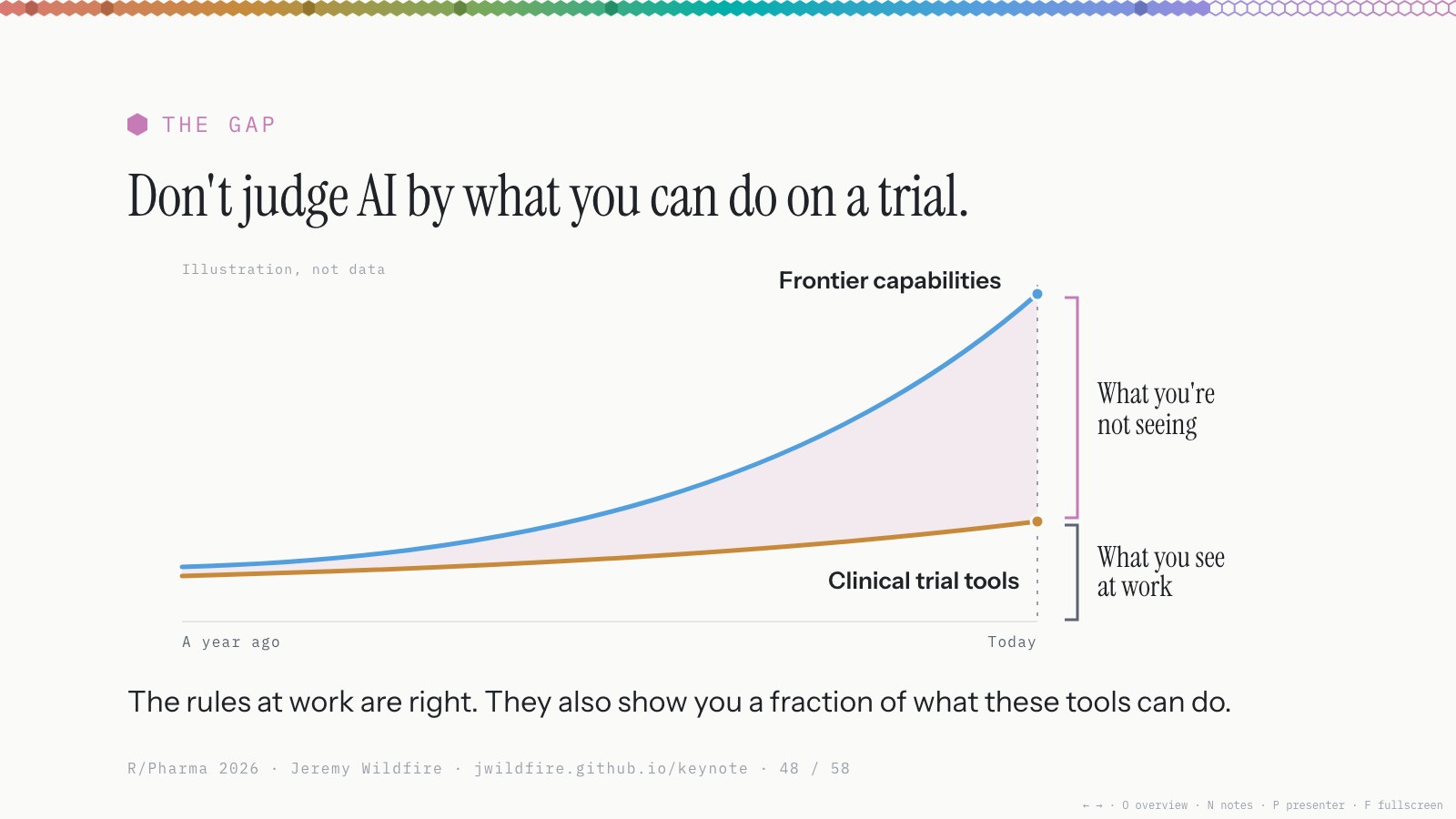
Here’s what I’d say: don’t judge AI by what you can do in your day job, on a trial. The gap between the tools that are ready for use on a trial, with extensive human oversight, and the tools at the frontier is pretty large right now, and it’s growing.
The rules we work by are right. We have to keep people safe, and we have to use tools we trust. But those rules also limit our view of what AI can do.
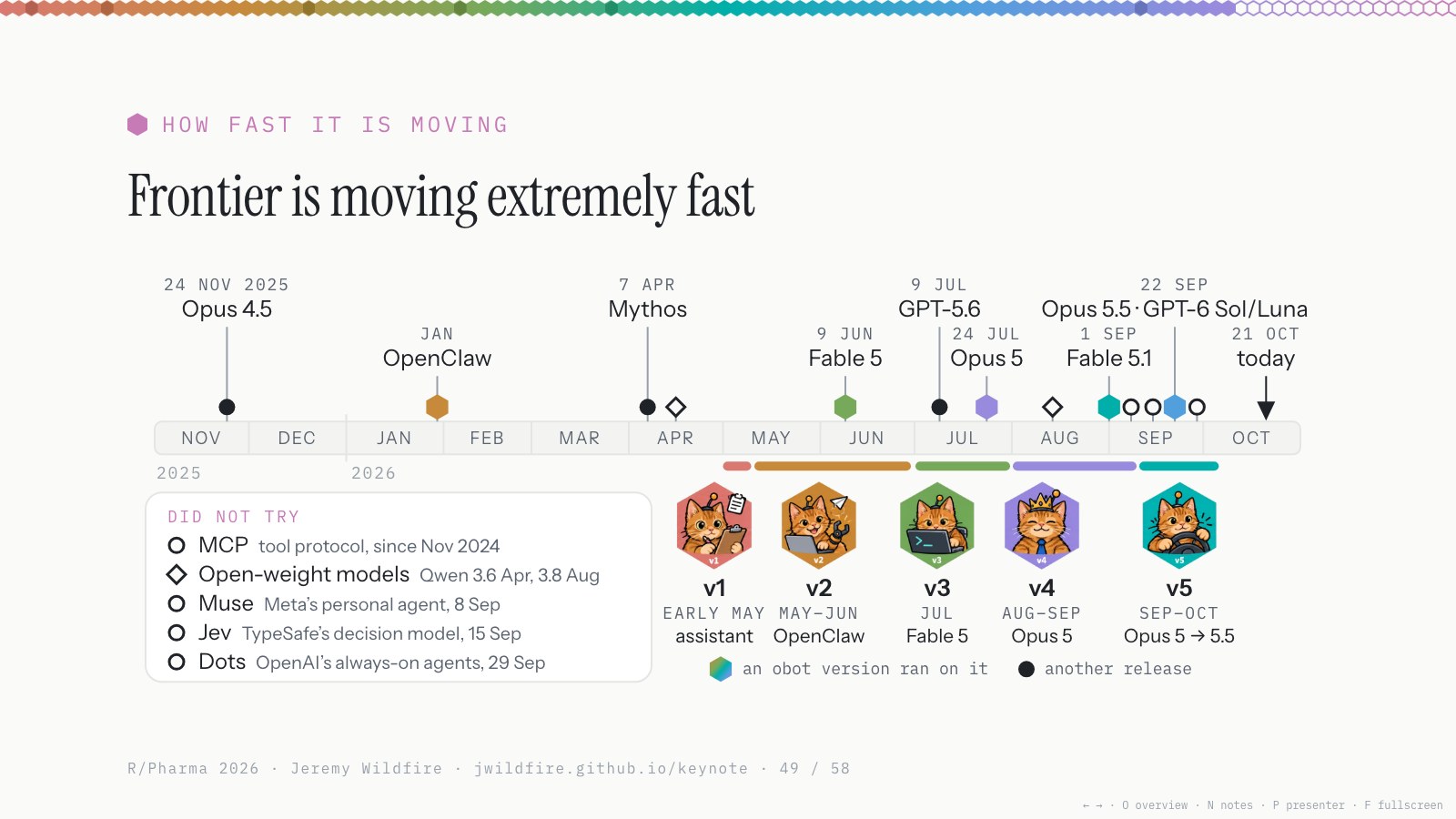
This is all moving extremely fast. I spent four or five months really experimenting, and in that time there were several new innovations. There’s a lot I didn’t try. I didn’t go deep into MCP, though Claude uses it under the hood. I haven’t played with the new personal assistants beyond OpenClaw. No open-weights models, which are getting good, and no decision models, which I think will be really valuable for clinical trials. I couldn’t try everything, and at work we’re behind on all of it. It’s a little disorienting.
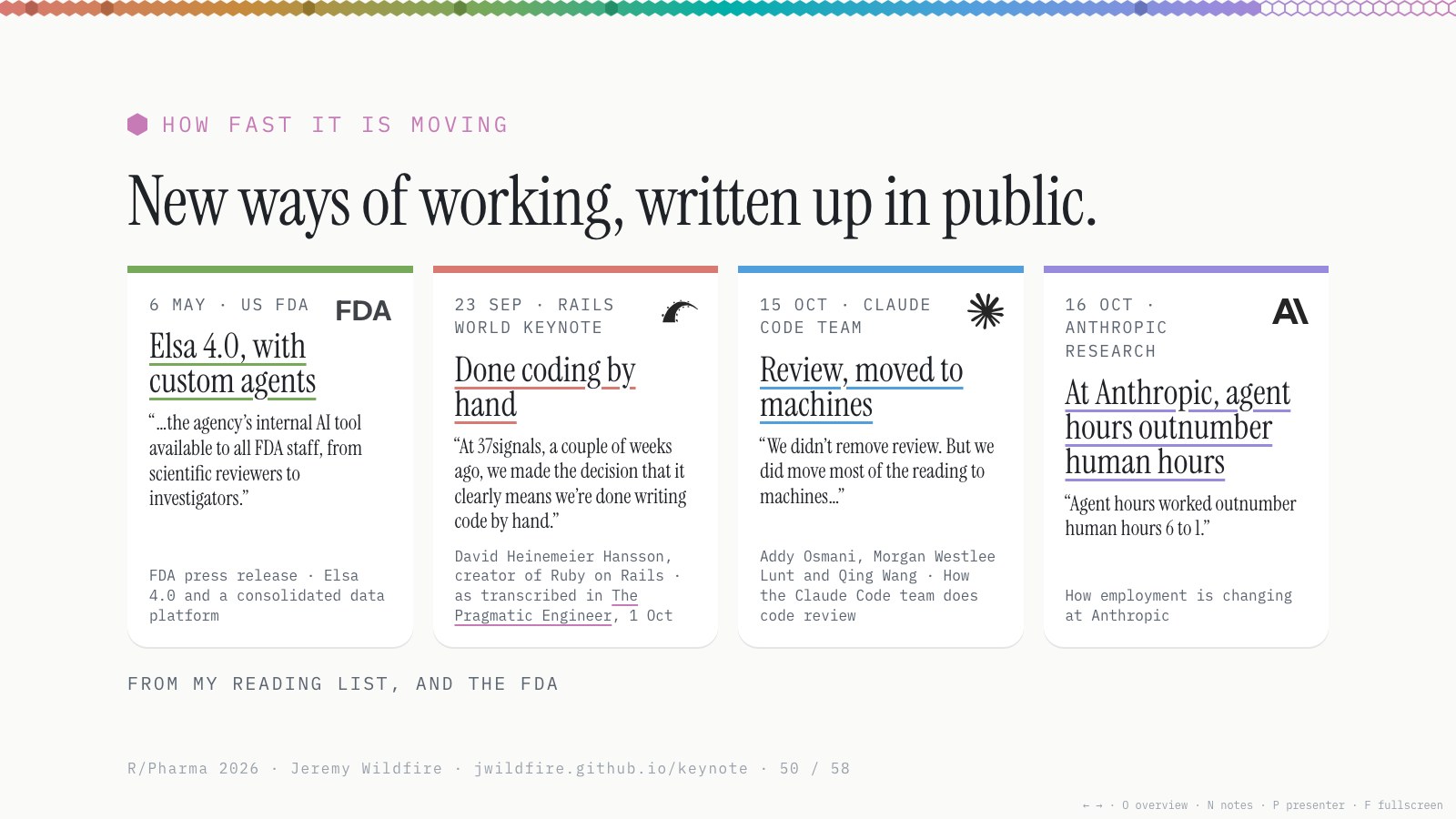
Even in the last few weeks there’s been a run of write-ups on how to work with agents. The industry is wrestling with this right now.
- The FDA made Elsa 4.0, with custom agents, available to all of its staff.
- David Heinemeier Hansson, the creator of Ruby on Rails, told Rails World that 37signals is done writing code by hand (The Pragmatic Engineer’s write-up).
- The Claude Code team wrote up how they do code review: fundamentally different from what we do in our industry, and from what most software teams do too.
- Anthropic published how employment is changing inside the company, with six times as many agent hours as human hours. That’s a little mind-blowing.
I tend to agree with DHH. I don’t think we’re going to be typing for loops anymore. We’ll be helping to design the systems, but coding by hand isn’t the most efficient way to do this anymore. And a year ago, none of this was how things worked.
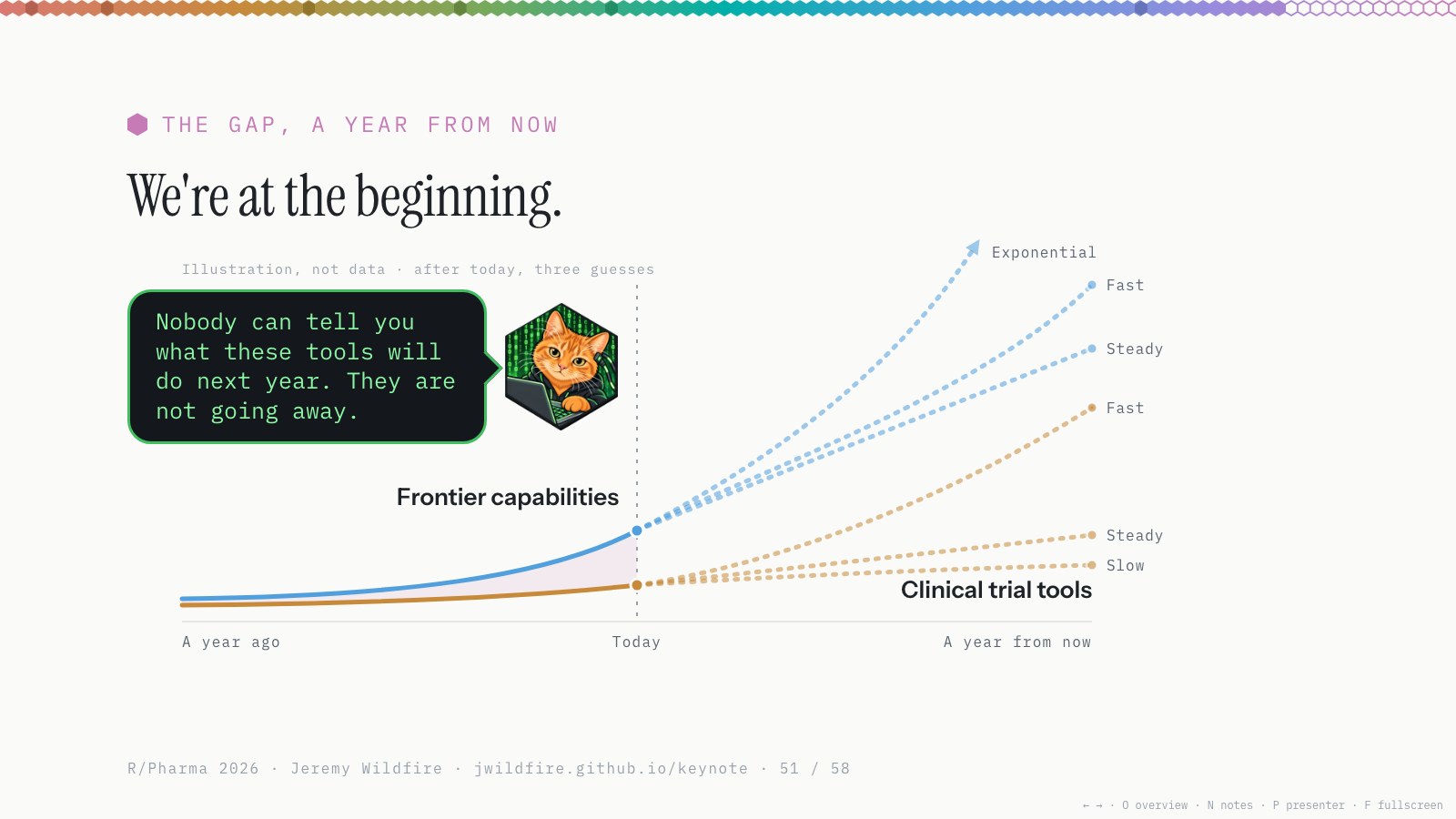
I really believe we’re at the beginning of this trend, not the end. Nobody can tell you what these tools will be able to do next year. But they’re not going away, and I think they’ll get better. Even if there were never another model release, figuring out how to use what we have now and deploy it across our industry would take several years.
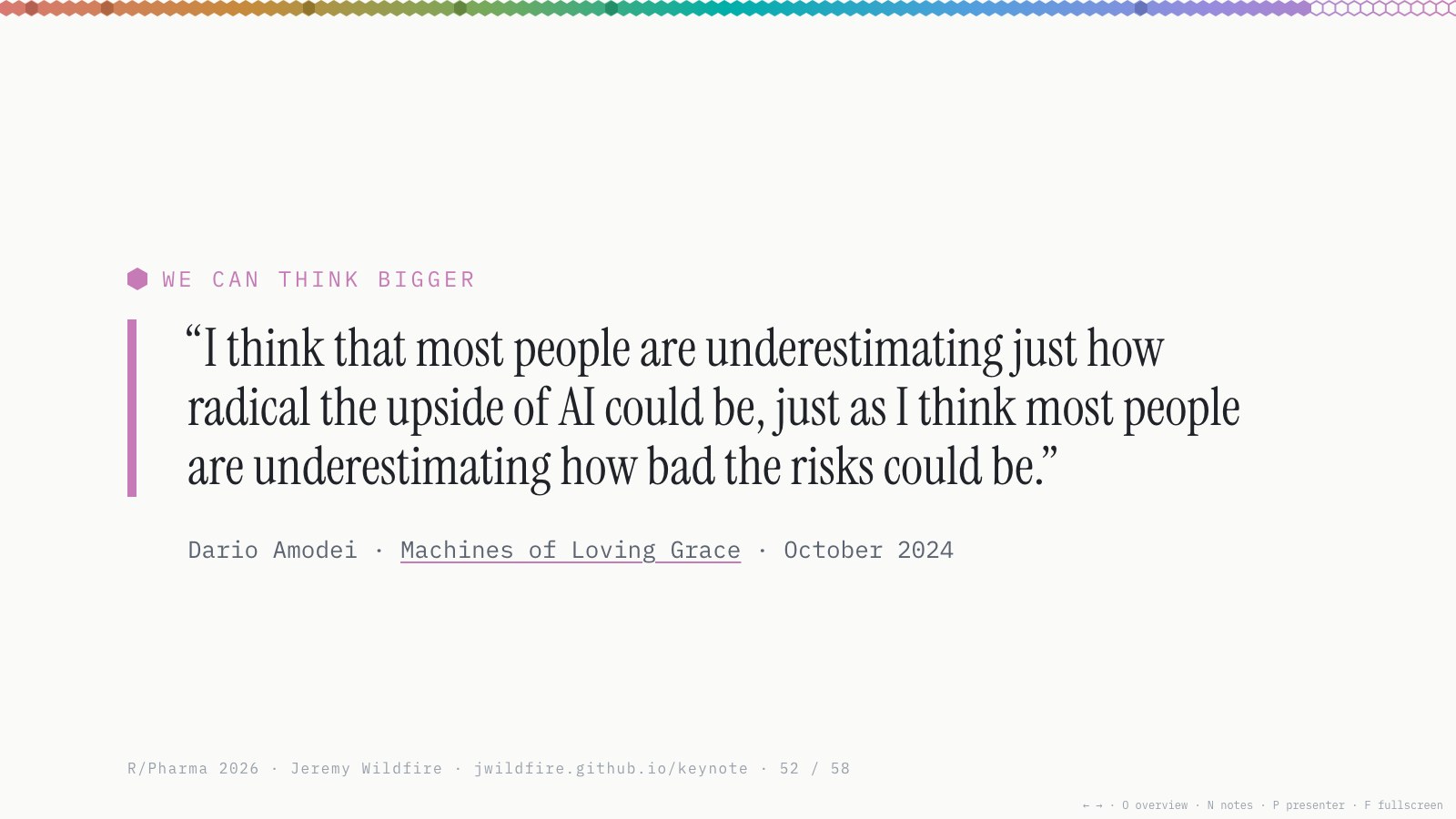
We’re a highly regulated industry, for good reason, and we tend to focus on the risks. But I agree with Dario Amodei in Machines of Loving Grace: most people are underestimating how radical the upside of AI could be, just as they’re underestimating the risks. (We’ve started to wrestle with the risks a little more in recent months.)
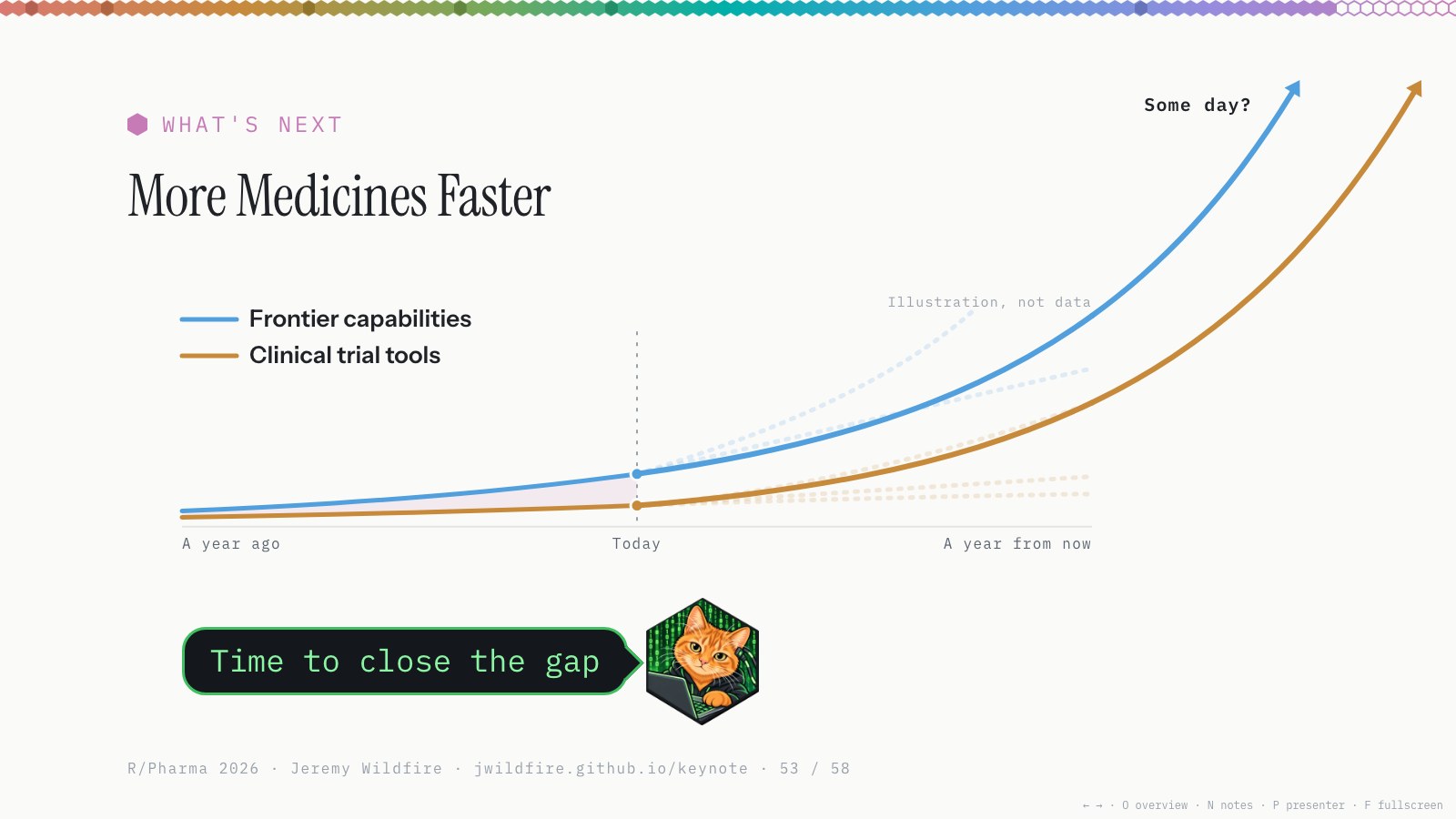
The gap is measured in medicines. A drug today takes multiple years and more than a billion dollars (Wouters 2020, DiMasi 2016), and about nine in ten candidates fail. The COVID-19 mRNA vaccines took about nine months. With AI, that could be the new normal, and some day maybe faster than that.
Amodei predicts that once powerful AI arrives, AI-enabled biology and medicine could compress 50 to 100 years of progress into 5 to 10. Demis Hassabis, who runs Google DeepMind, told 60 Minutes that the end of disease could be within reach, maybe within a decade. Take these with a big grain of salt. Then look at the last year. After using this stuff to build what I’ve built, these big forecasts don’t feel as crazy to me as they used to.
Closing the gap between clinical trial tools and the frontier means more medicines, faster. These changes are already starting; the FDA is already reviewing with AI. And we’re the ones who can make this happen. The tools we make set the pace.
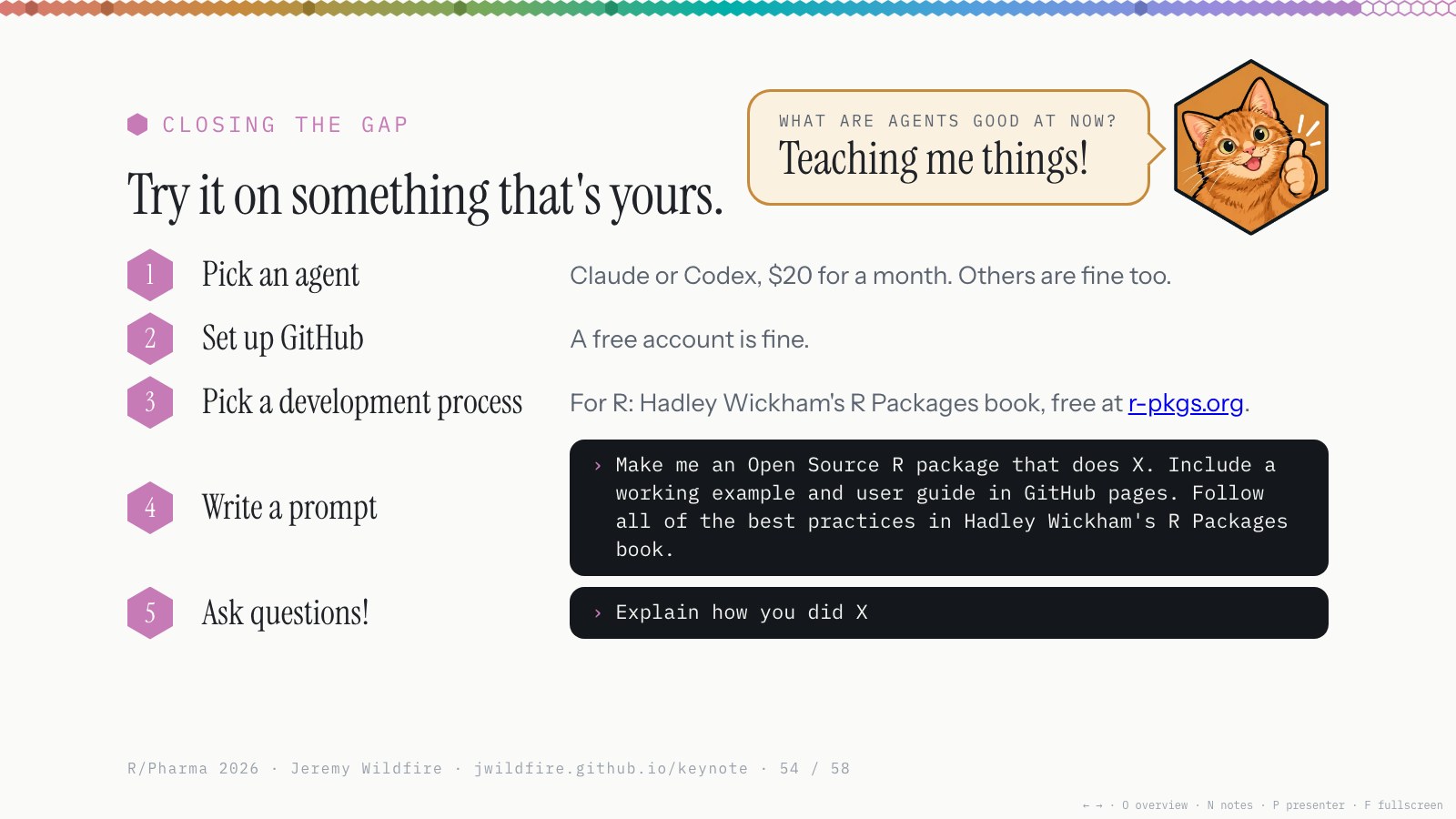
My advice: try it out on something that’s yours, and get a sense of where the frontier is, at least a little. I don’t think there’s a better investment in your career right now.
- Pick an agent: $20 for a month of Claude or Codex. They’re all pretty good now; others are fine too.
- Set up a GitHub account. A free one is fine, and these things are really good with GitHub.
- Pick a development process, because these tools work better with structure: Hadley Wickham’s R Packages book for a package, the Shiny book for an app, or ask the agent to pick a standard.
-
Write a prompt, something like:
Make me an Open Source R package that does X. Include a working example and user guide in GitHub pages. Follow all of the best practices in Hadley Wickham’s R Packages book.
- Then ask it a million questions. They’re amazing at explaining things, but you have to ask. I’ve learned more in the last year than at any time since grad school.
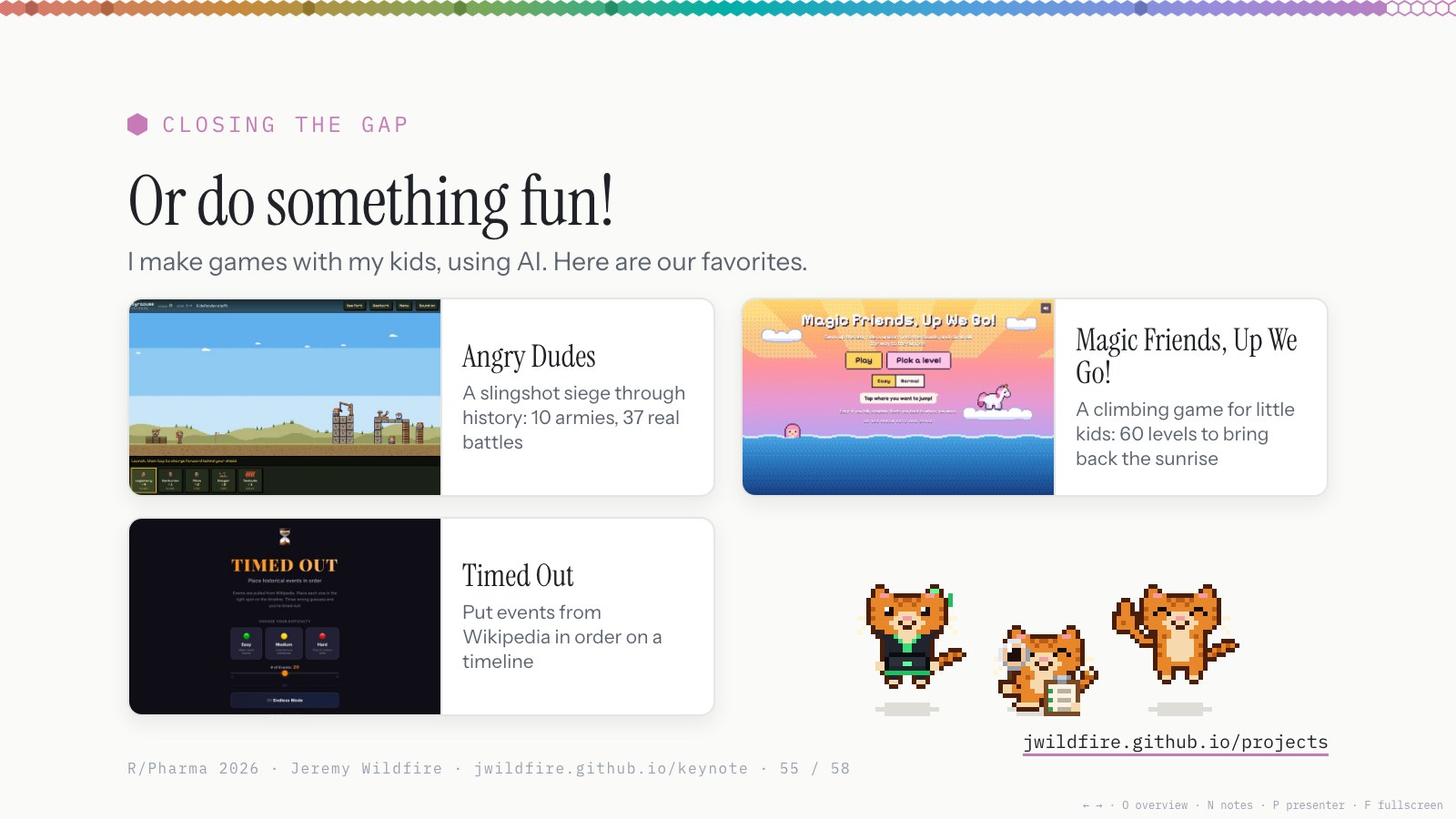
Or make a web app. I make games for my kids all the time now; it spits out fully formed games in hours, and they go play them. Our favorites are Angry Dudes, Magic Friends, Up We Go! and Timed Out, all on my projects page.
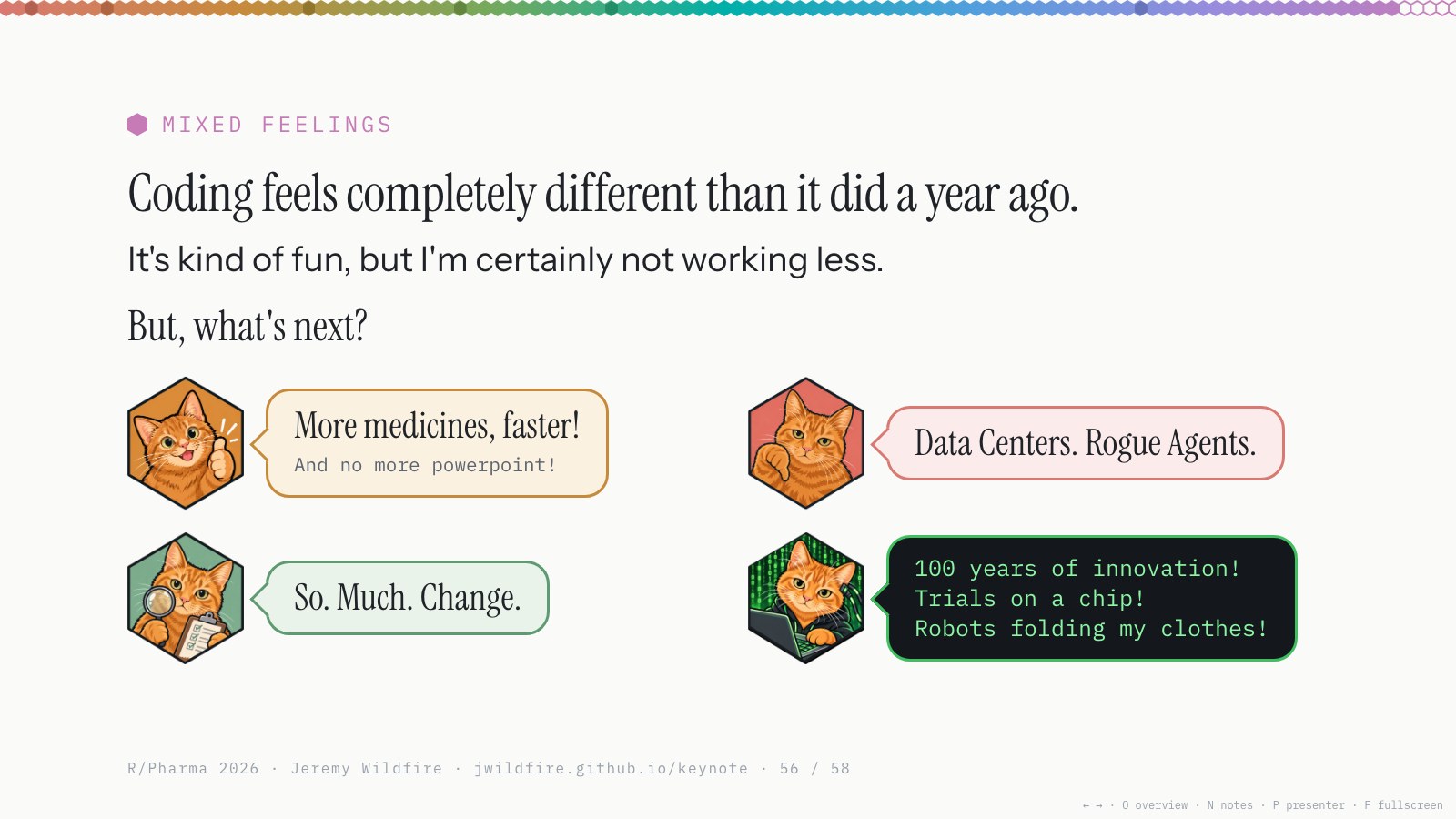
To be totally honest, I have mixed feelings about all of this. Coding feels completely different than it did a year ago, and so does my job. It’s kind of fun, but I’m certainly not working less, and it hasn’t been less stressful.
So what’s next? Each Orange has a different opinion. Thumbs-up Orange says more medicines, faster, and no more PowerPoint: I made these slides with Claude, all web-based, and all the Orange references were really fun. Thumbs-down Orange sees data centers everywhere, rogue agents, all sorts of scary stuff. Inspector Orange is going to be stressed for a long time: there’s a lot of change now, and more coming. And Hacker Orange, the one I identify with most, is in heaven: 100 years of innovation in the next 10, trials on a chip, robots folding my clothes.
We live in interesting times.
Thanks to my incredible co-workers, my very patient bosses, my extremely patient family, and everyone I’ve worked with on open-source projects. I hope we get to work together more in the coming years.
And here’s our Orange party (click for confetti). It’s a fork of Simon Willison’s Kākāpō Party, and credit to Simon, my favorite AI blogger: I’ve borrowed a bunch of his ideas, this post’s format included. Thank you all for your time.1
-
AI collaboration note: Obot (Claude Code, using Opus 5.5) drafted this post from my speaker notes and the transcripts of two dry runs, keeping my words where it could. It rendered the slide images, recorded the demo videos and built the slides with me. I edited the post line by line from there. ↩
Comments
Sign in with a GitHub account to join the discussion. Threads are powered by giscus and live as GitHub Discussions.